The Bull Horn is one of those Grow A Garden 2 items that needs a quick check before you spend time or resources on it. Its exact purpose can depend on the current version, so start with the in-game description and compare it with what happens when you activate it. The wider
Grow A Garden 2 Items pool can be easier to understand once you know which items are practical tools and which are mainly for interaction. What does the Bull Horn do in Grow A Garden 2 At the moment, the safest answer is that the Bull Horn should be treated as an item with a purpose that needs confirmation. It may relate to communication, nearby interaction, or another player-facing action, but the description and live behavior should settle that question. Don't assign it a combat role just because it looks like something that could make a loud or forceful effect. Read every line of the item text before pressing the use button. Look for wording about sound, distance, targets, nearby players, or a required situation. Those details tell you more than the item's name, and they can prevent you from wasting a use while testing a theory that the current version doesn't support. How do you use the Bull Horn Test it in a safe spot where you can observe the result without interrupting another player's activity. Activate it once, then check your character, the surrounding area, and any visible response from players close by. Keep the first test simple; you're trying to identify the trigger and result, not force an effect that the item may not have. Pay attention to what happens immediately after activation. Does the item disappear, remain available, produce a sound, or show any sign that it is ready to use again If nothing obvious happens, reread the description and check the activation conditions instead of assuming the item failed. Does the Bull Horn affect nearby players If the Bull Horn produces a sound or another visible response, range bec


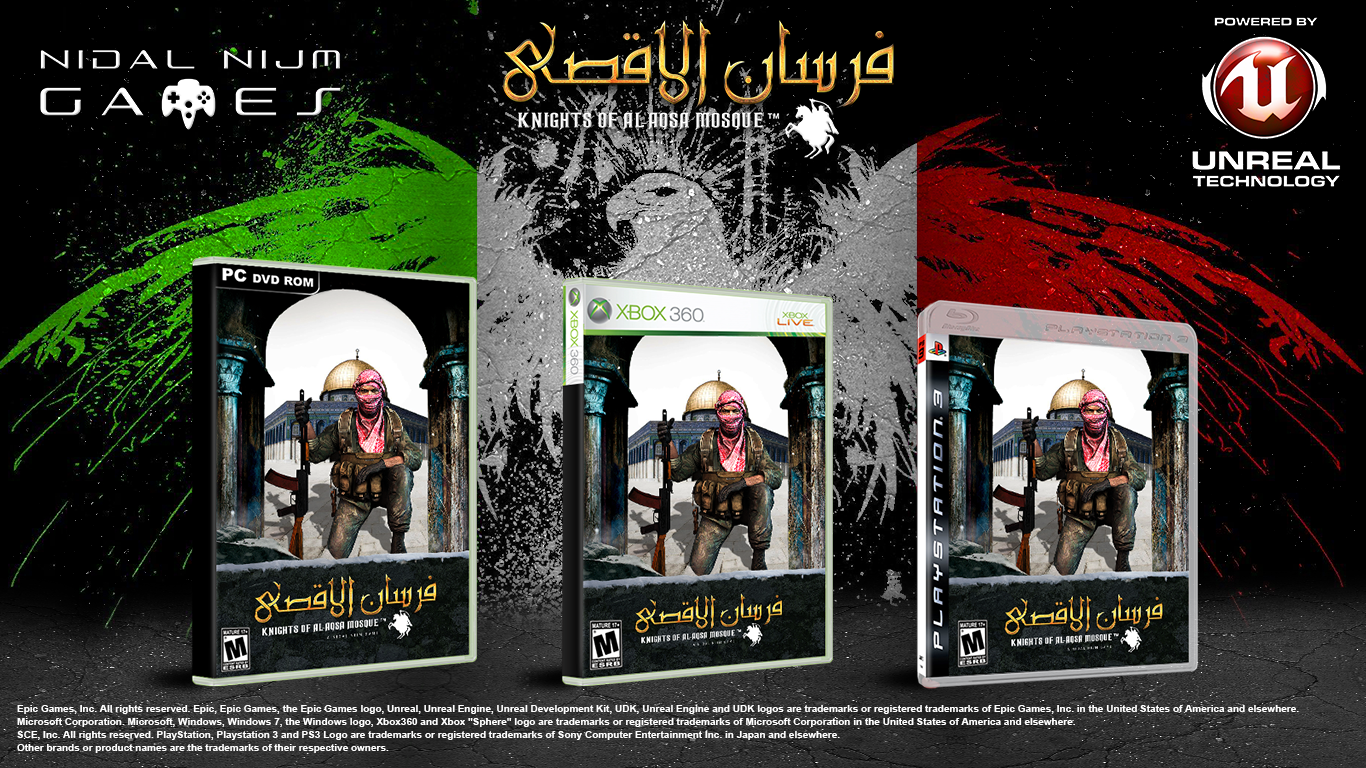 Assalamu Alaykum (Peace be with you) As you may know, recently I had to put offline my project UDK Ultimate Engine (the custom build of UDK Engine with PS3 and Xbox360 Export Support) for copyrights reasons (EPIC asked me to do this), however, they were very kind with me and allowed me to keep using my custom version of UDK to publish my games, I even signed with them an Unreal Engine License Commercial Amendment, so now I am a Licensed Unreal Engine Developer and I am ready to pursue my dream of life! #################################
 DISCLAIMER: In this game, the player does not shoot Israeli civilians, women, children, elderly, only soldiers. Also in this game there are NO images of sexual content, illicit drugs, religious desecration, hate of speech against any group, ethnicity or religion, anti-Semitist propaganda against Jews, Nazi propaganda or boasting of any terrorist groups and / or other unlawful acts. This game only contains the virtual representation of the Palestinian Resistance Movement against the Israeli Military Occupation, which is officially recognized by the United Nations (UN). I even sent this project for Brazillian's Government Justice Department, Age Rating Sector (kinda Brazillian ESRB) for their approval and age rating. This project was approved, now I am just waiting for the Age Rating Information of my game which will be available very soon on their website. I am Brazillian, from Arab ascendance, my father is from Palestine, and something I never revealed before, and one of the biggest reasons of me creating this game, is that my father was a Fighter of the Palestine Resistance Movement, he fought against Israel Army in the Lebanese Civil War on the 70's, and from since I was a kid, I felt too much proud of my father and th


 Instructions: 1. Extract avgn85.zip and move avgn85.exe to desktop 2. Open as administrator <--important 3. Launch Combat Arms 4. F6 to activate, deactivate 5 ????? 6. profit


 New Release Retail


