Detected[Undetected] [SOH] CSS v1.5
[Undetected] [SOH] CSS v1.5
===========================================
[SOH] CSS v1.5
===========================================
Features :
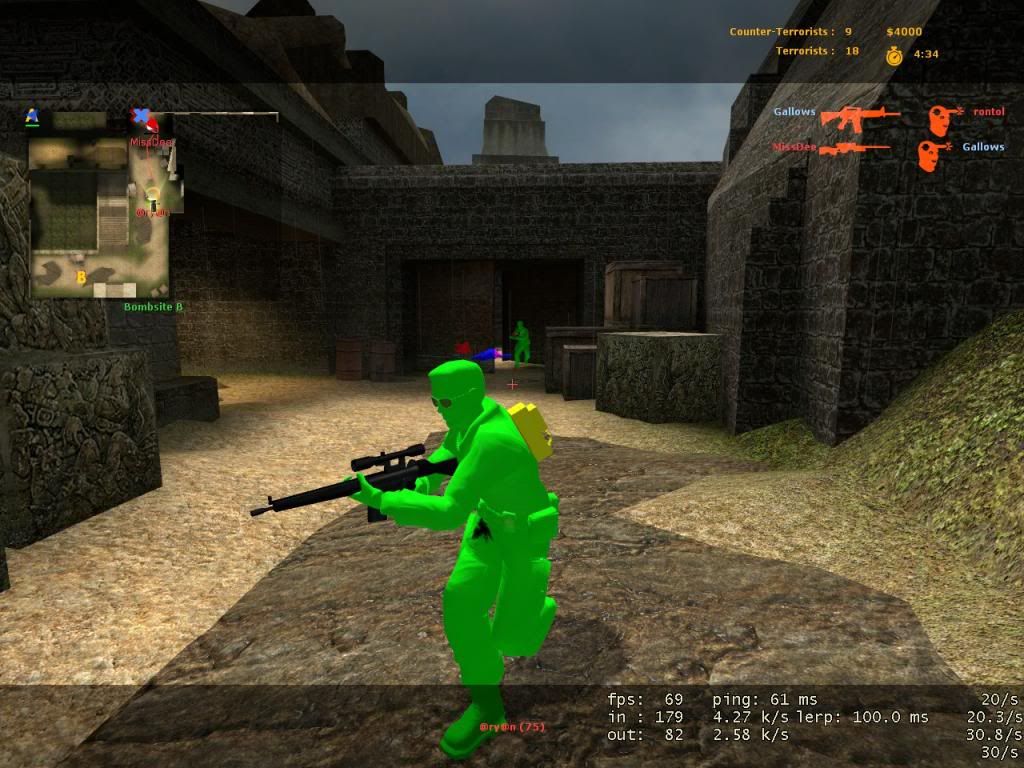
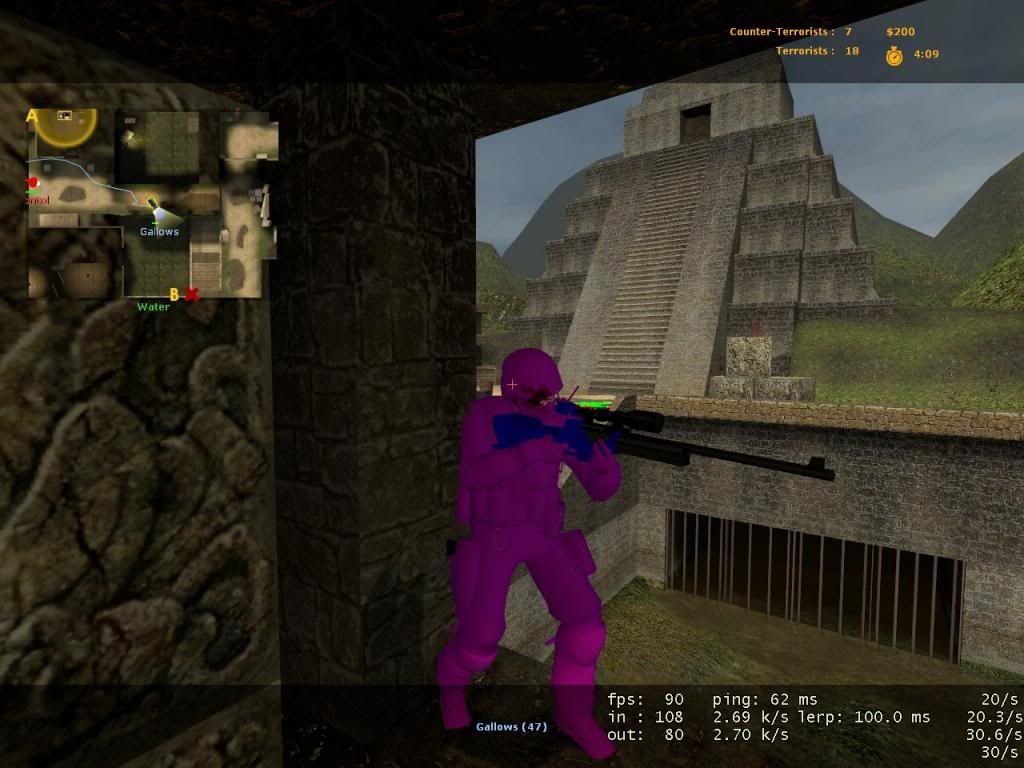
Player WallHack
Chams
Crosshair
===========================================
Hotkeys :
F11 - Player WallHack On/Off
F10 - Crosshair On/Off
===========================================
Proof : March. 5, 2013.
GARENA/VAC3
===========================================
How to use:
- If Steam , run Steam .
- Run the executable file (.exe) included.
- Run CSS
- Do "NOT" close the loader it will close after randomization.
Works on default and custom skins and models.
===========================================
IMPORTANT !
Requirements:
- Update your video driver .
Download from Microsoft:
- Directx Web Update complete . ( Not the SDK .)/ No DX11 Support.
- C++ 2005 Redistributable
- C++ 2008 Redistributable
- C++ 2010 Redistributable
- .Net framework 3.5
- .Net framework 4.0
===========================================
Tested on Vista / Windows 7 32/64 bit .
===========================================
Virus Scan
1. 798e4bf5223dd375d0bcfe761b7e727a Antivirus Scan Report - Powered by NoVirusThanks.orgⓘ
2. https://www.metascan-online.com/en/s...96f2606fb269f7ⓘ
3. Online Virus Scannerⓘ
4. SOH CSS v1.5.rar MD5:798e4bf5223dd375d0bcfe761b7e727a - VirSCAN.org 16% Scanner(s) (6/37) found malware!ⓘ
Aprove List
1. @Hero
2. @Flengo
3. @Austin
Creator : (+) Zooom
Credits:
Defcon1 C4 Skin
XION
jimster480
MyDooMJr
AIWNJOO
King-Orgy
Shadow
f0wh
Shadow
learn_more
Roverturbo
JoshRose
Drunken Cheetah

[SOH] CSS v1.5
===========================================
Features :
Player WallHack
Chams
Crosshair
===========================================
Hotkeys :
F11 - Player WallHack On/Off
F10 - Crosshair On/Off
===========================================
Proof : March. 5, 2013.
GARENA/VAC3
===========================================
How to use:
- If Steam , run Steam .
- Run the executable file (.exe) included.
- Run CSS
- Do "NOT" close the loader it will close after randomization.
Works on default and custom skins and models.
===========================================
IMPORTANT !
Requirements:
- Update your video driver .
Download from Microsoft:
- Directx Web Update complete . ( Not the SDK .)/ No DX11 Support.
- C++ 2005 Redistributable
- C++ 2008 Redistributable
- C++ 2010 Redistributable
- .Net framework 3.5
- .Net framework 4.0
===========================================
Tested on Vista / Windows 7 32/64 bit .
===========================================
Virus Scan
1. 798e4bf5223dd375d0bcfe761b7e727a Antivirus Scan Report - Powered by NoVirusThanks.orgⓘ
2. https://www.metascan-online.com/en/s...96f2606fb269f7ⓘ
3. Online Virus Scannerⓘ
4. SOH CSS v1.5.rar MD5:798e4bf5223dd375d0bcfe761b7e727a - VirSCAN.org 16% Scanner(s) (6/37) found malware!ⓘ
Aprove List
1. @Hero
2. @Flengo
3. @Austin
Creator : (+) Zooom
Credits:
Defcon1 C4 Skin
XION
jimster480
MyDooMJr
AIWNJOO
King-Orgy
Shadow
f0wh
Shadow
learn_more
Roverturbo
JoshRose
Drunken Cheetah
i hope this dont get me banned haha  thanks if it works aisha you're the best at this
---------- Post added at 02:46 PM ---------- Previous post was at 02:45 PM ----------
not approval yet, i hope this dont get me banned haha thanks if it works aisha you're the best at this
thanks if it works aisha you're the best at this ---------- Post added at 02:46 PM ---------- Previous post was at 02:45 PM ----------
not approval yet, i hope this dont get me banned haha
thanks if it works aisha you're the best at this wait for minion to aprove ...
SOMEONE PLEASE APPROVE
Looks fine, approved.
The chams don't work can someone help me? I have everything needed. Only the crosshair comes up.
these work fine but sorta annoying with the colours and stuff.
going to test it right now hope it works smooth
anyone help me? the chams don't work.
wallhack and chams don't work
they do work, you have to click run as admin to the hack BEFORE you open css,
now open css
press f10 for crosshair ( it will be red )
press f11 for the chams
now open css
press f10 for crosshair ( it will be red )
press f11 for the chams
 Originally Posted by lauramacloy

well if you've done as iv said above, it should be working.
try disabling your anti virus for 10minutes, than
click run as admin to the hack BEFORE you open css,
now open css
press f10 for crosshair ( it will be red )
press f11 for the chams
try disabling your anti virus for 10minutes, than
click run as admin to the hack BEFORE you open css,
now open css
press f10 for crosshair ( it will be red )
press f11 for the chams
Working good so far.
when i extract it , only extract 'readme' file...
This thread is closed for replies.