Save Editing 3.0.1
Introduction
This post is summary of previous save editing discussion (https://www.mpgh.net/forum/showthread.php?t=1457241). Since last thread have gone into the wrong direction i decided to make a short tutorial of how to edit save file in 3.0.2. Yes, this method is far from perfect, it's extremely time consuming and i'm sure there are much easier ways to edit save file that's why marking this post as "Preview".
Detection
Over the years editing save file is significantly ahead of all other ways of modifying or hacking progress in terms of # of bans issued. Never ever edit save file on accounts that matter to you. For additional information regarding save editing ban-rate check this post (https://www.mpgh.net/forum/showthread.php?t=1458466) @BukkitBuilder).
Method №1: DBD version 3.0.0
0. Close Steam.
1. Go to Steam folder (C:\Program Files (x86)\Steam), right click Steam.exe and choose Create shortcut.
2. Right click created shortcut, go to Properties and type "-console" in the target string after "C:\Program Files (x86)\Steam\Steam.exe". Final result:
3. Start Steam with this shortcut. You will see "CONSOLE" next to your Steam profile name.
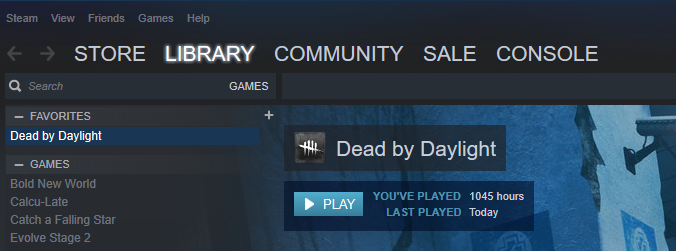
4. Open it and type "download_depot 381210 381211 9043651681125706667".
5. "Downloading depot 381211 (12415 MB) ... " should appear. We have started downloading DBD version 3.0.0.
6. Go to "C:\Program Files (x86)\Steam\steamapps\content\app_381210\depot_381 211". In this folder DBD 3.0.0 is being downloaded. There are no ways (I might be wrong here) to check download status. During download new files and folders will appear here. Mnemonic rule is that the very last folder to be downloaded is "EasyAntiCheat". If you see this folder, wait 2-3 minutes and download is complete.
7. Go to "C:\Program Files (x86)\Steam\steamapps\common\Dead by Daylight" and make backup of DBD files. Save them somewhere else so you will be able to quickly swap in the end.
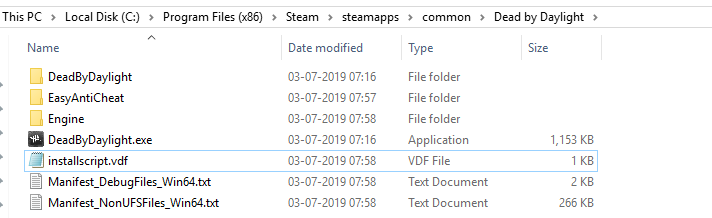
8. Go to "C:\Program Files (x86)\Steam\steamapps\content\app_381210\depot_381 211" copy this whole directory and paste to "C:\Program Files (x86)\Steam\steamapps\common\Dead by Daylight". We have swapped files of DBD version 3.0.2 with files of DBD version 3.0.0. Result:
9. Start DBD through Steam to ensure that everything works fine.
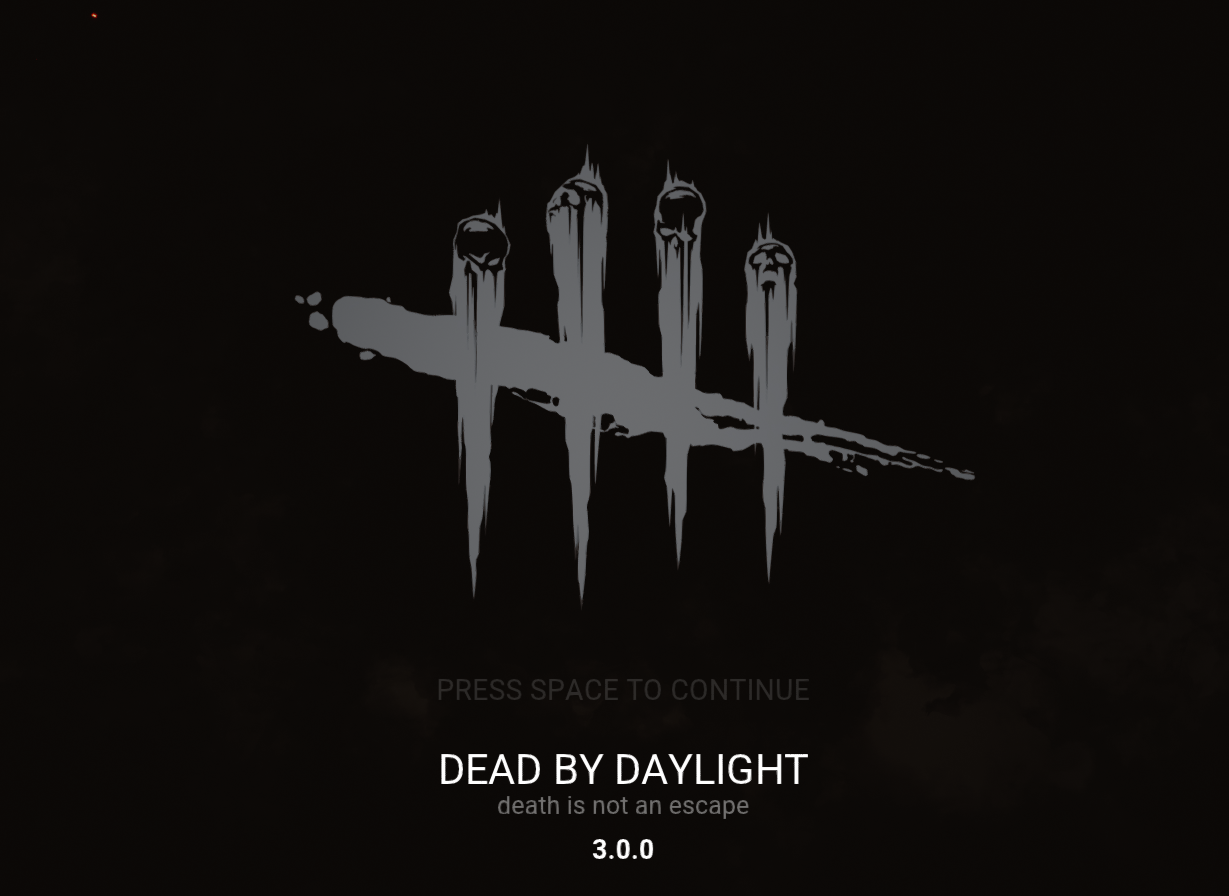
10. We have finished the initial setup. Game no longer blocks untrusted certificates and you can edit savefile. Follow this thread (https://www.mpgh.net/forum/showthread.php?t=1456477) @BukkitBuilder) for further instructions.
11. Once you uploaded modified save file to their server, restart DBD without additional software.
12. Swap game files of DBD 3.0.0 (C:\Program Files (x86)\Steam\steamapps\common\Dead by Daylight) with the files of DBD 3.0.2 (i hope you saved them before downgrading to 3.0.0. If not - delete "EasyAntiCheat" folder and verify integrity of game files). Launch DBD through Steam to ensure everything is fine.
Credits
Credits go to @BukkitBuilder for save editing software and @Vektast for correct depot/manifest.
This post is summary of previous save editing discussion (https://www.mpgh.net/forum/showthread.php?t=1457241). Since last thread have gone into the wrong direction i decided to make a short tutorial of how to edit save file in 3.0.2. Yes, this method is far from perfect, it's extremely time consuming and i'm sure there are much easier ways to edit save file that's why marking this post as "Preview".
Detection
Over the years editing save file is significantly ahead of all other ways of modifying or hacking progress in terms of # of bans issued. Never ever edit save file on accounts that matter to you. For additional information regarding save editing ban-rate check this post (https://www.mpgh.net/forum/showthread.php?t=1458466) @BukkitBuilder).
Method №1: DBD version 3.0.0
0. Close Steam.
1. Go to Steam folder (C:\Program Files (x86)\Steam), right click Steam.exe and choose Create shortcut.
2. Right click created shortcut, go to Properties and type "-console" in the target string after "C:\Program Files (x86)\Steam\Steam.exe". Final result:
Code:
"C:\Program Files (x86)\Steam\Steam.exe" -console
4. Open it and type "download_depot 381210 381211 9043651681125706667".
5. "Downloading depot 381211 (12415 MB) ... " should appear. We have started downloading DBD version 3.0.0.
6. Go to "C:\Program Files (x86)\Steam\steamapps\content\app_381210\depot_381 211". In this folder DBD 3.0.0 is being downloaded. There are no ways (I might be wrong here) to check download status. During download new files and folders will appear here. Mnemonic rule is that the very last folder to be downloaded is "EasyAntiCheat". If you see this folder, wait 2-3 minutes and download is complete.
7. Go to "C:\Program Files (x86)\Steam\steamapps\common\Dead by Daylight" and make backup of DBD files. Save them somewhere else so you will be able to quickly swap in the end.
8. Go to "C:\Program Files (x86)\Steam\steamapps\content\app_381210\depot_381 211" copy this whole directory and paste to "C:\Program Files (x86)\Steam\steamapps\common\Dead by Daylight". We have swapped files of DBD version 3.0.2 with files of DBD version 3.0.0. Result:
9. Start DBD through Steam to ensure that everything works fine.
10. We have finished the initial setup. Game no longer blocks untrusted certificates and you can edit savefile. Follow this thread (https://www.mpgh.net/forum/showthread.php?t=1456477) @BukkitBuilder) for further instructions.
11. Once you uploaded modified save file to their server, restart DBD without additional software.
12. Swap game files of DBD 3.0.0 (C:\Program Files (x86)\Steam\steamapps\common\Dead by Daylight) with the files of DBD 3.0.2 (i hope you saved them before downgrading to 3.0.0. If not - delete "EasyAntiCheat" folder and verify integrity of game files). Launch DBD through Steam to ensure everything is fine.
Credits
Credits go to @BukkitBuilder for save editing software and @Vektast for correct depot/manifest.
 Originally Posted by burh11zero11

 I just want to add that you can easily add new perks and addons, plus levels with this: