Changing player level and rank DBD 3.7.0 [MOBILE ONLY]
Important
Never ever add iridescent shards on account that is important to you. Hacking shards is direct revenue loss for BHVR therefore they will do their best to ban all people who do this. Close this page if you fear getting banned.
Detection
Since patch 2.0.0 a lot of methods to hack shards were released. Most of them were fixed within one week and a lot of people were banned in the end (https://www.mpgh.net/forum/showthread.php?t=1373150). We can expect the very same outcome with this method too. Never ever hack iridescent shards on account that matters to you, most likely you will regret. No one yet managed to receive ban for using this hacking solution but that doesn't mean people won't get banned in the future.
Introduction
First of all, i would like to mention that even though some of my ideas lay in the foundation of this hacking tool i'm not the creator of this tool and credits go to original developer. Updated and partly automated method to change rank and player level. The whole setup process isn't straightforward, requires serious time investment but still worth it
Part 1: Downgrade to 3.0.0
0. Close Steam.
1. Go to Steam folder (C:\Program Files (x86)\Steam), right click Steam.exe and choose Create shortcut.
2. Right click created shortcut, go to Properties and type "-console" in the target string after "C:\Program Files (x86)\Steam\Steam.exe". Final result:
3. Start Steam with this shortcut. You will see "CONSOLE" next to your Steam profile name.
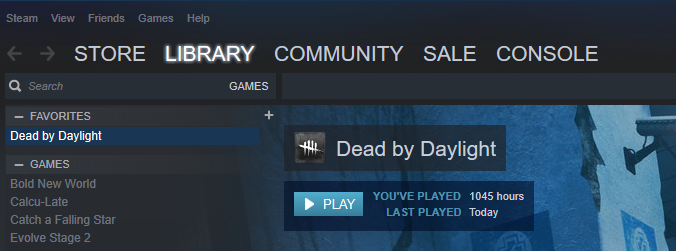
4. Open it and type "download_depot 381210 381211 9043651681125706667".
5. "Downloading depot 381211 (12415 MB) ... " should appear. We have started downloading DBD version 3.0.0.
6. Go to "C:\Program Files (x86)\Steam\steamapps\content\app_381210\depot_381 211". In this folder DBD 3.0.0 is being downloaded. There are no ways (I might be wrong here) to check download status. During download new files and folders will appear here. Mnemonic rule is that the very last folder to be downloaded is "EasyAntiCheat". If you see this folder, wait 2-3 minutes and download is complete.
7. Go to "C:\Program Files (x86)\Steam\steamapps\common\Dead by Daylight" and make backup of DBD files. Save them somewhere else so you will be able to quickly swap in the end.
8. Go to "C:\Program Files (x86)\Steam\steamapps\content\app_381210\depot_381 211" copy this whole directory and paste to "C:\Program Files (x86)\Steam\steamapps\common\Dead by Daylight". We have swapped files of latest DBD version with files of DBD version 3.0.0. Result:
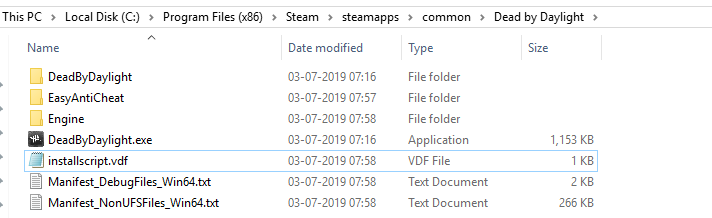
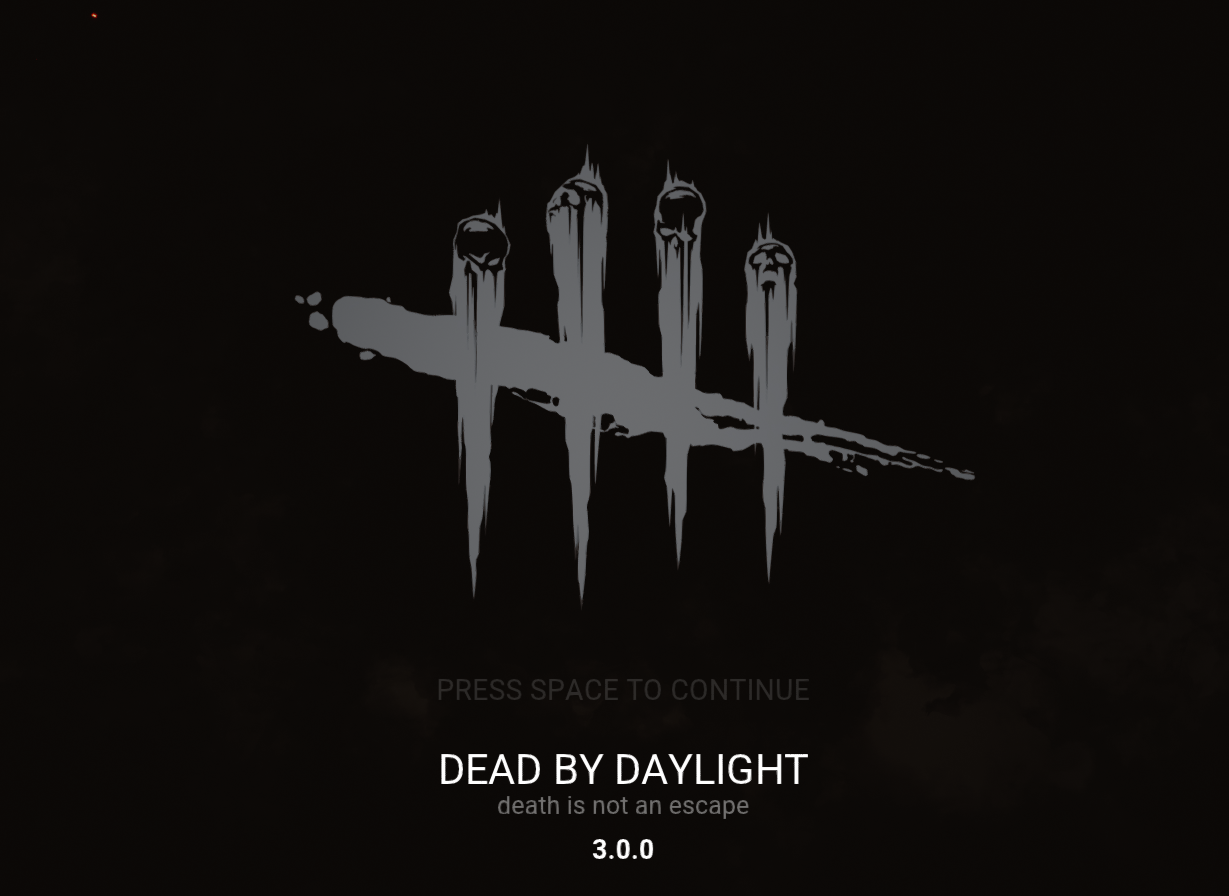
9. Start DBD through Steam to ensure that everything works fine.
Part 2: Fiddler setup
1. Download and install latest version of Fiddler Web Debugging Proxy. Suggest using Telerik official website.
2. Close DBD, log out of your Steam account.
3. Launch Fiddler, at the top left corner click Tools - Options
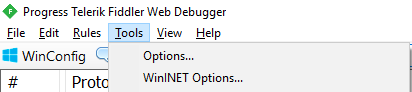
4. Go to HTTPS, Check "Capture HTTPS CONNECTs" and "Decrypt HTTPS traffic" boxes. If it's your first Fiddler usage it will ask you to install a certificate. As Fiddler accurately say, "This is generally safe" but i would recommend to do your own research before continuing. Under "Check for certificate revocation" locate "Protocols", left click blue text and paste this code:
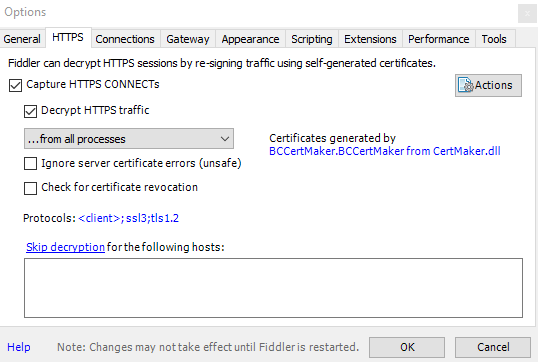
5. Close Fiddler. You will need to install additional Addon for Fiddler, "CertMaker for iOS and Android". You can google it, the download link will be on official telerik web site, at fiddler/add-ons. Once downloaded, launch "fiddlercertmaker.exe", complete the installation and launch Fiddler. Go to Tools>>Options>>HTTPS>>Actions>>Reset All Certificates. Click OK in all appearing windows.
6. Download attached folder Rules, extract it directly to C: drive. As a final result you should get folder "Rules" with two files: version and importme_v3. Correct path is important.

7. Back to the Fiddler, go to AutoResponder, click Import, go to This PC - Local Disk ( C: ) - Rules - importme_v3.farx and click Open. One rule should appear in AutoResponder tab. Check "Enable rules" and "Unmatched requests passthrough" boxes.
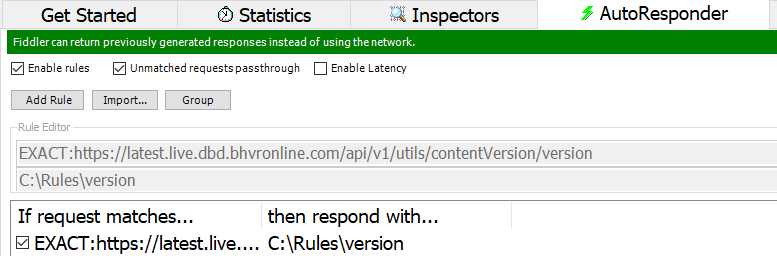
8. Restart PC.
Part 3: Session hijacking
1. Launch Fiddler as administrator, start Steam and launch DBD through Steam.
2. Proceed to main menu.
3. Actually, if you've done all previous steps correctly, you won't be able to get in game. This error will stop you:
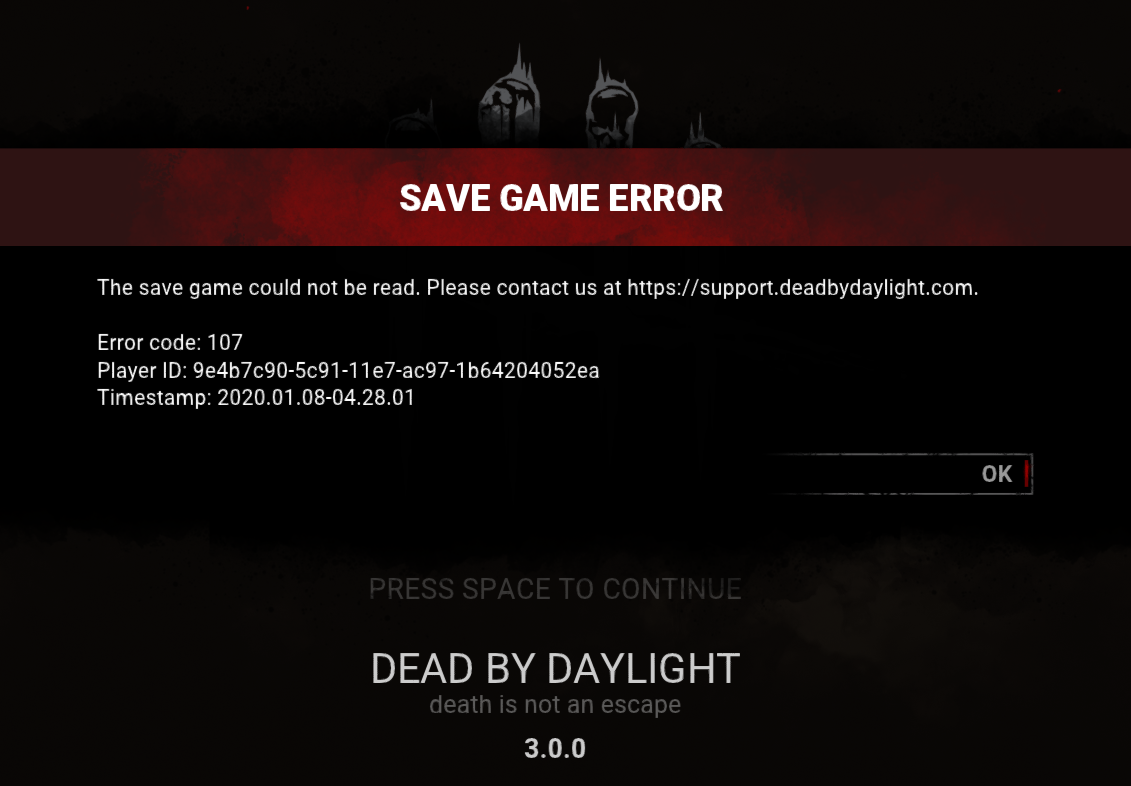
4. Don't worry, that's exactly what we need. Don't press OK, switch to Fiddler, on the left part of the screen you should be able to see game's traffic. Double click any string from:
"Inspectors" tab will appear. Go to "Cookies", copy and save in notepad "bhvrSession" after "=". Example:
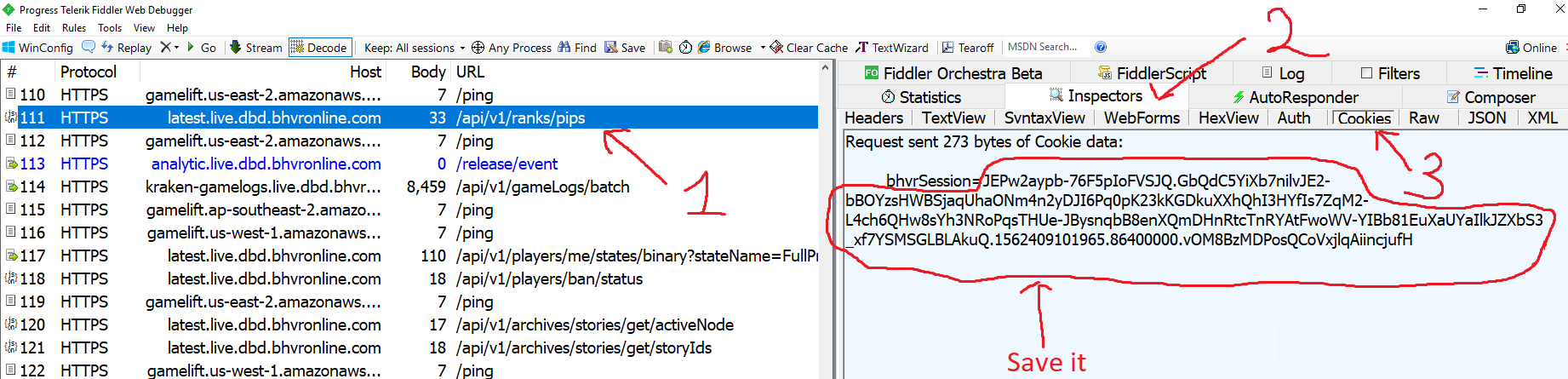
Part 4: Player level and Rank
1. Download and unzip attached folder "Sender".
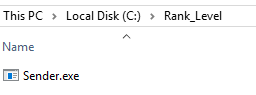
2. Install .NET Framework 4.8. This runtime is required.
3. Rename Sender.exe and launch it. Insert previously saved "bhvrSession" and press "Accept".
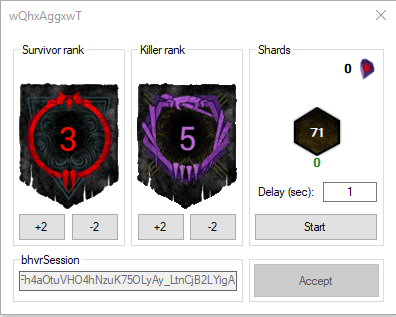
4. In order to increase/decrease rank press +-2 for the corresponding side. In order to start gaining player experience choose desired delay (1 is recommended) and press start.
5. Once finished, close Sender.exe and restart your PC.
6. Swap game files of DBD 3.0.0 (C:\Program Files (x86)\Steam\steamapps\common\Dead by Daylight) with the files of latest DBD version (i hope you saved them before downgrading to 3.0.0). Launch DBD through Steam to ensure everything is fine. Next time you use Fiddler, go to Tools>Options>HTTPS and ensure both boxes are checked.
Troubleshoot and Notes
1. Yes, you receive iridescent shards as well as experience.
2.

You copied cookie incorrectly.
3.
Program refuses to launch, some weird error appears, blue screen etc.
Disable Anti Virus, reinstall .NET Framework, set system language to English.
4.
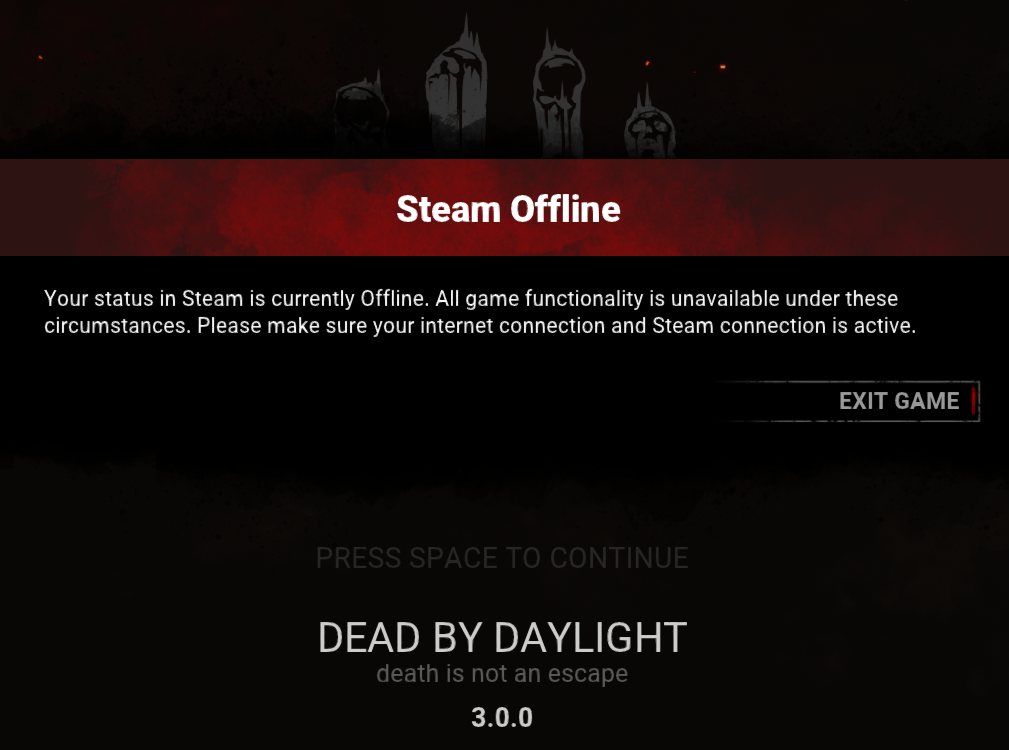
You missed few steps from Fiddler setup Part or you didn't launch game through Steam. Restart PC.
Virus Total
Rules folder
https://www.virustotal.com/gui/file/...b6e3/detection
Sender.exe
https://www.virustotal.com/gui/file/...468c/detection
The code is obfuscated and Virus Total thinks it is malicious. The original, unprotected version was checked and approved by MPGH moderator.
Credits
Credits go to @Mars1c for creating this wonderful tool. Huge thanks for saving hours of our time manually adding player level and rank
Never ever add iridescent shards on account that is important to you. Hacking shards is direct revenue loss for BHVR therefore they will do their best to ban all people who do this. Close this page if you fear getting banned.
Detection
Since patch 2.0.0 a lot of methods to hack shards were released. Most of them were fixed within one week and a lot of people were banned in the end (https://www.mpgh.net/forum/showthread.php?t=1373150). We can expect the very same outcome with this method too. Never ever hack iridescent shards on account that matters to you, most likely you will regret. No one yet managed to receive ban for using this hacking solution but that doesn't mean people won't get banned in the future.
Introduction
First of all, i would like to mention that even though some of my ideas lay in the foundation of this hacking tool i'm not the creator of this tool and credits go to original developer. Updated and partly automated method to change rank and player level. The whole setup process isn't straightforward, requires serious time investment but still worth it
Part 1: Downgrade to 3.0.0
0. Close Steam.
1. Go to Steam folder (C:\Program Files (x86)\Steam), right click Steam.exe and choose Create shortcut.
2. Right click created shortcut, go to Properties and type "-console" in the target string after "C:\Program Files (x86)\Steam\Steam.exe". Final result:
Code:
"C:\Program Files (x86)\Steam\Steam.exe" -console
4. Open it and type "download_depot 381210 381211 9043651681125706667".
5. "Downloading depot 381211 (12415 MB) ... " should appear. We have started downloading DBD version 3.0.0.
6. Go to "C:\Program Files (x86)\Steam\steamapps\content\app_381210\depot_381 211". In this folder DBD 3.0.0 is being downloaded. There are no ways (I might be wrong here) to check download status. During download new files and folders will appear here. Mnemonic rule is that the very last folder to be downloaded is "EasyAntiCheat". If you see this folder, wait 2-3 minutes and download is complete.
7. Go to "C:\Program Files (x86)\Steam\steamapps\common\Dead by Daylight" and make backup of DBD files. Save them somewhere else so you will be able to quickly swap in the end.
8. Go to "C:\Program Files (x86)\Steam\steamapps\content\app_381210\depot_381 211" copy this whole directory and paste to "C:\Program Files (x86)\Steam\steamapps\common\Dead by Daylight". We have swapped files of latest DBD version with files of DBD version 3.0.0. Result:
9. Start DBD through Steam to ensure that everything works fine.
Part 2: Fiddler setup
1. Download and install latest version of Fiddler Web Debugging Proxy. Suggest using Telerik official website.
2. Close DBD, log out of your Steam account.
3. Launch Fiddler, at the top left corner click Tools - Options
4. Go to HTTPS, Check "Capture HTTPS CONNECTs" and "Decrypt HTTPS traffic" boxes. If it's your first Fiddler usage it will ask you to install a certificate. As Fiddler accurately say, "This is generally safe" but i would recommend to do your own research before continuing. Under "Check for certificate revocation" locate "Protocols", left click blue text and paste this code:
Code:
<client>;ssl3;tls1.2
5. Close Fiddler. You will need to install additional Addon for Fiddler, "CertMaker for iOS and Android". You can google it, the download link will be on official telerik web site, at fiddler/add-ons. Once downloaded, launch "fiddlercertmaker.exe", complete the installation and launch Fiddler. Go to Tools>>Options>>HTTPS>>Actions>>Reset All Certificates. Click OK in all appearing windows.
6. Download attached folder Rules, extract it directly to C: drive. As a final result you should get folder "Rules" with two files: version and importme_v3. Correct path is important.
7. Back to the Fiddler, go to AutoResponder, click Import, go to This PC - Local Disk ( C: ) - Rules - importme_v3.farx and click Open. One rule should appear in AutoResponder tab. Check "Enable rules" and "Unmatched requests passthrough" boxes.
8. Restart PC.
Part 3: Session hijacking
1. Launch Fiddler as administrator, start Steam and launch DBD through Steam.
2. Proceed to main menu.
3. Actually, if you've done all previous steps correctly, you won't be able to get in game. This error will stop you:
4. Don't worry, that's exactly what we need. Don't press OK, switch to Fiddler, on the left part of the screen you should be able to see game's traffic. Double click any string from:
Code:
latest.live.dbd.bhvronline.com
Code:
JEPw2aypb-76F5pIoFVSJQ.GbQdC5YiXb7nilvJE2-bBOYzsHWBSjaqUhaONm4n2yDJI6Pq0pK23kKGDkuXXhQhI3HYfIs7ZqM2-L4ch6QHw8sYh3NRoPqsTHUe-JBysnqbB8enXQmDHnRtcTnRAtFwoWV-YIBb81EuXaUYaIlkJZXbS3_xf7YSMSGLBLAkuQ.1562409101965.86400000.vOM8BzMDPosQCoVxjlqAiincjufHDYhigCk8m-1Ci7g
Part 4: Player level and Rank
1. Download and unzip attached folder "Sender".
2. Install .NET Framework 4.8. This runtime is required.
3. Rename Sender.exe and launch it. Insert previously saved "bhvrSession" and press "Accept".
4. In order to increase/decrease rank press +-2 for the corresponding side. In order to start gaining player experience choose desired delay (1 is recommended) and press start.
5. Once finished, close Sender.exe and restart your PC.
6. Swap game files of DBD 3.0.0 (C:\Program Files (x86)\Steam\steamapps\common\Dead by Daylight) with the files of latest DBD version (i hope you saved them before downgrading to 3.0.0). Launch DBD through Steam to ensure everything is fine. Next time you use Fiddler, go to Tools>Options>HTTPS and ensure both boxes are checked.
Troubleshoot and Notes
1. Yes, you receive iridescent shards as well as experience.
2.
You copied cookie incorrectly.
3.
Program refuses to launch, some weird error appears, blue screen etc.
Disable Anti Virus, reinstall .NET Framework, set system language to English.
4.
You missed few steps from Fiddler setup Part or you didn't launch game through Steam. Restart PC.
Virus Total
Rules folder
https://www.virustotal.com/gui/file/...b6e3/detection
Sender.exe
https://www.virustotal.com/gui/file/...468c/detection
The code is obfuscated and Virus Total thinks it is malicious. The original, unprotected version was checked and approved by MPGH moderator.
Credits
Credits go to @Mars1c for creating this wonderful tool. Huge thanks for saving hours of our time manually adding player level and rank
 Originally Posted by DragonDoge