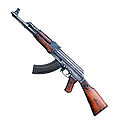
How to mod .Rez files.
I know there is already a "How to mod .Rez files thread" but it's kinda difficult to understand so I am making a easier version.
---Tools you will need to mod
1.RezXtract,This will extract your choosen .Rez file and make a new folder were the original .Rez file is located at.
2.DTXConvert,This is the tool that will let you edit the .Rez file you have extracted,then covert back to regular format.
3.DTXInject,This tool will inject the file you have edited with PhotoShop/Paint in the original .Rez file.
4.PhotoShop plugins,msvcrtd.dll, msvcirtd.dll, & DTXFormat.8bi
BlackAngelⓘ
You can find all those tools here^.
-------------------------------------------------
(HOW TO SET UP PhotoShop PLUGINS)
1.Computer>C:>ProgramFiles(x86)>Adobe>Adobe PhotoShop CS5.1.
2.Drop/take msvcrtd.dll, msvcirtd.dll in your Adobe PhotoShop CS5.1 folder.
3.Drop/take DTXFormat.8bi and go to Adobe PhotoShop CS5.1>Plug-ins>File-Formats>drop/take it there.
-------------------------------------------------
---Tutorial(Before you start you should make a copy/backup your original .Rez file you wanna edit)
1.Take a .Rez file you have chosen to mod/edit.
2.Open,RezXtractor.
3.Click "open file to extract".
4.Open the .Rez file you have chosen to mod/edit.
5.Wait for it to complete.
6.When it says "Extraction complete!" close RezXtractor.
7.Now go to,Computer>C:>Nexon>CombatArms>Game>drag the folder with the name of your chosen .Rez file to mod/edit to your desktop.
8.Open,DTXConvert.
9.Find your extracted folder(in desktop)and click "open"
10.Click convert to LithTech,this will let you mod/edit in PhotoShop/Paint.
11.When DTXConvert is complete click "ok" then close the program.
12.This is the step were you have to mod/edit in your PhotoShop/Paint.
13.When you are done click "Save as" and replace it with your original extracted/converted file.
14.Open DTXConvert again,this time your going to have to click "Nexon".
15.When it's done close the program.
16.Open up DTXInject
17.On the top bar by the words "Browse" click "Browse" and find the ORIGINAL .Rez file and click open.
18.On the bottom bar by the word "Add" click "Add" then find your MODDED/EDITED .Rez file and click open.
19.When it's finished close the program.
20.You'r now done,now you can play CombatArms with your modded/edited .Rez file.
Credits to @why06 for original thread.
Credits to BlackAngel for tools.
---Tools you will need to mod
1.RezXtract,This will extract your choosen .Rez file and make a new folder were the original .Rez file is located at.
2.DTXConvert,This is the tool that will let you edit the .Rez file you have extracted,then covert back to regular format.
3.DTXInject,This tool will inject the file you have edited with PhotoShop/Paint in the original .Rez file.
4.PhotoShop plugins,msvcrtd.dll, msvcirtd.dll, & DTXFormat.8bi
BlackAngelⓘ
You can find all those tools here^.
-------------------------------------------------
(HOW TO SET UP PhotoShop PLUGINS)
1.Computer>C:>ProgramFiles(x86)>Adobe>Adobe PhotoShop CS5.1.
2.Drop/take msvcrtd.dll, msvcirtd.dll in your Adobe PhotoShop CS5.1 folder.
3.Drop/take DTXFormat.8bi and go to Adobe PhotoShop CS5.1>Plug-ins>File-Formats>drop/take it there.
-------------------------------------------------
---Tutorial(Before you start you should make a copy/backup your original .Rez file you wanna edit)
1.Take a .Rez file you have chosen to mod/edit.
2.Open,RezXtractor.
3.Click "open file to extract".
4.Open the .Rez file you have chosen to mod/edit.
5.Wait for it to complete.
6.When it says "Extraction complete!" close RezXtractor.
7.Now go to,Computer>C:>Nexon>CombatArms>Game>drag the folder with the name of your chosen .Rez file to mod/edit to your desktop.
8.Open,DTXConvert.
9.Find your extracted folder(in desktop)and click "open"
10.Click convert to LithTech,this will let you mod/edit in PhotoShop/Paint.
11.When DTXConvert is complete click "ok" then close the program.
12.This is the step were you have to mod/edit in your PhotoShop/Paint.
13.When you are done click "Save as" and replace it with your original extracted/converted file.
14.Open DTXConvert again,this time your going to have to click "Nexon".
15.When it's done close the program.
16.Open up DTXInject
17.On the top bar by the words "Browse" click "Browse" and find the ORIGINAL .Rez file and click open.
18.On the bottom bar by the word "Add" click "Add" then find your MODDED/EDITED .Rez file and click open.
19.When it's finished close the program.
20.You'r now done,now you can play CombatArms with your modded/edited .Rez file.
Credits to @why06 for original thread.
Credits to BlackAngel for tools.

 Originally Posted by Hugo Chavez