 Minecraft 1.6.1 Launcher Crack (config)
Minecraft 1.6.1 Launcher Crack (config)
Here is way how to bypass original Minecraft launcher. To play in offline mode. I think it works on SP and MP.
Images:

(i use name "Notch" so you can see it's working & cracked)

(in game chat so you can see it works in game cracked)
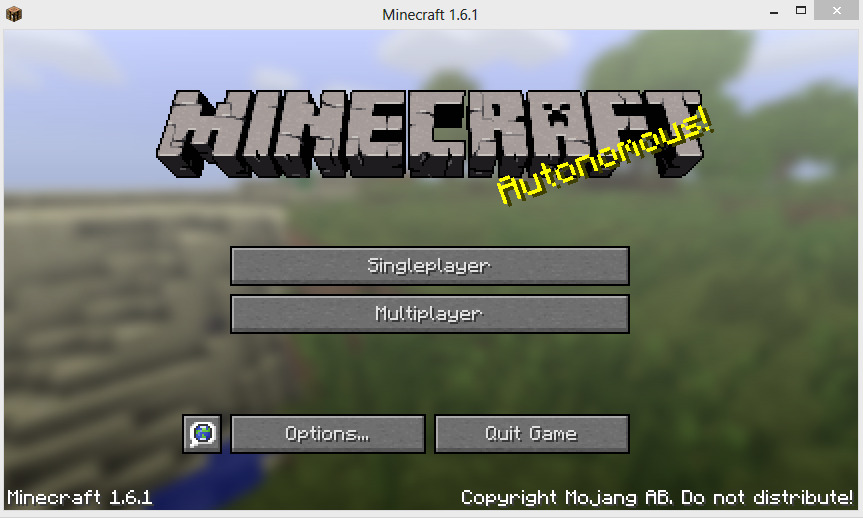
(here you can see it's 1.6.1)
Virus scan:
Virus scan 1: http://virusscan.jotti.org/en/scanre...725f15b6d480cf
Virus scan 2: http://r.virscan.org/report/b8bed742...96b25f70d.html
How to install:
1. Go to start and write %appdata%
2. Remove all files inside folder ".minecarft"
3. Copy "launcher_profiles.json" in ".minecraft" folder
4. Open "launcher_profiles.json" with notepad or wordpad
5. Replace "YOURNAMEHERE" with name you like to use.
7. Run Minecraft.jar
6. Now you just hit play offline.
You can use official premium launcher. If you need like exe... This one is premium but with config it allow you to play in offline mode. The launcher version is 1.0.4.
How to change version:
1. Open minecarft.jar or exe
2. You will see inside button "Edit profile".
3. Click it, inside you will see text "Use version"
4. Click drop down menu and select 1.6.1 or "Use Latest Version"
5. Now click "Save Profile"
6. Click "Play offline" and the launcher will update your game version.
People on my YouTube channel confirm that it works also Multiplayer =)
Images:
(i use name "Notch" so you can see it's working & cracked)
(in game chat so you can see it works in game cracked)
(here you can see it's 1.6.1)
Virus scan:
Virus scan 1: http://virusscan.jotti.org/en/scanre...725f15b6d480cf
Virus scan 2: http://r.virscan.org/report/b8bed742...96b25f70d.html
How to install:
1. Go to start and write %appdata%
2. Remove all files inside folder ".minecarft"
3. Copy "launcher_profiles.json" in ".minecraft" folder
4. Open "launcher_profiles.json" with notepad or wordpad
5. Replace "YOURNAMEHERE" with name you like to use.
7. Run Minecraft.jar
6. Now you just hit play offline.
You can use official premium launcher. If you need like exe... This one is premium but with config it allow you to play in offline mode. The launcher version is 1.0.4.
How to change version:
1. Open minecarft.jar or exe
2. You will see inside button "Edit profile".
3. Click it, inside you will see text "Use version"
4. Click drop down menu and select 1.6.1 or "Use Latest Version"
5. Now click "Save Profile"
6. Click "Play offline" and the launcher will update your game version.
People on my YouTube channel confirm that it works also Multiplayer =)
 Originally Posted by UXRI


