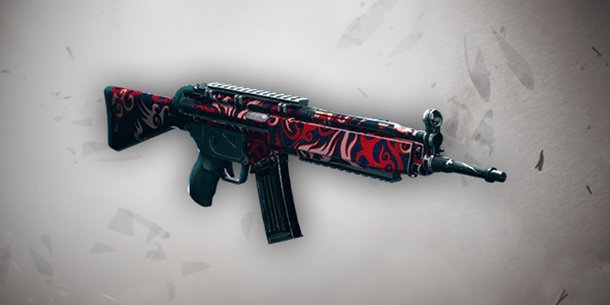
PostR6S - Free 🔥Fire🔥 Weapon Skin Tutorial

Posts 1–15 of 39 · Page 1 of 3
R6S - Free 🔥Fire🔥 Weapon Skin Tutorial


This guide will show you how to claim the Fire Weapon Skin (only available to BETA players)

1) Download the attachment and extract it somewhere


2) Navigate to C:\Program Files (x86)\Ubisoft\Ubisoft Game Launcher\savegames\<your uplay account>\635


3) Replace the .save file in that 635 folder with the save file found from step 1

4) Open your uPlay client, go to settings and check off "Enable cloud save synchronization for supported games"


5) After checking that option off, restart your client and open up R6S.

6) Open up the uPlay overlay (Shift + F2) and you should be able to claim the skin under "Club Rewards". Enjoy!


If you found this tutorial helpful be sure to hit the thanks button, it'll be much appreciated!
save_mpgh.net.zip11 KB · 1,526 downloads Clean
Is it bannable?
Quote Originally Posted by Shaunxd View Post
Is it bannable?
It's not bannable
I dont have a folder 645
I can confirm that it's working for Steam and Uplay versions.
Thanks, would appriciate more Tuts like this in the future.
got the skin and rolled back all the settings , cant even switch between my items
Clever method
hey, i don't have a folder named "635", just one named "1843", is there a way to fix this? i tried changing the save on the 1843 but it didn't work and creating a folder named 635 and putting the save in it didn't work either
Can confirm worked and used a backup of my save after doing this.
Hey, this method worked, but now i cant talk in game chat at all. Any help?
Quote Originally Posted by czbt View Post
Hey, this method worked, but now i cant talk in game chat at all. Any help?
Enable voice chat in settings
Not working, showing "candidate selection" action
Tried to switch off both steam and uplay cloud save sync but still no..
thanks for this ^^ btw guys if you dont have 645 folder doesnt matter just replace it
Still working. Thanks a lot. <3


If you don't find the specified folder just put it in whichever folder you find the 1.save file.
Posts 1–15 of 39 · Page 1 of 3

Post a Reply

Similar Threads

Tags for this Thread

None

Need help?