mw3 crashing problem
After the update, I've been getting an error every time I join a game. After about 5 minutes of playing, it gives me this error: 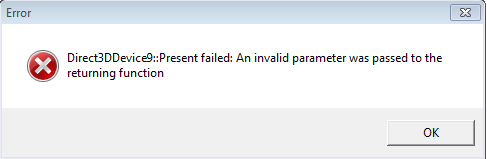
 Originally Posted by Larity2056
 Originally Posted by leinuo2
Originally Posted by Larity2056
Originally Posted by leinuo2
Originally Posted by Larity2056
Originally Posted by leinuo2
Originally Posted by Larity2056
Originally Posted by leinuo2
Originally Posted by Larity2056
 Originally Posted by abaaaabbbb63
 I just have to run Mw3 full screen and that will fix the problem. Originally Posted by SlayerPFC

![[PrO1Gamers]](/forum/customavatars/thumbs/avatar644098_4.gif)
