Multi-Threaded Ping Checker
Since both ping checkers that are available here on MPGH are quite slow (and do not look that well either), i decided to try my luck with one myself. My ping checker is significanly faster and looks way better imho (you may disagree here but that is okay).
I achived the speed boost by multi-threading and ping every server simultaneously.
Also this ping check is not going to be outdated anytime soon, since it grabs the IPs of the ROTMG-Servers at runtime from the ROTMG Site.
Why should you use my ping checker over the others?
Well, it is faster, better looking UI, animations and Llamas, yes there are hidden Llamas in my ping checkers, try to find them.
ROTMG Ping Checker

ROTMG Ping Checker Minimal

I took both other ping checkers that are available here on MPGH and compared them with mine (with expected results).
Both are significantly slower and show similar results, the ping times are not equal since they vary quite a lot due to the server-clusters they use.
Credit and thanks to ruusey for creating the Java version of the ping checker found here: https://www.mpgh.net/forum/showthread.php?t=1430800
Also credits and thanks to New for making the first version of the ping checker, found here: https://www.mpgh.net/forum/showthread.php?t=1147858

This is the first program for me to release, like ever and i am quite exited for you opinions, so please let me know what you think about this small project.
Maybe you have any ideas what i could change.
Also if anyone wants the source code, just contact me.
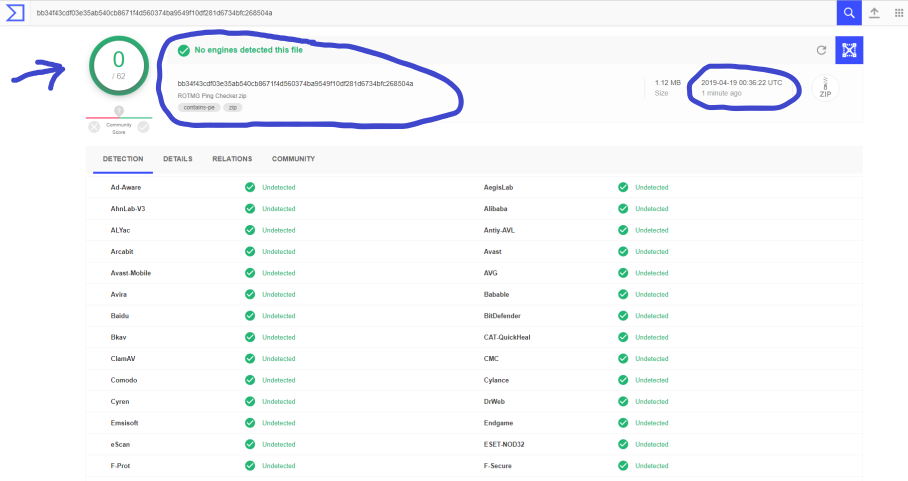
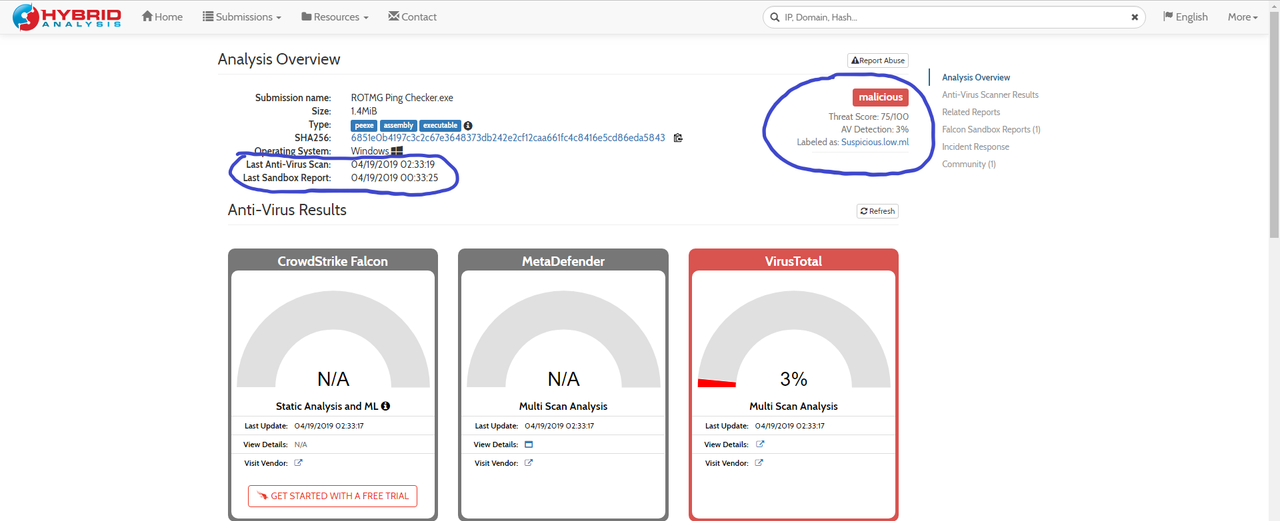
Virusscans for ROTMG Ping Checker
https://www.virustotal.com/gui/file/...504a/detection
https://virusscan.jotti.org/en-US/fi...job/kccd026pec
Virusscans for ROTMG Ping Checker Minimal
https://www.virustotal.com/gui/file/...5610/detection
https://virusscan.jotti.org/en-US/fi...job/ytkepzsquf
I achived the speed boost by multi-threading and ping every server simultaneously.
Also this ping check is not going to be outdated anytime soon, since it grabs the IPs of the ROTMG-Servers at runtime from the ROTMG Site.
Why should you use my ping checker over the others?
Well, it is faster, better looking UI, animations and Llamas, yes there are hidden Llamas in my ping checkers, try to find them.
ROTMG Ping Checker
ROTMG Ping Checker Minimal
Ping Checker comparison
I took both other ping checkers that are available here on MPGH and compared them with mine (with expected results).
Both are significantly slower and show similar results, the ping times are not equal since they vary quite a lot due to the server-clusters they use.
Credit and thanks to ruusey for creating the Java version of the ping checker found here: https://www.mpgh.net/forum/showthread.php?t=1430800
Also credits and thanks to New for making the first version of the ping checker, found here: https://www.mpgh.net/forum/showthread.php?t=1147858
This is the first program for me to release, like ever and i am quite exited for you opinions, so please let me know what you think about this small project.
Maybe you have any ideas what i could change.
Also if anyone wants the source code, just contact me.
Virusscans for ROTMG Ping Checker
https://www.virustotal.com/gui/file/...504a/detection
https://virusscan.jotti.org/en-US/fi...job/kccd026pec
Virusscans for ROTMG Ping Checker Minimal
https://www.virustotal.com/gui/file/...5610/detection
https://virusscan.jotti.org/en-US/fi...job/ytkepzsquf

 Originally Posted by Luumi