
Infinite iridescent shards exploit DBD 3.0.2
Detection
Since patch 2.0.0 three public methods to hack shards were released. Each of them was fixed within one week and a lot of people were banned in the end (https://www.mpgh.net/forum/showthread.php?t=1373150). We can expect the very same outcome with this method too. Never ever hack iridescent shards on account that matter to you, most likely you will regret.
There are two ways to achieve success. With and without downgrading. Downgrading is smoother but adds additional detection vectors.
Method №1: Downgrading to 3.0.0
1. Download and install DBD 3.0.0. Follow this thread for instructions: https://www.mpgh.net/forum/showthread.php?t=1457796
2. Do the initial Fiddler setup. Follow this thread for instructions: https://www.mpgh.net/forum/showthread.php?t=1456807. You will need first four points.
3. Restart Fiddler. Restart Steam. Launch DBD and proceed to main menu.
4. Fiddler, go to Composer>>Raw and paste this code:

5. Instead of "????" you'll have to paste your DBD session cookie. Double click any string from:
"Inspectors" tab will appear. Go to "Cookies" and copy yout "bhvrSession" cookie after "=". Example:
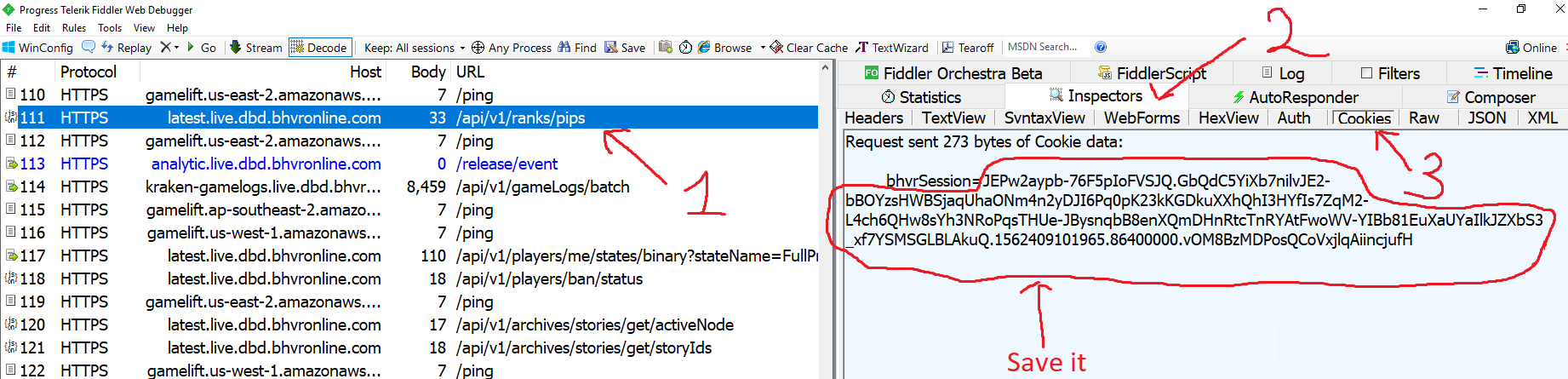
6. Paste cookie instead of ???? at Composer>>Raw. Final result:
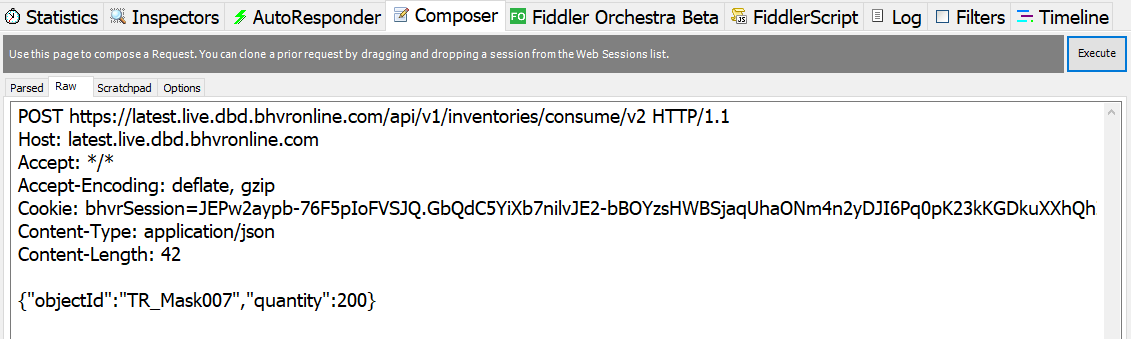
7. We have finished the initial setup. Hit "Execute" top right corner to send the request. Sending this request once will give you 120000 iridescent shards. Restart game to see changes. Enjoy the result!
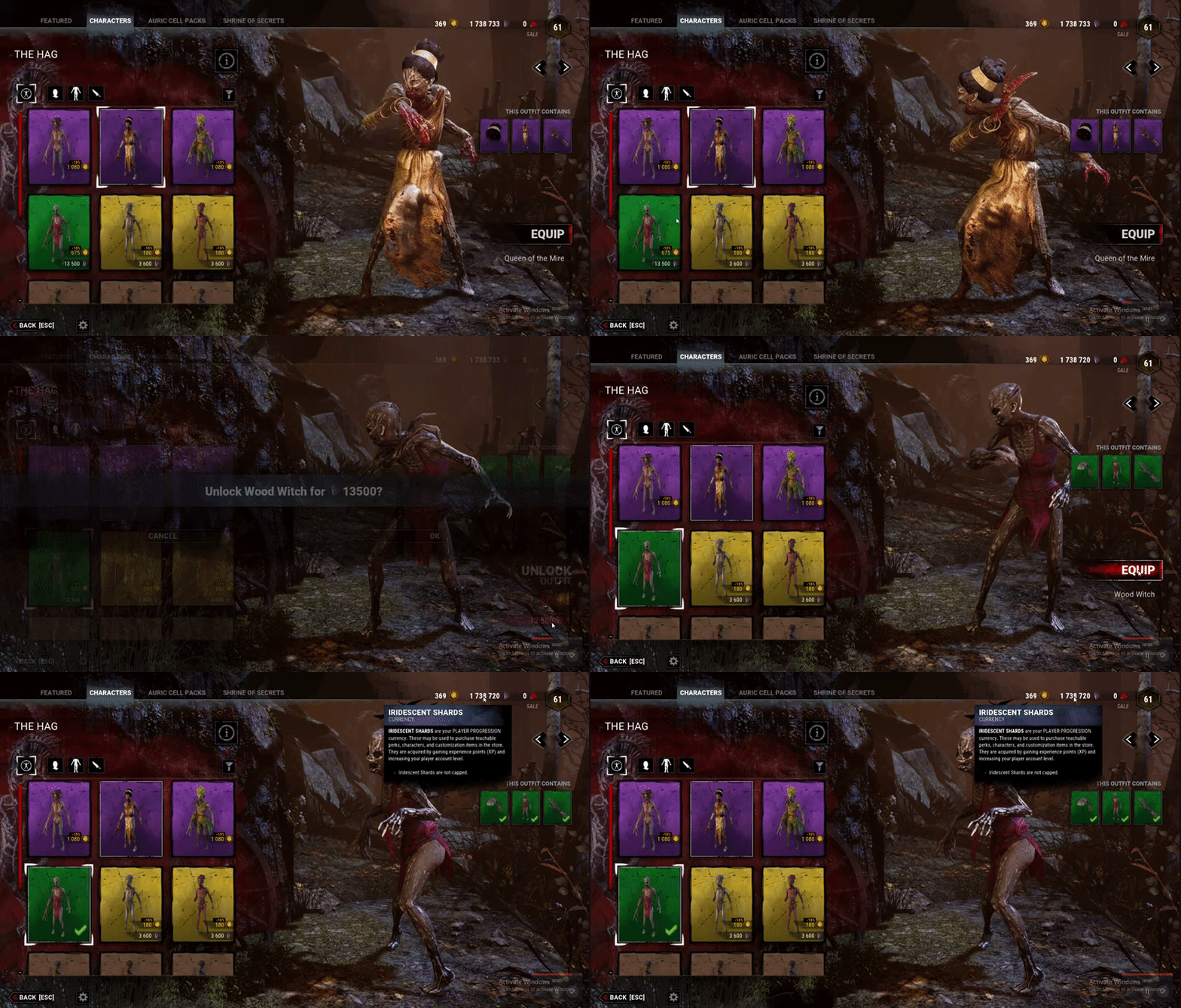
Method №2: DBD 3.0.2
1. Download and install latest version of Fiddler Web Debugging Proxy. Suggest using Telerik official website.
2. Log out of your Steam account.
3. Launch Fiddler, at the top left corner click Tools - Options
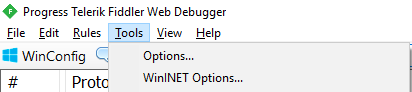
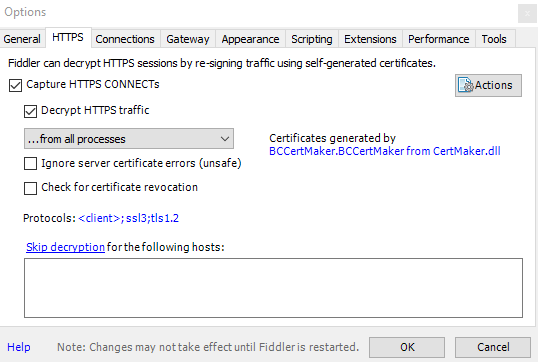
4. Go to HTTPS, Check "Capture HTTPS CONNECTs" and "Decrypt HTTPS traffic" boxes. If it's your first Fiddler usage it will ask you to install a certificate. As Fiddler accurately say, "This is generally safe" but i would recommend to do your own research before continuing. Under "Check for certificate revocation" locate "Protocols", left click blue text and paste this code:
5. Close Fiddler.
6. Log in Steam, launch DBD and proceed to main menu.
7. Go to C: \ Users\ **** \ AppData \ Local \ DeadByDaylight \ Saved \ Logs and open "DeadByDaylight.log" in notepad.

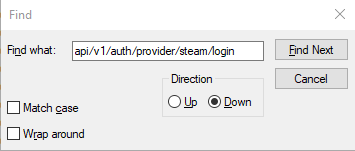
8. Press ctrl+F and type "api/v1/auth/provider/steam/login", choose Down Direction and click "Find Next".
9. You will be redirected to this line:

Copy and save the whole URL. We will use it later. In my case it is:
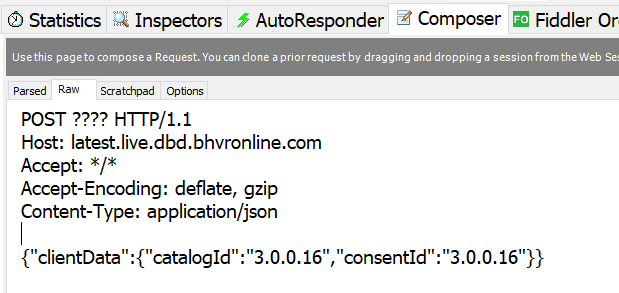
10. Launch Fiddler, go to Composer>>Raw and paste this code:
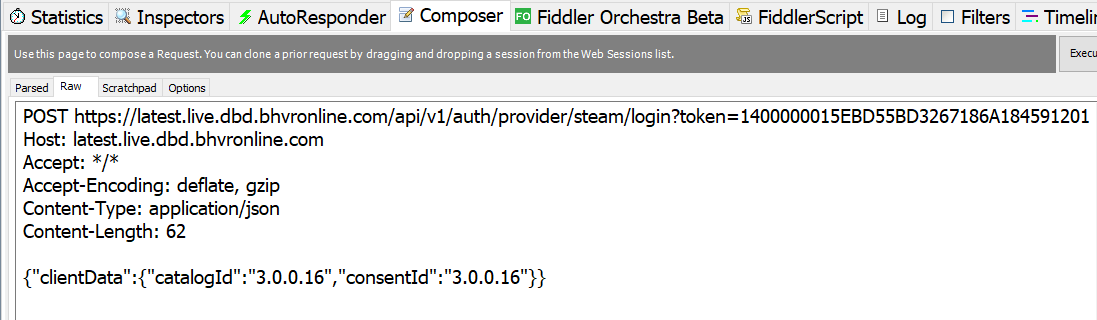
11. Instead of "????" you should paste your previously saved URL. Final result:
12. Press "Execute" once. If previous steps done correctly new line will appear. Double click it, "Inspectors" tab will appear, navigate to "Cookies", and copy your "bhvrSession" after "=" up to "; path=';".

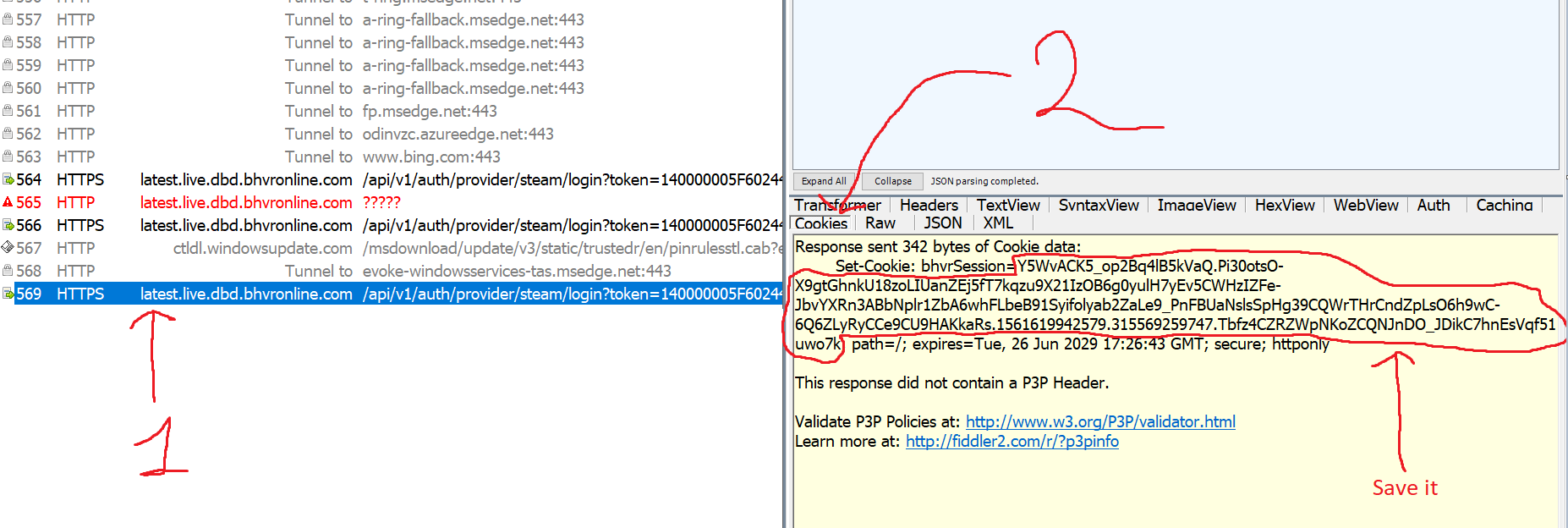
13. Go to Composer>>Raw and paste this code:
14. Instead of "????" you'll have to paste your DBD session cookie. Final result:
15. We have finished the initial setup. Hit "Execute" top right corner to send the request. Sending this request once will give you 120000 iridescent shards. Restart game to see changes. Enjoy the result!
Troubleshoot and Notes
1.

You copied cookie incorrectly.
2.
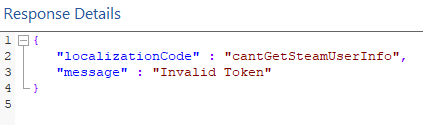
Restart DBD and take your token from log file again.
3.
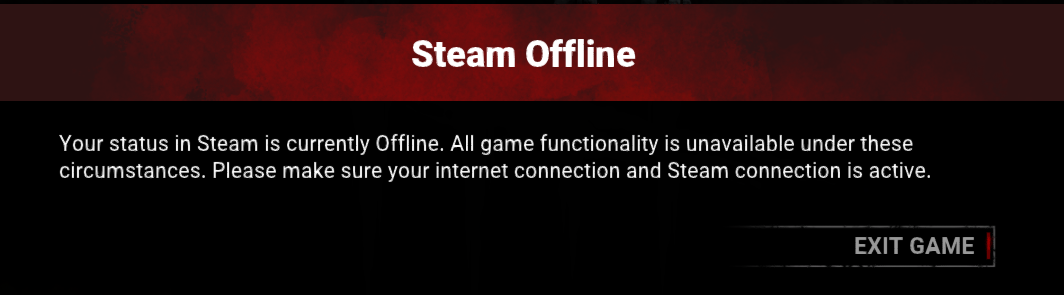
Close Fiddler and restart DBD.
4.

During auth it's important to use 3.0.0.16 catalogId and 3.0.0.16 consentId. Mirrors are being used.

5.
Check if you have this mask in your inventory:
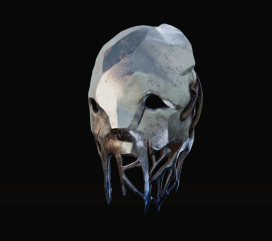
If not - you will have to use any other item that you already own. Go to "C:\Program Files (x86)\Steam\steamapps\common\Dead by Daylight\DeadByDaylight\Content\UI\Icons\Customiza tion" to find it's correct spelling. Example of request with other Trapper mask:
6.
That's exactly what we need! Just restart DBD to see updated Shards balance.
7. "Can I make fewer Iridescent Shards ?" - Yes, use any other number instead of 200 in your request. Each mask gives you 600 shards. Set 10 instead of 200 to get only 6000 shards.
8. Upper limit is around 999kk shards. Don't exceed this value.
Since patch 2.0.0 three public methods to hack shards were released. Each of them was fixed within one week and a lot of people were banned in the end (https://www.mpgh.net/forum/showthread.php?t=1373150). We can expect the very same outcome with this method too. Never ever hack iridescent shards on account that matter to you, most likely you will regret.
There are two ways to achieve success. With and without downgrading. Downgrading is smoother but adds additional detection vectors.
Method №1: Downgrading to 3.0.0
1. Download and install DBD 3.0.0. Follow this thread for instructions: https://www.mpgh.net/forum/showthread.php?t=1457796
2. Do the initial Fiddler setup. Follow this thread for instructions: https://www.mpgh.net/forum/showthread.php?t=1456807. You will need first four points.
3. Restart Fiddler. Restart Steam. Launch DBD and proceed to main menu.
4. Fiddler, go to Composer>>Raw and paste this code:
Code:
POST https://latest.live.dbd.bhvronline.com/api/v1/inventories/consume/v2 HTTP/1.1
Host: latest.live.dbd.bhvronline.com
Accept: */*
Accept-Encoding: deflate, gzip
Cookie: bhvrSession=????
Content-Type: application/json
Content-Length: 42

{"objectId":"TR_Mask007","quantity":200}
5. Instead of "????" you'll have to paste your DBD session cookie. Double click any string from:
Code:
latest.live.dbd.bhvronline.com
Code:
JEPw2aypb-76F5pIoFVSJQ.GbQdC5YiXb7nilvJE2-bBOYzsHWBSjaqUhaONm4n2yDJI6Pq0pK23kKGDkuXXhQhI3HYfIs7ZqM2-L4ch6QHw8sYh3NRoPqsTHUe-JBysnqbB8enXQmDHnRtcTnRAtFwoWV-YIBb81EuXaUYaIlkJZXbS3_xf7YSMSGLBLAkuQ.1562409101965.86400000.vOM8BzMDPosQCoVxjlqAiincjufHDYhigCk8m-1Ci7g
6. Paste cookie instead of ???? at Composer>>Raw. Final result:
7. We have finished the initial setup. Hit "Execute" top right corner to send the request. Sending this request once will give you 120000 iridescent shards. Restart game to see changes. Enjoy the result!
Method №2: DBD 3.0.2
1. Download and install latest version of Fiddler Web Debugging Proxy. Suggest using Telerik official website.
2. Log out of your Steam account.
3. Launch Fiddler, at the top left corner click Tools - Options
4. Go to HTTPS, Check "Capture HTTPS CONNECTs" and "Decrypt HTTPS traffic" boxes. If it's your first Fiddler usage it will ask you to install a certificate. As Fiddler accurately say, "This is generally safe" but i would recommend to do your own research before continuing. Under "Check for certificate revocation" locate "Protocols", left click blue text and paste this code:
Code:
<client>;ssl3;tls1.2
5. Close Fiddler.
6. Log in Steam, launch DBD and proceed to main menu.
7. Go to C: \ Users\ **** \ AppData \ Local \ DeadByDaylight \ Saved \ Logs and open "DeadByDaylight.log" in notepad.
8. Press ctrl+F and type "api/v1/auth/provider/steam/login", choose Down Direction and click "Find Next".
9. You will be redirected to this line:
Copy and save the whole URL. We will use it later. In my case it is:
Code:
https://latest.live.dbd.bhvronline.com/api/v1/auth/provider/steam/login?token=14000000D581A05313F65361A1845912010010013F5F145D180000000100000002000000091E0FB000000000BB302A012C0000003C010000BC00000004000000A185912010010011AD10500091E0FB02901A8C0000000000CDC135D8C8B2F5D0100D88E01001700FC79070000006C820700000048830700000084C40700000085C407000000ACE207000000161908000000171908000000722608000000726080000008C75080000008D75080000006DD108000000C8E30800000036930900000078AF0A000007AAF0A0000002D730B000000E0310C00000036200E0000000ED40E0000009C680F0000009D680F000000030011A3DEAADFF0356073813009A1EDAD4540611138C73F7FA5D239DDCDBF4CE3AB6868C59F34D3B487E10985758A2D3C38498ADDCBC1BB2FA3667047AFC224B32735B5E5D0839A0AD57F39EB4BE23F108648F39F2419B2A9A39973E737137E71AF108CB7309511021DE33A41DE53D847FDDAA0C7A2C46872091C9DC98C013B51B0
Code:
POST ????? HTTP/1.1
Host: latest.live.dbd.bhvronline.com
Accept: */*
Accept-Encoding: deflate, gzip
Content-Type: application/json

{"clientData":{"catalogId":"3.0.0.16","consentId":"3.0.0.16"}}
11. Instead of "????" you should paste your previously saved URL. Final result:
Code:
POST https://latest.live.dbd.bhvronline.com/api/v1/auth/provider/steam/login?token=140000005F60244A59168E0DA184591201001001F261145D180000000100000002000000091E0FB000000000BFFB44012E0000003C010000BC00000004000000A1845912010010011AD10500091E0FB02901A8C0000000000CDC135D8C8B2F5D0100D88E01001700FC79070000006C820700000048830700000084C40700000085C407000000ACE2070000001619080000001719080000007226080000007326080000008C75080000008D75080000006DD108000000C8E30800000036930900000078AF0A0000007AAF0A0000002D730B000000E0310C00000036200E0000000ED40E0000009C680F0000009D680F000000030011A3DEAADFF0356073813009A1EDAD4540611138C73F7FA5D239DDCDBF4CE3AB6868C59F34D3B487E10985758A2D3C38498ADDCBC1BB2FA3667047AFC224B32735B5E5D0839A0AD57F39EB4BE23F108648F39F2419B2A9A39973E737137E71AF108CB7309511021DE33A41DE53D847FDDAA0C7A2C46872091C9DC98C013B51B0 HTTP/1.1
Host: latest.live.dbd.bhvronline.com
Accept: */*
Accept-Encoding: deflate, gzip
Content-Type: application/json

{"clientData":{"catalogId":"3.0.0.16","consentId":"3.0.0.16"}}
12. Press "Execute" once. If previous steps done correctly new line will appear. Double click it, "Inspectors" tab will appear, navigate to "Cookies", and copy your "bhvrSession" after "=" up to "; path=';".
13. Go to Composer>>Raw and paste this code:
Code:
POST https://latest.live.dbd.bhvronline.com/api/v1/inventories/consume/v2 HTTP/1.1
Host: latest.live.dbd.bhvronline.com
Accept: */*
Accept-Encoding: deflate, gzip
Cookie: bhvrSession=????
Content-Type: application/json
Content-Length: 42

{"objectId":"TR_Mask007","quantity":200}
14. Instead of "????" you'll have to paste your DBD session cookie. Final result:
15. We have finished the initial setup. Hit "Execute" top right corner to send the request. Sending this request once will give you 120000 iridescent shards. Restart game to see changes. Enjoy the result!
Troubleshoot and Notes
1.
You copied cookie incorrectly.
2.
Restart DBD and take your token from log file again.
3.
Close Fiddler and restart DBD.
4.
During auth it's important to use 3.0.0.16 catalogId and 3.0.0.16 consentId. Mirrors are being used.
5.
Code:
{"code":400,"message":"Invalid input: This item is not in the user's inventory Database","data":{"message":"Invalid input: This item is not in the user's inventory Database"}}
If not - you will have to use any other item that you already own. Go to "C:\Program Files (x86)\Steam\steamapps\common\Dead by Daylight\DeadByDaylight\Content\UI\Icons\Customiza tion" to find it's correct spelling. Example of request with other Trapper mask:
Code:
POST https://latest.live.dbd.bhvronline.com/api/v1/inventories/consume/v2 HTTP/1.1
Host: latest.live.dbd.bhvronline.com
Accept: */*
Accept-Encoding: deflate, gzip
Cookie: bhvrSession=????
Content-Type: application/json
Content-Length: 42

{"objectId":"TR_Mask008","quantity":200}
Code:
{"code":400,"message":"Invalid input: The item quantity is different from one in database","data":{"message":"Invalid input: The item quantity is different from one in database"}}
7. "Can I make fewer Iridescent Shards ?" - Yes, use any other number instead of 200 in your request. Each mask gives you 600 shards. Set 10 instead of 200 to get only 6000 shards.
8. Upper limit is around 999kk shards. Don't exceed this value.
 Originally Posted by Cheburator1337


