👍 How to remove Faceit for Fidler to work correctly
If you have any problems with the Fidler and you have FaceitAC installed, then you went to that post
1. Go to the control panel and remove FaceitAC from there

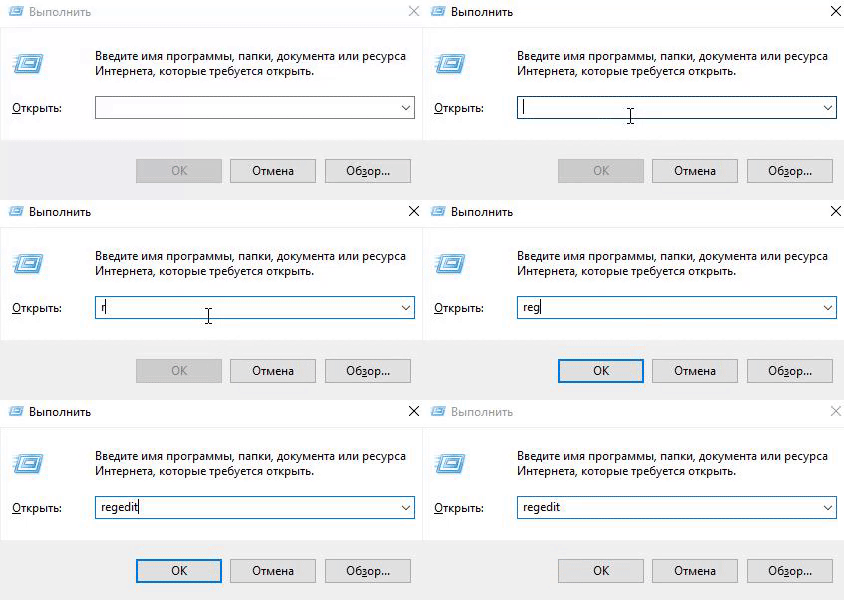
2. Go to regedit
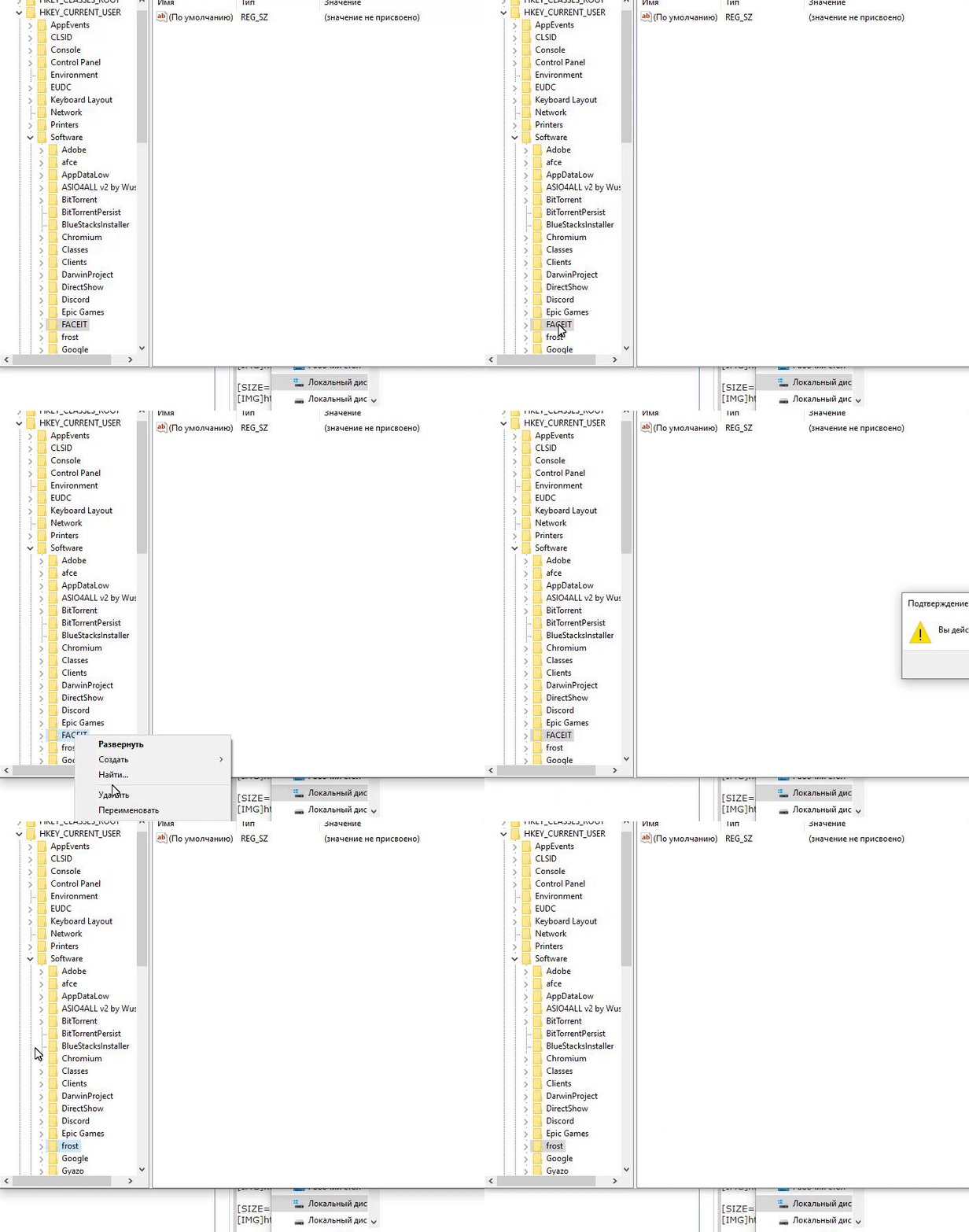
3. Go to HKEY_CURRENT_USER\Software\FACEIT and delete the folder
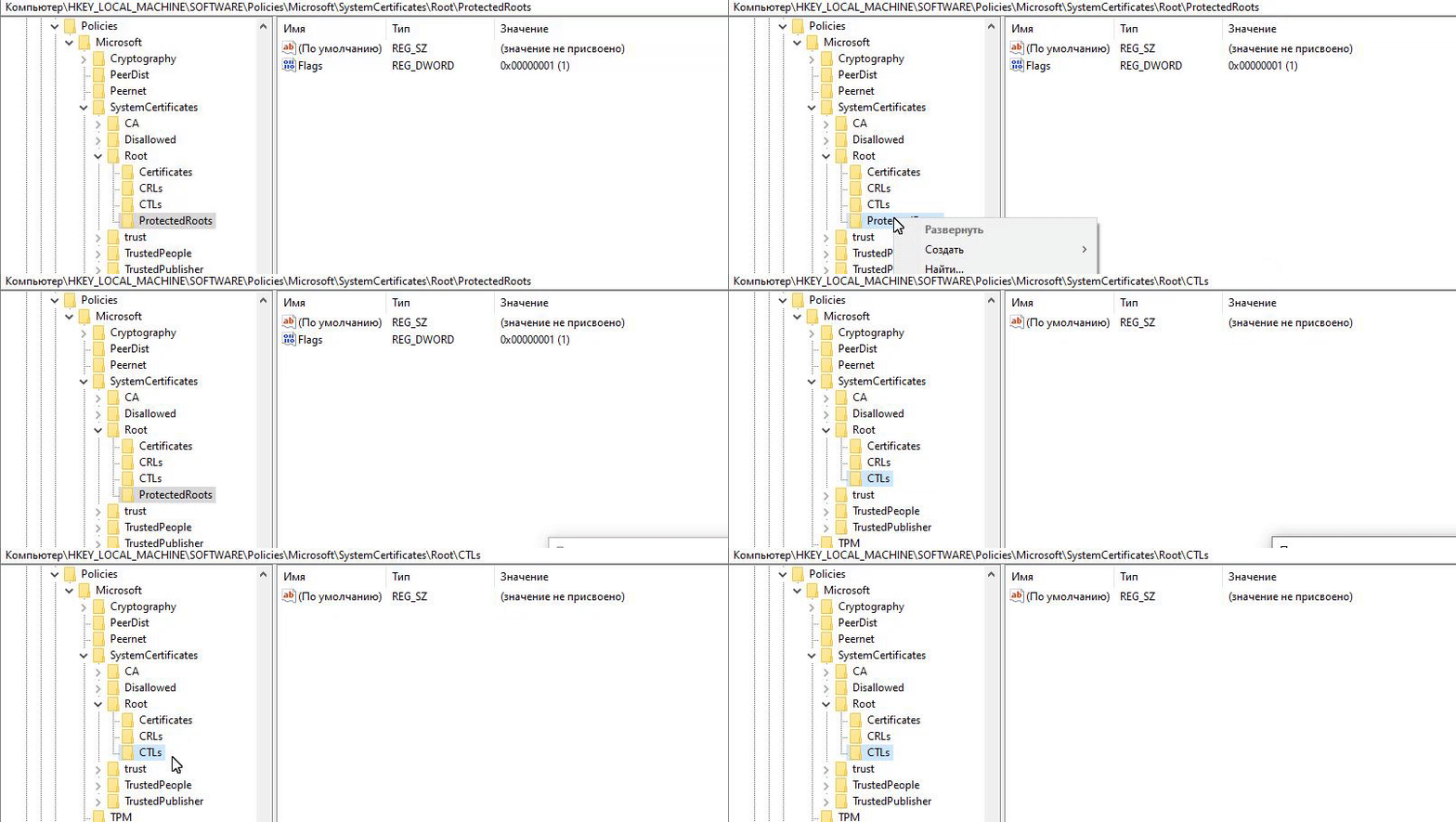
4. Go to HKEY_LOCAL_MACHINE\Software\Policies\Microsoft\Sys temCertificates\Root\ProtectedRoots and delete the folder
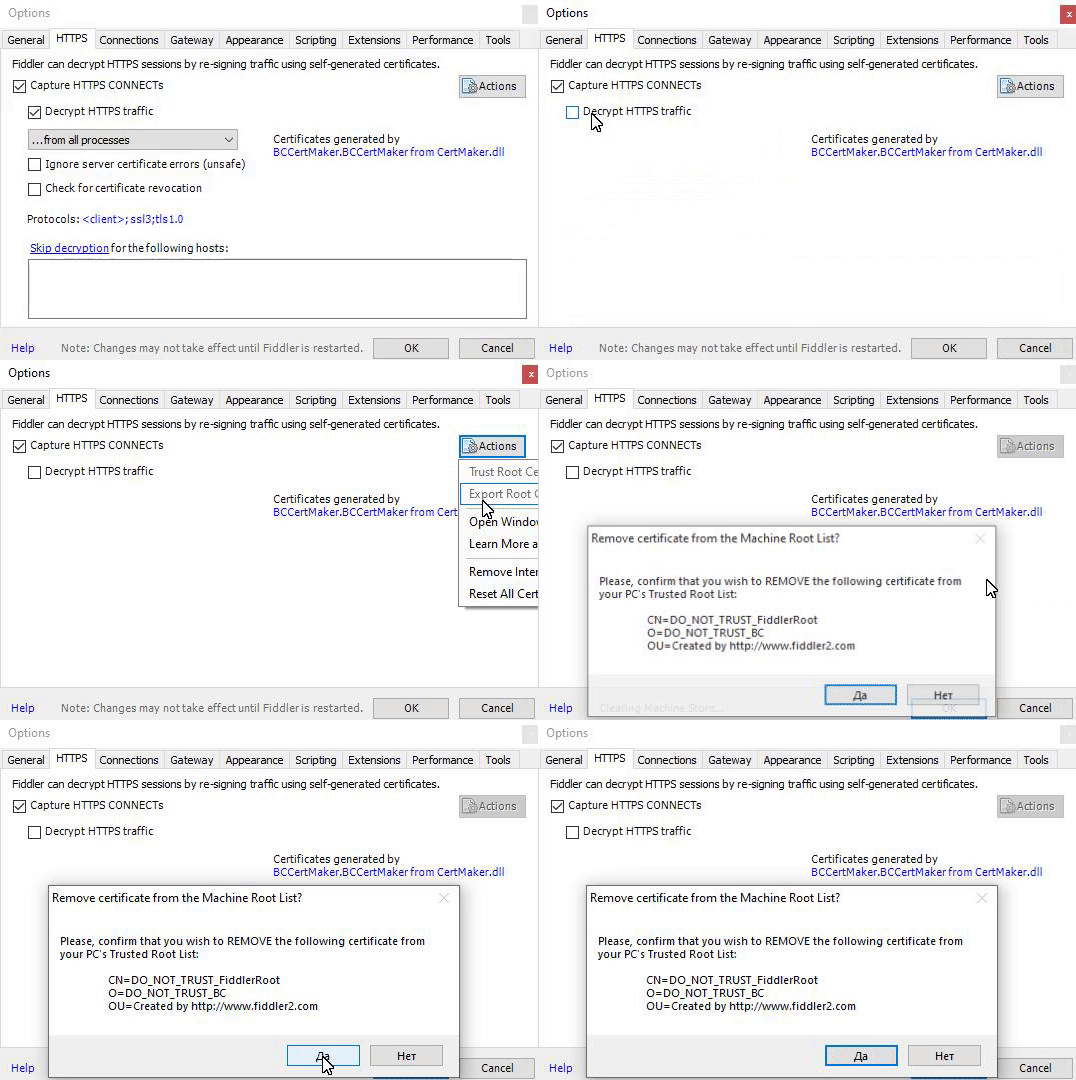
5. Now we go to the Fidler and delete the certificate
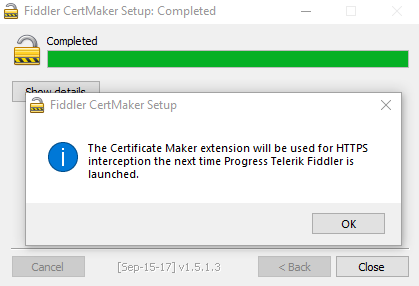
6. Next, we download fiddlercertmaker_2.exe, open and agree with everything
VT - https://www.virustotal.com/gui/file/...437e/detection
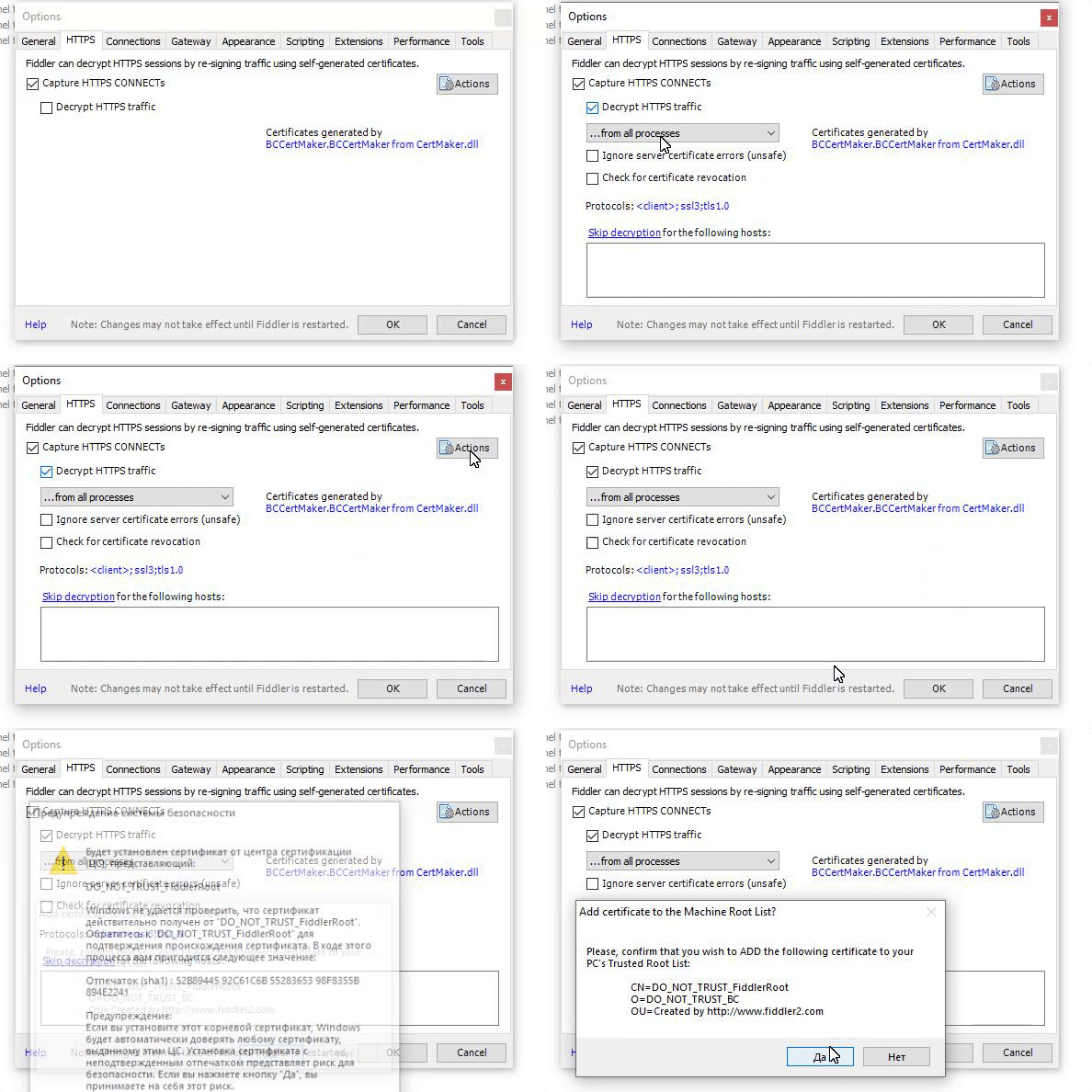
7. Go back to Fiddler settings and https
YEAH!You can use Fiddler
1. Go to the control panel and remove FaceitAC from there
2. Go to regedit
3. Go to HKEY_CURRENT_USER\Software\FACEIT and delete the folder
4. Go to HKEY_LOCAL_MACHINE\Software\Policies\Microsoft\Sys temCertificates\Root\ProtectedRoots and delete the folder
5. Now we go to the Fidler and delete the certificate
6. Next, we download fiddlercertmaker_2.exe, open and agree with everything
VT - https://www.virustotal.com/gui/file/...437e/detection
7. Go back to Fiddler settings and https
YEAH!You can use Fiddler