Yo @Yemiez @Smoke
pl0x help me with this.
I want you to make a new spoiler called "Support Fixes and More" without quotes under the "Hotkeys" spoiler.
Now I want you to move all three of these spoilers:
Not working on Windows 7 x64? Upgrade PowerShell! This is how to upgrade to PowerShell 4.0
How to turn off radar
to that spoiler.
And that's it basically.
This is how it should look like
Download Link - http://www.microsoft.com/en-us/downl....aspx?id=40855
And select this option:

Then just press Next and it should start downloading the file you selected, now install it after you finished installing it will ask you to restart your computer, afterwards re-extract the files from the rar file to make sure it re-scrambles and you should be good.
First you would have to open the rar and re-extract the files from the rar again, MAKE SURE TO NOT OPEN "RUN.bat" FOR NOW *IMPORTANT*.
Now, double click Ev0 main and it should open for you the whole source in notepad.
Press CTRL+F and type in "0x935" without the " " quotes.
Now you should find a line called:
<#*#>[void][Win32]::WriteProcessMemory($handle, $ent + 0x935, 1, 1, [ref] $size)<##>
delete the whole line and make sure it looks like this:
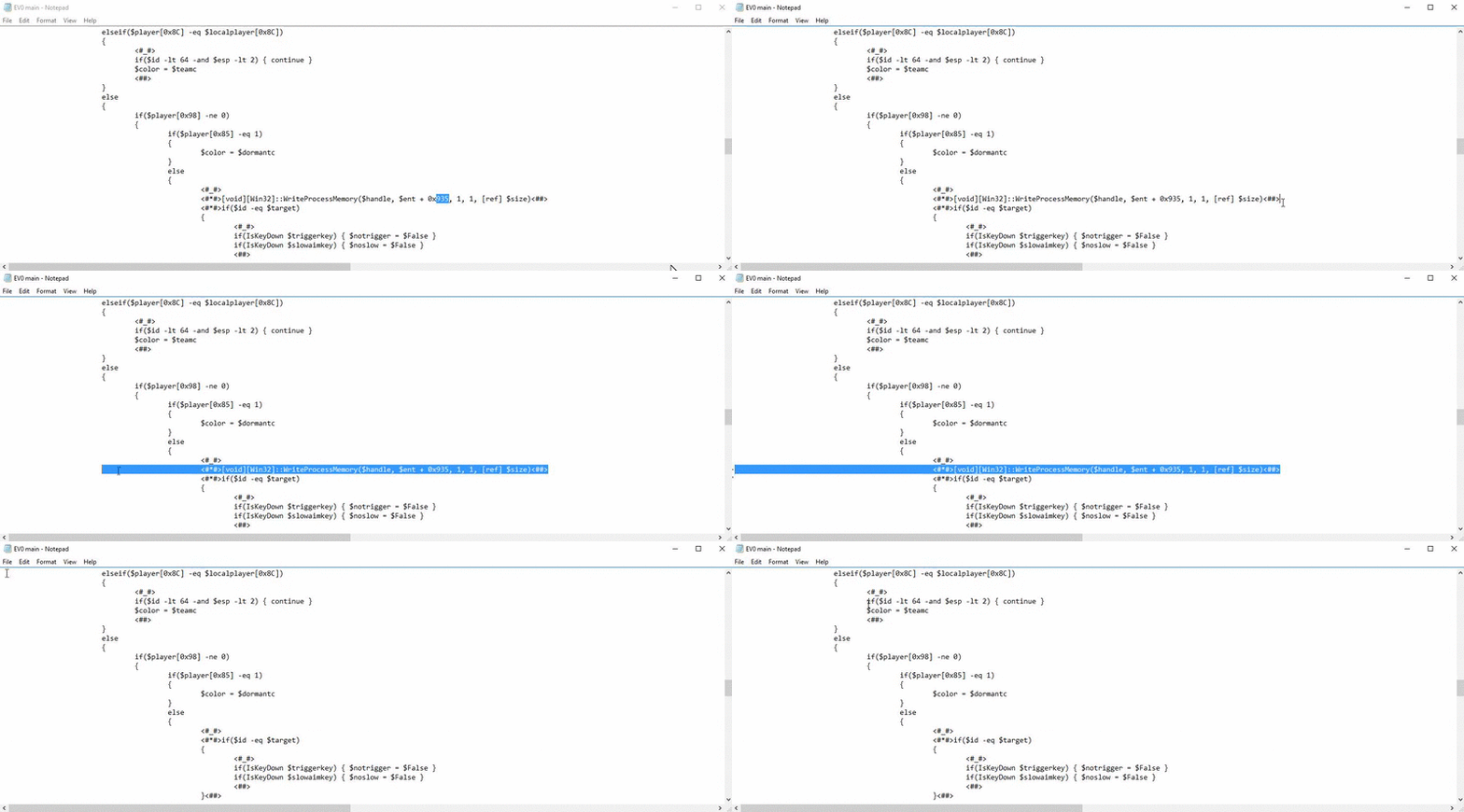
Only after you've done that you can run the "Run.bat".
And that's how you turn off radar bois.
Lastly delete this entire spoiler from thread:
Wanna see chickens/hostages/doors *BUGGY*?
pl0x help me with this.
I want you to make a new spoiler called "Support Fixes and More" without quotes under the "Hotkeys" spoiler.
Now I want you to move all three of these spoilers:
Not working on Windows 7 x64? Upgrade PowerShell! This is how to upgrade to PowerShell 4.0
How to turn off radar
to that spoiler.
And that's it basically.
This is how it should look like
Support Fixes and More
Not working on Windows 7 x64? Upgrade PowerShell! This is how to upgrade to PowerShell 4.0
Download Link - http://www.microsoft.com/en-us/downl....aspx?id=40855
And select this option:
Then just press Next and it should start downloading the file you selected, now install it after you finished installing it will ask you to restart your computer, afterwards re-extract the files from the rar file to make sure it re-scrambles and you should be good.
How to turn off radar
First you would have to open the rar and re-extract the files from the rar again, MAKE SURE TO NOT OPEN "RUN.bat" FOR NOW *IMPORTANT*.
Now, double click Ev0 main and it should open for you the whole source in notepad.
Press CTRL+F and type in "0x935" without the " " quotes.
Now you should find a line called:
<#*#>[void][Win32]::WriteProcessMemory($handle, $ent + 0x935, 1, 1, [ref] $size)<##>
delete the whole line and make sure it looks like this:
Only after you've done that you can run the "Run.bat".
And that's how you turn off radar bois.
Lastly delete this entire spoiler from thread:
Wanna see chickens/hostages/doors *BUGGY*?
 Originally Posted by JumBo`