Orape v3.2 [27.7X7.1] PROXY ONLY Client
This is just a PROXY ONLY Client for Orape v2.3 27.7X7.1 and K_Relay only.Hacks only works on Proxy Server.IDK Why.So this is a use only for K_Relay.If you want to use hacked client without K_Relay find it on somewhere else.
Recommended file type is EXE because you wont have to add it to Trusted Location Settings in Global Settings of FlashPlayer.
Screenshots

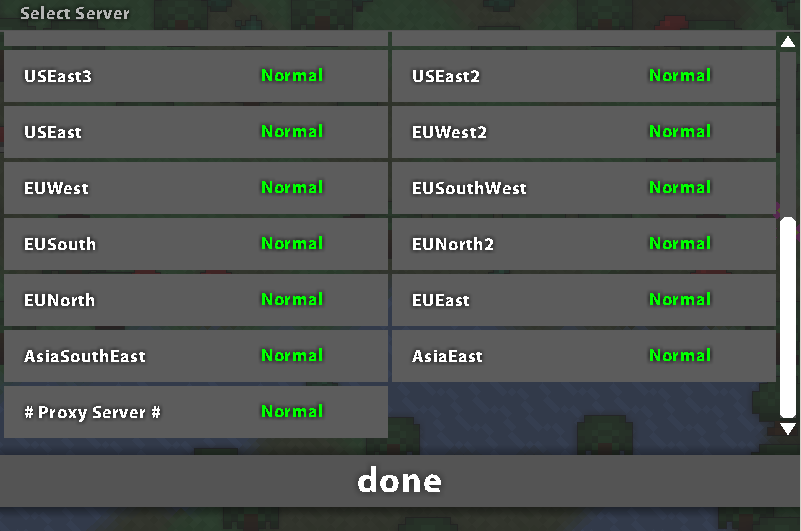
Credits to @JustAnoobROTMG and @Scellow for making this hacked client of Orape v3.2 27.7X7.1

Note:If you want to use swf proxy client you'l have to add it in Trusted Location Settings just search the error you encountered in google.Example:The error before you add it into Trusted Location Settings is:--->D'oh unable to load language en if you want to fix it here's the step you gotta do.
1.Open the proxy client.
2.Right click and go onto Global Settings
3.Then the Advanced bar.
4.Then you'l see Trusted Location Settings...
5.Click the Add button below.
6.Click on Add File...
7.Choose the SWF that you just downloaded.
8.After all that,close everything then open the SWF.
9.Now you can play the SWF client withouth having troubles
Viruscans:
EXE:
https://www.virustotal.com/en/file/c...is/1478243904/
https://virusscan.jotti.org/en-US/fi...job/6wlq6ms2jk
SWF:
https://virusscan.jotti.org/en-US/fi...job/x5lb2iy7gu
https://www.metadefender.com/#!/resu...xtracted/files


Recommended file type is EXE because you wont have to add it to Trusted Location Settings in Global Settings of FlashPlayer.
Screenshots
Credits to @JustAnoobROTMG and @Scellow for making this hacked client of Orape v3.2 27.7X7.1
Note:If you want to use swf proxy client you'l have to add it in Trusted Location Settings just search the error you encountered in google.Example:The error before you add it into Trusted Location Settings is:--->D'oh unable to load language en if you want to fix it here's the step you gotta do.
1.Open the proxy client.
2.Right click and go onto Global Settings
3.Then the Advanced bar.
4.Then you'l see Trusted Location Settings...
5.Click the Add button below.
6.Click on Add File...
7.Choose the SWF that you just downloaded.
8.After all that,close everything then open the SWF.
9.Now you can play the SWF client withouth having troubles
Viruscans:
EXE:
https://www.virustotal.com/en/file/c...is/1478243904/
https://virusscan.jotti.org/en-US/fi...job/6wlq6ms2jk
SWF:
https://virusscan.jotti.org/en-US/fi...job/x5lb2iy7gu
https://www.metadefender.com/#!/resu...xtracted/files


