WW2 - MP Class Tool Fix - Fixes Errors (corrupting your profile data)
This will fix your class loadouts on Multiplayer and allow you to play WW2 again, This will reset ALL loadouts you have made for your profile but it will allow you to continue playing the game and recreate them again, Obviously dont repeat what you did before otherwise your profile data will corrupt again lol.
NOTE to Users that download
My tool is packed so you cannot see the source code to attempt to use this for another purpose other than what i have intended it to be used for. This is why you get a pop up window "BoxedAppPacker Demo" when you open my tool. Just click "Ok" on that pop up window and your good to use the tool.
Virus scan
Before Packing
https://virusscan.jotti.org/en-US/fi...job/rtusmx5i62
https://www.virustotal.com/gui/file/...cf6a/detection
After
https://www.virustotal.com/gui/file/...ced6/detection
https://virusscan.jotti.org/en-US/fi...job/2488hvlcee
After testing before packing & after packing the .exe to protect the source i realised these detections are due to what the packing tool does to my .exe when i pack it. Its safe i assure you.
Instructions
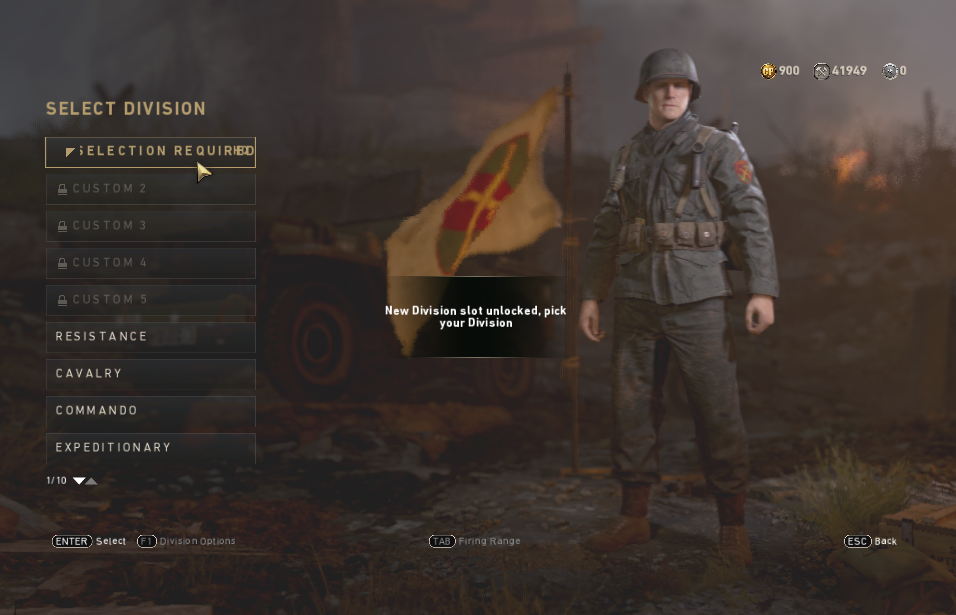
Go to MP menu
Get as close to your MP classes as you can before getting the errors you are experiancing.
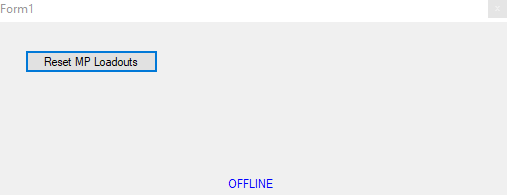
Click the "Reset MP Loadouts" Button
Your profile/loadouts should now be fixed & the errors will go away.
Enjoy
@Bodvar
NOTE to Users that download
My tool is packed so you cannot see the source code to attempt to use this for another purpose other than what i have intended it to be used for. This is why you get a pop up window "BoxedAppPacker Demo" when you open my tool. Just click "Ok" on that pop up window and your good to use the tool.
Virus scan
Before Packing
https://virusscan.jotti.org/en-US/fi...job/rtusmx5i62
https://www.virustotal.com/gui/file/...cf6a/detection
After
https://www.virustotal.com/gui/file/...ced6/detection
https://virusscan.jotti.org/en-US/fi...job/2488hvlcee
After testing before packing & after packing the .exe to protect the source i realised these detections are due to what the packing tool does to my .exe when i pack it. Its safe i assure you.
Instructions
Go to MP menu
Get as close to your MP classes as you can before getting the errors you are experiancing.
Click the "Reset MP Loadouts" Button
Your profile/loadouts should now be fixed & the errors will go away.
Enjoy
@Bodvar
 Originally Posted by Bodvar

