Reverse-slop AI/MCP Powered Reverse Engineering Workbench for Windows
What is reverse-slop?
reverse-slop is a Windows reverse-engineering workbench that combines live process analysis, memory inspection, debugging, decompilation, instrumentation, network analysis, unpacking, and AI-agent control into one application.
The main goal is to bring traditionally separate reverse-engineering workflows into one environment while exposing the underlying functionality directly to AI agents through MCP.
Screenshots
Main Workspace / Process List / Disassembly
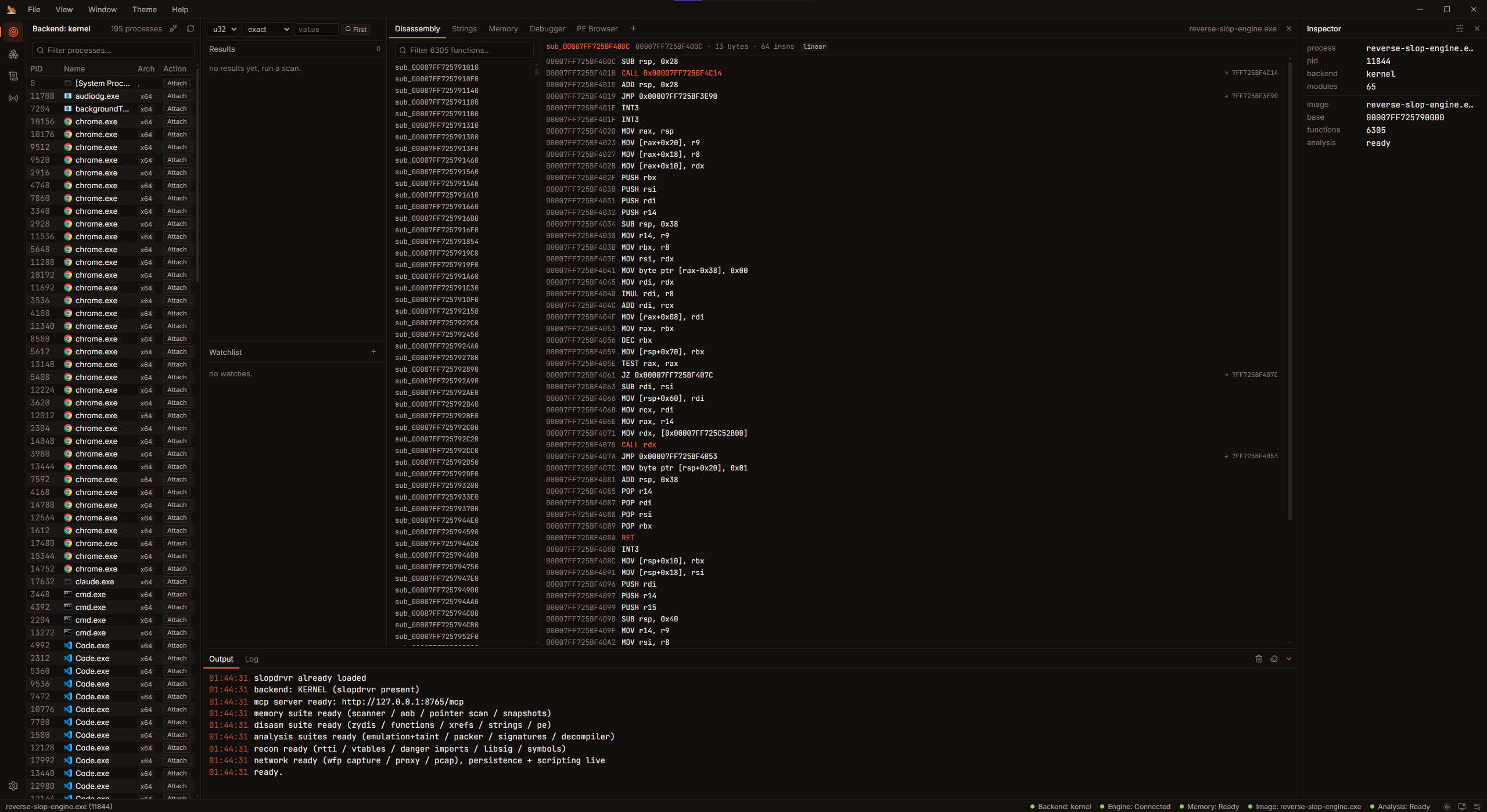
Strings / Search / Cross References
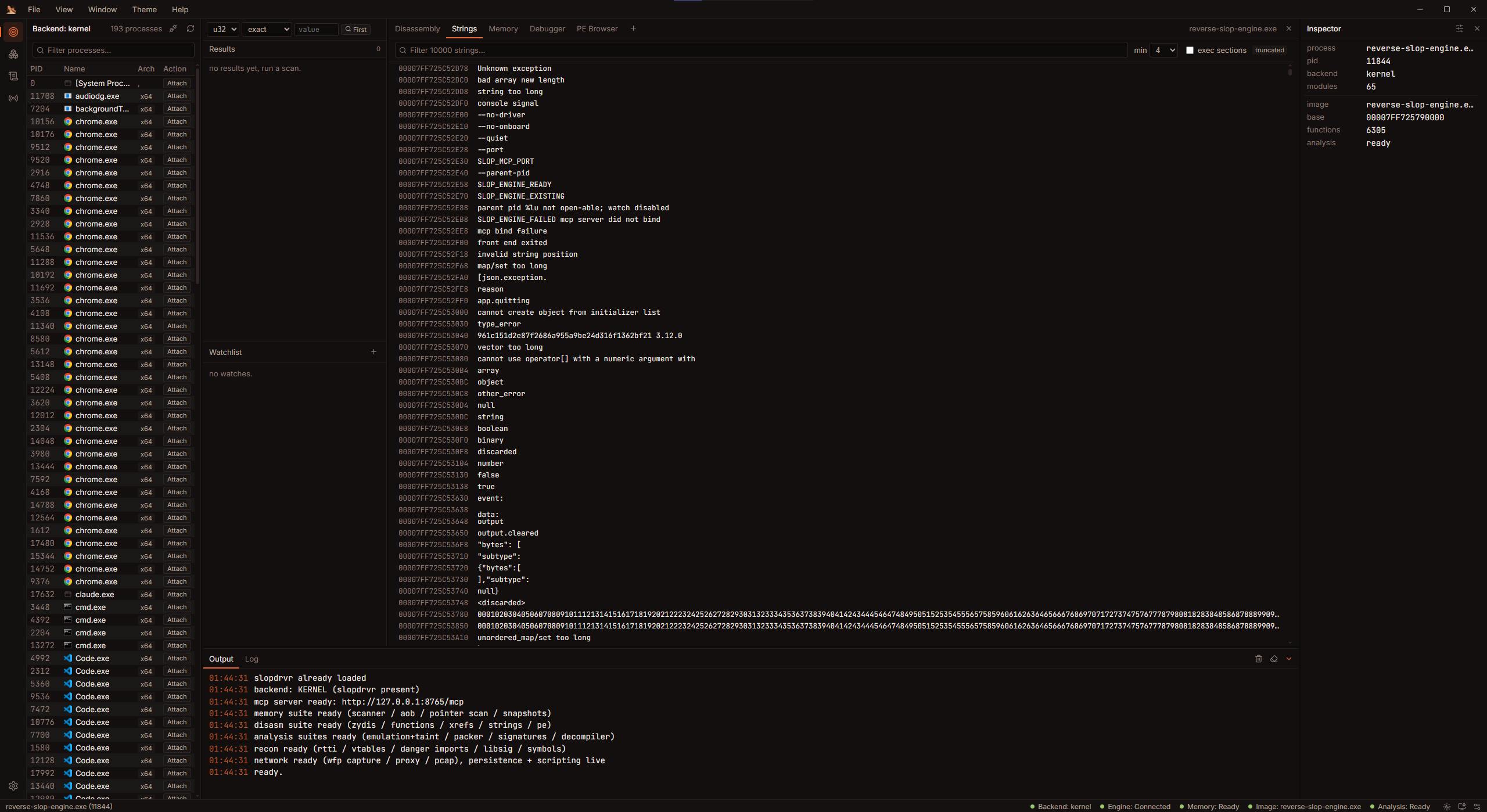
Main Workspace / Process List / Disassembly
Strings / Search / Cross References
Core Features
Process & Memory Analysis
- Process enumeration with architecture and elevation information
- Attach / detach from live processes
- Module, thread, region, heap, handle, and memory inspection
- Read and write process memory
- Memory allocation and page-protection control
- Cheat Engine-style numeric memory scanning
- Exact, range, changed, increased, and decreased value scans
- AOB / wildcard pattern scanning
- Pointer-chain scanning
- Signature generation
- Memory snapshots and comparisons
- Live watchlists with freeze support
- Module dumping and PE reconstruction
Static Analysis
- PE header and section analysis
- Import / export inspection
- x86 / x64 disassembly
- x86 / x64 assembly
- Function discovery
- Cross-reference indexing
- String analysis
- Global variable analysis
- RTTI detection
- Vtable analysis
- Signature analysis
- Binary diffing
- Packer / protector detection
- Security-focused binary reconnaissance
Decompiler
- C-like pseudocode generation
- P-code lifting
- SSA transformation
- Dead-code elimination
- Type inference
- Control-flow structuring
- Source-address tracking
.NET Analysis
reverse-slop also includes managed .NET analysis alongside native binary analysis.
- ECMA-335 metadata parsing
- CIL disassembly
- IL-to-C# decompilation
- dnSpy-style assembly explorer
- Assembly / namespace / type / method browsing
- Managed methods integrated into the shared analysis database
- Cross references between managed analysis tools
- Dedicated .NET MCP tooling
Debugger
- Win32 debugging
- Optional kernel-assisted debugging
- Software and hardware breakpoints
- Conditional breakpoints
- Stepping
- Register inspection / modification
- Call stacks
- SEH inspection
- Watchpoints
- Tracepoints
- Bounded instruction tracing
- Thread suspend / resume
Frida Instrumentation
reverse-slop embeds Frida functionality directly into the workbench.
- Local and remote device discovery
- Process / application enumeration
- Process spawning
- Process attach / detach
- JavaScript instrumentation
- Script messaging
- RPC
- Spawn and child gating
- Script compilation
- QuickJS / V8 support
- Frida snapshots
x86-64 Emulation
- Isolated Unicorn-based x86-64 execution
- Custom register setup
- Custom stack and memory setup
- Instruction-count stopping conditions
- Address-based stopping conditions
- Instruction tracing
- Byte-level taint propagation
- Watched output ranges
Network Analysis
- Connection inspection
- Packet capture
- DNS inspection
- PCAP export
- Stream reconstruction
- Packet injection
- Packet modification rules
- Redirect rules
- DNS spoof rules
- Connection termination
- Hold / inspect / modify / release interception
- Per-process bandwidth monitoring
- Traffic fingerprinting
- Deep packet inspection
- WFP-based capture through the optional driver
- Independent localhost HTTP inspection proxy
Unpacking & Devirtualization
- Themida-oriented analysis workflows
- Magicmida integration
- VM identification
- VM handler recovery
- Opcode-map recovery
- Execution tracing
- Trace / lift / pseudocode workflows
- Control-flow graph recovery
- Predicate analysis
- Invariant analysis
- IAT auditing
Xray & Patching
- CFG reconstruction
- Cyclomatic complexity
- Control-flow flattening detection
- Obfuscation scoring
- String reconstruction
- Indirect-call recovery
- Anti-analysis detection
- Hook detection
- Direct-syscall discovery
- API hash resolution
- Entropy analysis
- ROP gadget search
- Junk-code NOP cleanup
- Opaque-predicate resolution
- Anti-debug patching
- XOR unpacking
- String decoding
- Patch journal and revert
AI / MCP Integration
One of the main focuses of reverse-slop is allowing AI agents to directly operate reverse-engineering functionality instead of simply giving the model screenshots or manually copying results between applications.
reverse-slop currently exposes:
23 MCP Tools
272 Actions Total
272 Actions Total
Each MCP tool consolidates related functionality behind an action parameter, keeping the MCP tool list smaller while still exposing a large amount of functionality to the agent.
MCP Tool / Action Count
- target - 10 actions
- memory - 22 actions
- disasm - 15 actions
- debugger - 21 actions
- driver - 32 actions
- xray - 14 actions
- patch - 10 actions
- devirt - 14 actions
- types - 12 actions
- notes - 5 actions
- emulate - 1 action
- analyze - 3 actions
- network - 43 actions
- proxy - 6 actions
- persist - 8 actions
- re - 4 actions
- decomp - 1 action
- dotnet - 6 actions
- detect - 4 actions
- fs - 7 actions
- web - 2 actions
- script - 1 action
- frida - 31 actions
What can an MCP-connected agent do?
Through those tools and actions, an AI agent can directly interact with functionality such as:
- Discover and attach to processes
- Inspect processes, modules, threads, handles, and memory
- Read and write live memory
- Run numeric / AOB / pointer scans
- Manage snapshots and watchlists
- Load and analyze binaries
- Disassemble and assemble instructions
- Enumerate functions and cross references
- Analyze strings, symbols, globals, RTTI, and vtables
- Generate C-like pseudocode
- Analyze .NET assemblies and methods
- Control the debugger
- Manage breakpoints, watchpoints, registers, and traces
- Interact with the optional kernel backend
- Perform Xray analysis and binary patching
- Run Frida instrumentation
- Emulate x86-64 code
- Perform unpacking / devirtualization analysis
- Capture and analyze network traffic
- Inspect and manipulate network connections
- Operate the HTTP inspection proxy
- Persist reverse-engineering sessions
- Read / write / search the filesystem
- Perform HTTP requests
- Execute Lua automation scripts
- Interact with the same live analysis session being used by the UI
Instead of the AI simply telling you what to click, it can query and operate the reverse-engineering engine directly.
Largest MCP Tool Domains
The largest current MCP domains are:
- network - 43 actions
- driver - 32 actions
- frida - 31 actions
- memory - 22 actions
- debugger - 21 actions
- disasm - 15 actions
- xray - 14 actions
- devirt - 14 actions
Interfaces
- Tauri v2 + React desktop interface
- Native ImGui / DirectX 11 interface
- Headless engine
- HTTP API
- MCP server
- SSE event support
Project Status
Current version: 0.1.0
The project is still under active development, so functionality and APIs may continue to change.
Feedback, testing, bug reports, feature suggestions, and contributions are welcome.
Disclaimer
This project is intended for reverse engineering, research, and analysis of systems or software that you own or are authorized to test.
Live memory writes, debugging, network manipulation, and kernel functionality can destabilize applications or Windows.
