Skip to content
MPGHThe Dark Arts
/
RegisterLog in
Forum
Community
What's NewLatest posts across the boardTrendingHottest threads right nowSubscribedThreads you follow
Discussion
GeneralIntroductionsEntertainmentDebate FortFlaming & Rage
Board
News & AnnouncementsMPGH TimesSuggestions & HelpGiveaways
More Sections
Art & Graphic DesignProgrammingHackingCryptocurrency
Hacks & Cheats
Games
ValorantCS2 / CS:GOCall of Duty / WarzoneFortniteApex LegendsEscape From Tarkov
+14 moreLeague of LegendsGTA VMinecraftRustROTMGBattlefieldTroveBattleOnCombat ArmsCrossFireBlackshotRuneScapeDayZDead by Daylight
Resources
Game Hacking TutorialsReverse EngineeringGeneral Game HackingAnti-CheatConsole Game Hacking
Tools
Game Hacking ToolsTrainers & CheatsHack/Release NewsNew
Submit a release →Share your cheat, tool, or config with the community.
AINEW
AI Tools
General & DiscussionPrompt EngineeringLLM JailbreaksHotAI Agents & AutomationLocal / Open Models
AI × Gaming
AI Aimbots & VisionML Anti-CheatGame Bots & Automation
Create
AI Coding / Vibe CodingAI Art & MediaAI Voice & TTS
The AI frontier →Where game hacking meets modern machine learning. Jump in.
Marketplace
Buy & Sell
SellingBuyingTradingUser Services
Trust & Safety
Middleman LoungeMarketplace TalkVouch Copy Profiles
Money
Cryptocurrency TalkCurrency ExchangeWork & Job Offers
Start selling →List accounts, services, and goods. Use the middleman to trade safe.
MPGH The Dark Arts

A community for offensive security research, reverse engineering, and AI.

Community

ForumMarketplaceSearch

Account

RegisterLog in

Legal

Privacy PolicyForum RulesHelp & FAQ
© 2026 MPGH · All rights reserved.Built by the community, for the community. For educational purposes onlyContent is shared for security research and education — we don't condone illegal use. You're responsible for complying with applicable laws. Use at your own risk.
Home › Forum › MultiPlayer Game Hacks & Cheats › CrossFire Hacks & Cheats › CrossFire Tutorials › Official VMWare Farming Tutorial.

Official VMWare Farming Tutorial.

Posts 1–15 of 233 · Page 1 of 16
…
Toxin
[MPGH]Toxin
Official VMWare Farming Tutorial.
  1. First off you'll need a couple things:


    • A Copy of VMWare : Download Here!
    • An ISO File to a Windows Operating System
      • ISOs can be downloaded from several places.
      • The one that I'll be using in the tutorail is this one : Download Here!
    • A decent computer.
    • Common sense, many of you don't know, but a large percentage of MPGH lacks this.


  2. Installing VMWare onto your computer.


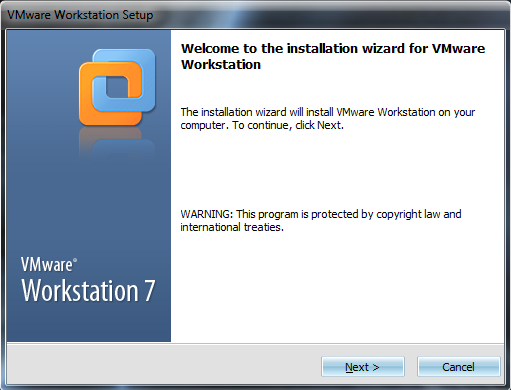
    • Go ahead and open vmware-workstation-full 7.0.0


      1. You'll go through a series of loading bars, but avast a setup wizard will open.


        • [IMG]http://i1006.photobucke*****m/albums/af183/MPGHTutpics/VMWare%20Tutorial/Capture.png[/IMG]


    • You may read the information, however it is not required, and you will need to click next, in order to get to this page.


      • [IMG]http://i1006.photobucke*****m/albums/af183/MPGHTutpics/VMWare%20Tutorial/Capture2.png[/IMG]


    • At this point you will need to click Typical to continue to the next page.


      • [IMG]http://i1006.photobucke*****m/albums/af183/MPGHTutpics/VMWare%20Tutorial/Capture3.png[/IMG]


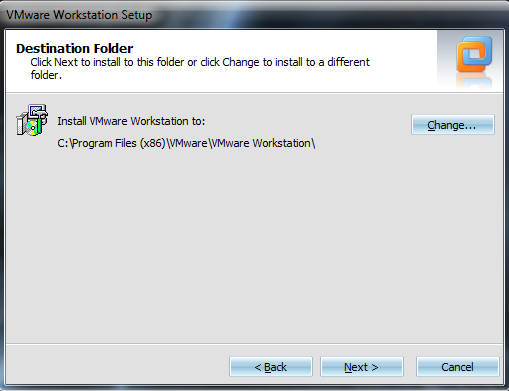
    • On this page you are able to pick which location you wish to install VMWare, however I left my at the default, you will need to click next to continue.


      • [IMG]http://i1006.photobucke*****m/albums/af183/MPGHTutpics/VMWare%20Tutorial/Capture4.png[/IMG]


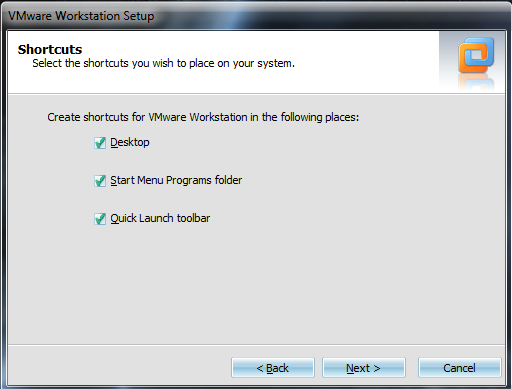
    • On this page you will be able to decide which shortcuts you wish for the program to install. I unticked both the Start Menu and the Quick Launch shortcuts, click Next to continue.


      • [IMG]http://i1006.photobucke*****m/albums/af183/MPGHTutpics/VMWare%20Tutorial/Capture5.png[/IMG]


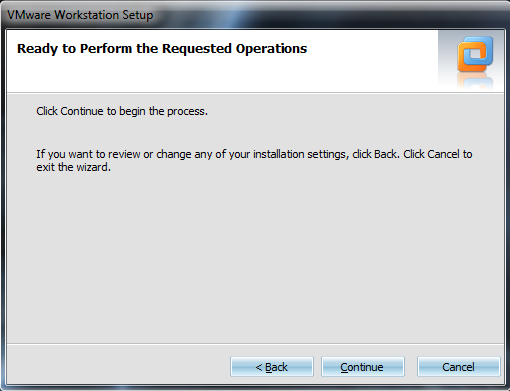
    • On this page you are asked if you would like to go back and make any changed, if not, simply click continue.


      • [IMG]http://i1006.photobucke*****m/albums/af183/MPGHTutpics/VMWare%20Tutorial/Capture6.png[/IMG]


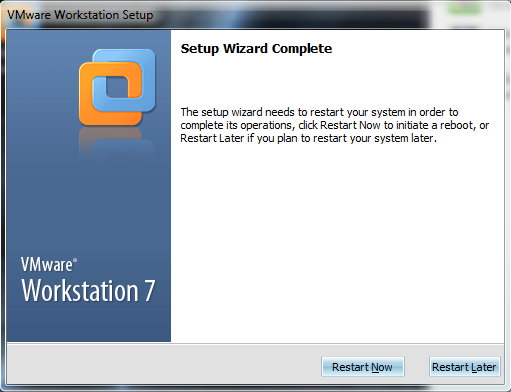
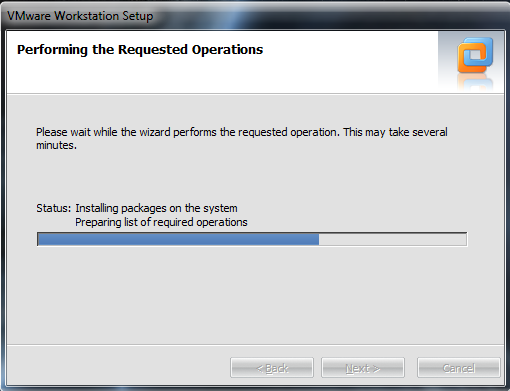
    • You will again go through a series of loading bars, for VMWare to install, once it's done you will see this page.


      • [IMG]http://i1006.photobucke*****m/albums/af183/MPGHTutpics/VMWare%20Tutorial/Capture7.png[/IMG]


    • Once you have reached this page, you will need to restart your computer in order to continue to setup the VMWare.


      • [IMG]http://i1006.photobucke*****m/albums/af183/MPGHTutpics/VMWare%20Tutorial/Capture8.png[/IMG]


    • After you have restarted, this icon should now be on your desktop, and you will be able to continue to the setup.


  3. Opening and setting up/creating a new Virtual Machine on VMWare.


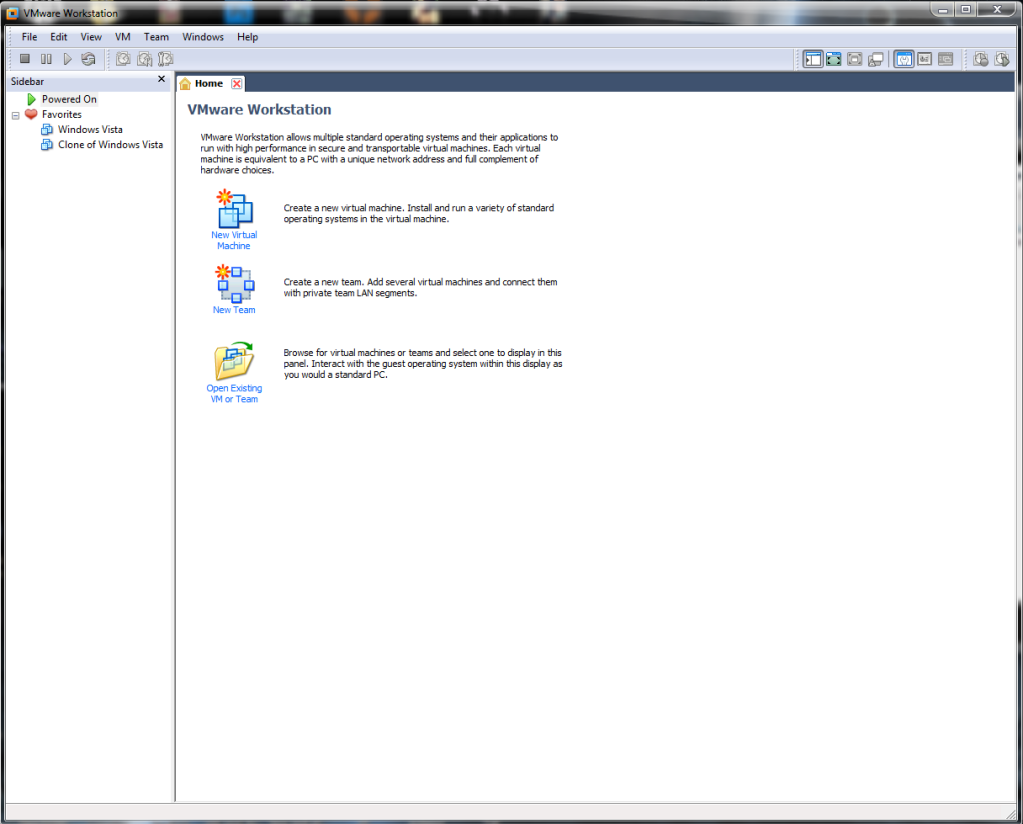
    • Go ahead and open VMWare Workstation from your desktop.


      • [IMG]http://i1006.photobucke*****m/albums/af183/MPGHTutpics/VMWare%20Tutorial/Capture9.png[/IMG]


    • Now that you have VMWare Workstation open, you will need to click "New Virtual Machine."


      • [IMG]http://i1006.photobucke*****m/albums/af183/MPGHTutpics/VMWare%20Tutorial/Capture10.png[/IMG]


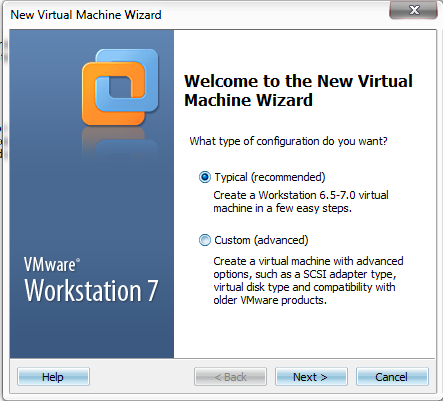
    • Now that you have started the creation process, you will will need to leave "Typical" ticked, and click Next.


      • [IMG]http://i1006.photobucke*****m/albums/af183/MPGHTutpics/VMWare%20Tutorial/Capture11.png[/IMG]


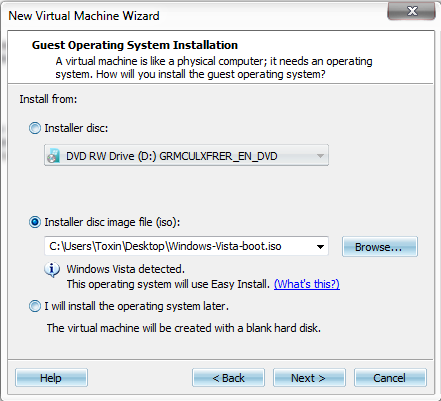
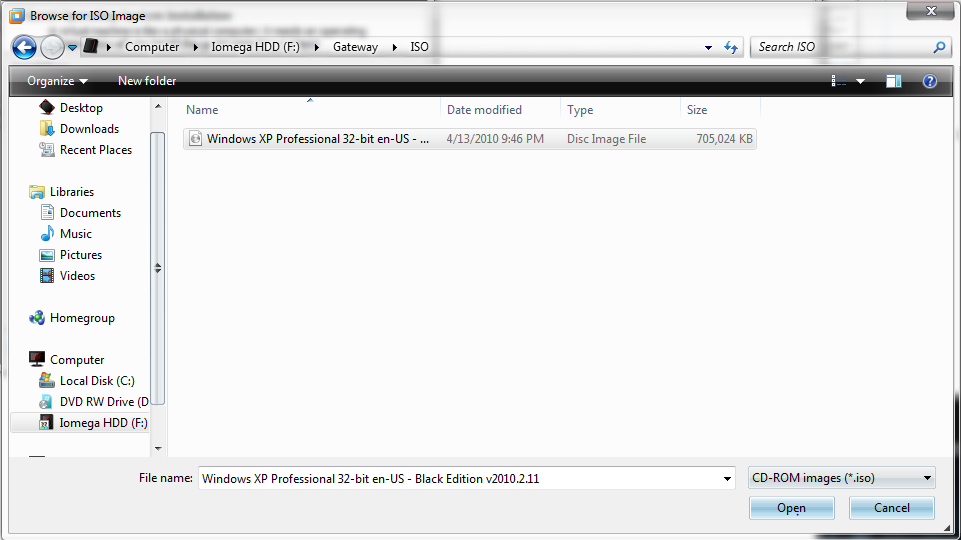
    • Now that you are on this page you will need to browse for the ISO image you will be using, mine happens to be a Windows XP ISO.


      • [IMG]http://i1006.photobucke*****m/albums/af183/MPGHTutpics/VMWare%20Tutorial/Capture12.png[/IMG]


    • Once you have found your ISO you will need click open, and then click Next.


      • [IMG]http://i1006.photobucke*****m/albums/af183/MPGHTutpics/VMWare%20Tutorial/Capture13.png[/IMG]


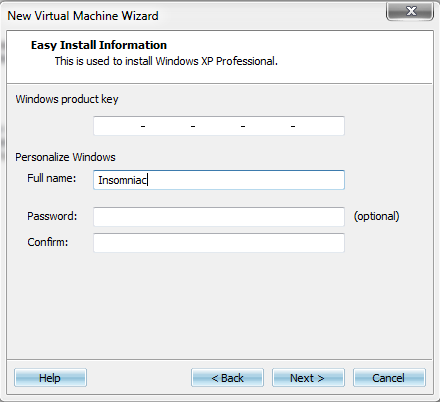
    • On this page, I left everything blank for now, if you are using the correct ISO during the setup it should not ask you for a Product Key, however if you are prompted for one you will need to enter one to continue.


      • [IMG]http://i1006.photobucke*****m/albums/af183/MPGHTutpics/VMWare%20Tutorial/Capture14.png[/IMG]


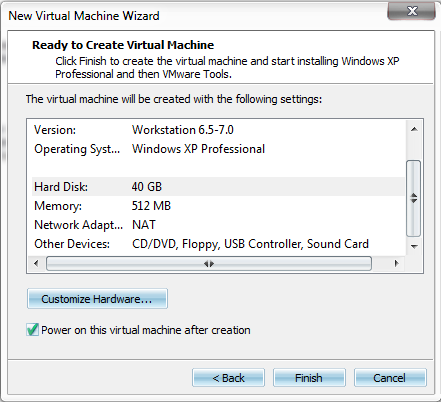
    • On this page I left everything default for tutorial purposes, however you are able to change most to all of these settings, such as adding more RAM or HDD Space to your VM.


      • [IMG]http://i1006.photobucke*****m/albums/af183/MPGHTutpics/VMWare%20Tutorial/Capture15.png[/IMG]


    • Once you are finish changing settings, if any at all, you will click Finish, and VMWare will begin the boot up/set up of whatever OS you used. (XP for me.)


      • [IMG]http://i1006.photobucke*****m/albums/af183/MPGHTutpics/VMWare%20Tutorial/Capture16.png[/IMG]


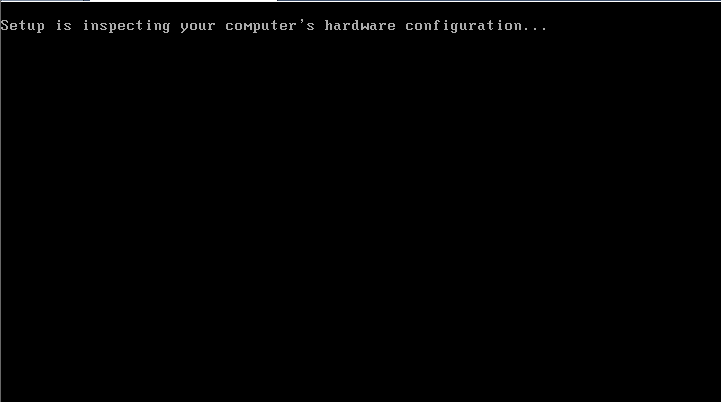
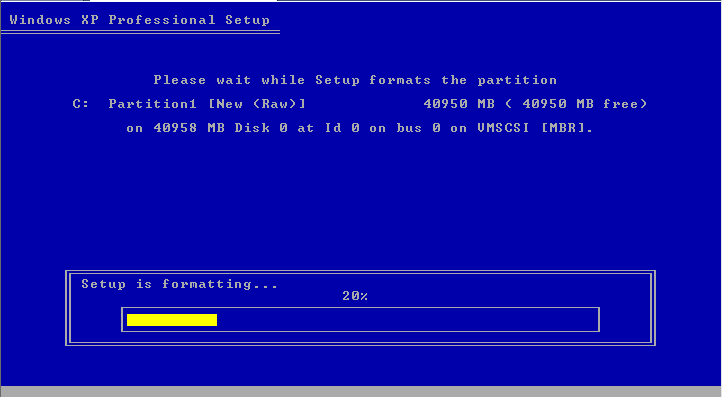
    • Now you will just go through the set up as normal, if promoted for information you will need to enter the information to continue.


      • [IMG]http://i1006.photobucke*****m/albums/af183/MPGHTutpics/VMWare%20Tutorial/Capture17.png[/IMG]


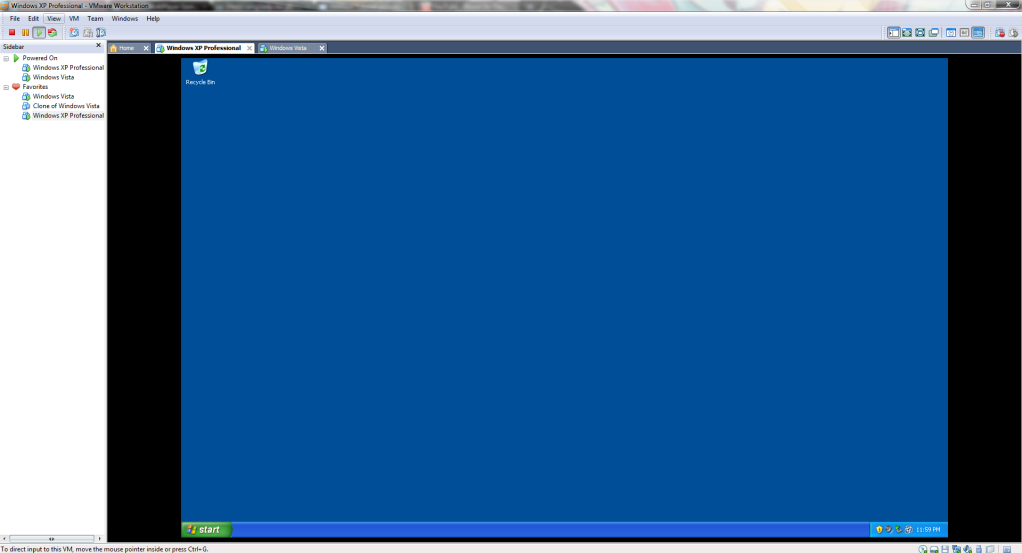
    • Once the setup is done, the VM should reboot, then boot up normally just like a normal computer, however there is a a few changes we will need to make before you can install Crossfire and open it properly.


  4. Enabling the ability to run Crossfire on your VMWare.


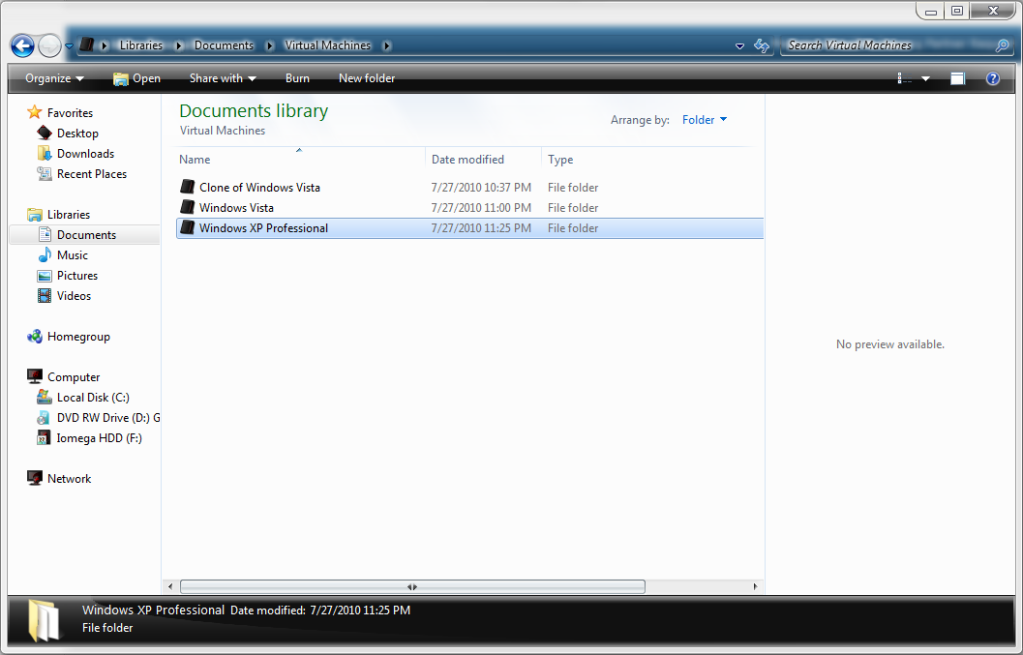
    • Go to "C:\Users\Insomniac\Documents\Virtual Machines" and select the folder of whatever OS you installed on your VMware. (For me XP again.)


      • [IMG]http://i1006.photobucke*****m/albums/af183/MPGHTutpics/VMWare%20Tutorial/Capture18.png[/IMG]


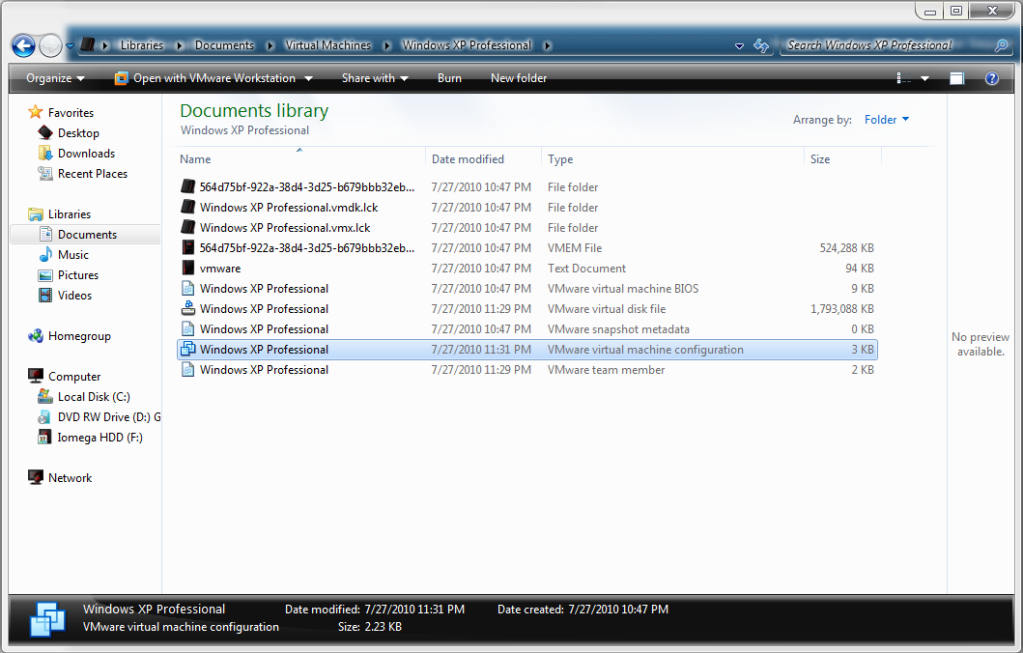
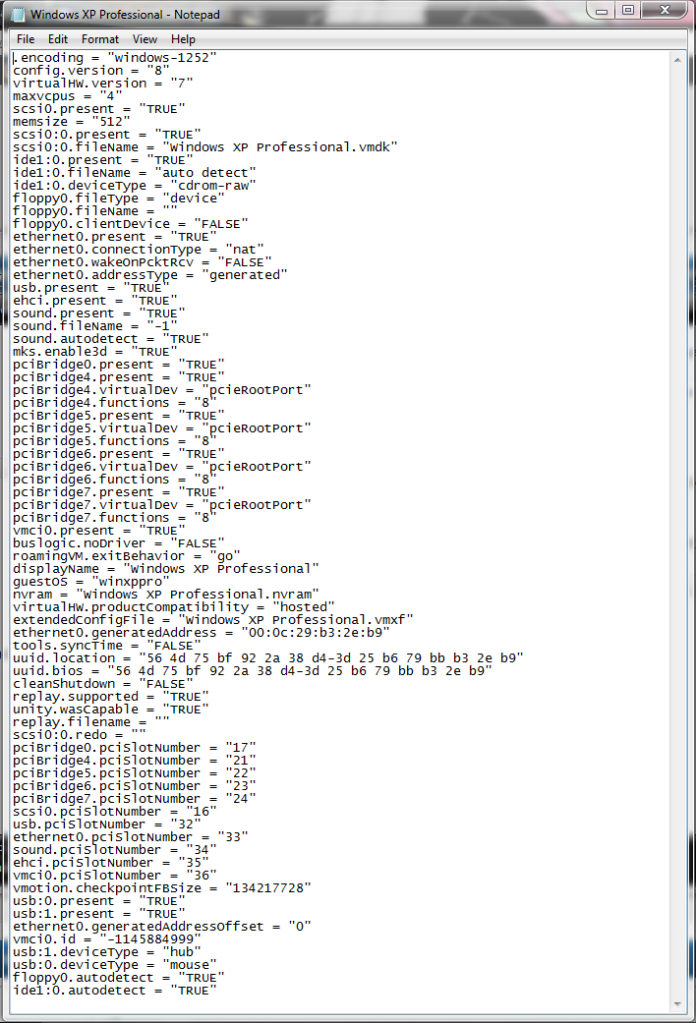
    • Open the OS that you wish to run Crossfire on, and look for the configuration file. The icon for the file should be 3 semi transparent squares, also look at the file description.


      • [IMG]http://i1006.photobucke*****m/albums/af183/MPGHTutpics/VMWare%20Tutorial/Capture19.png[/IMG]


    • Open this file in Notepad.


      • [IMG]http://i1006.photobucke*****m/albums/af183/MPGHTutpics/VMWare%20Tutorial/Capture20.png[/IMG]


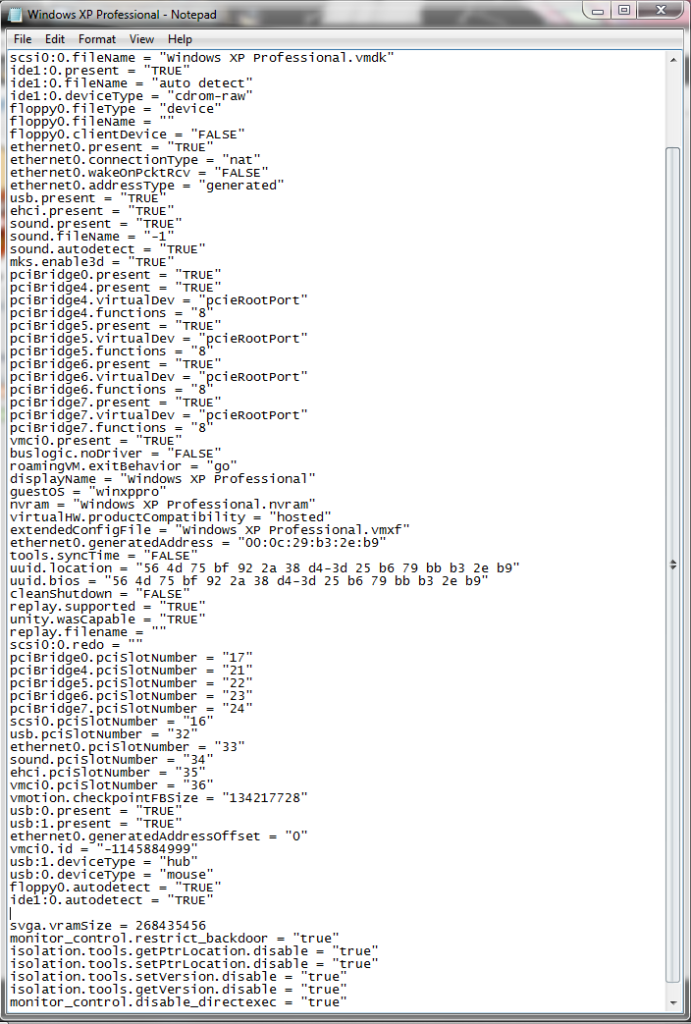
    • Add the following code to the file
      Code:
      svga.vramSize = 268435456
      monitor_control.restrict_backdoor = "true"
      isolation.tools.getPtrLocation.disable = "true"
      isolation.tools.setPtrLocation.disable = "true"
      isolation.tools.setVersion.disable = "true"
      isolation.tools.getVersion.disable = "true"
      monitor_control.disable_directexec = "true"

      • [IMG]http://i1006.photobucke*****m/albums/af183/MPGHTutpics/VMWare%20Tutorial/Capture21.png[/IMG]


    • You are now able to run Crossfire on your VMWare, however on some Operating Systems, adding the code to the configuration, causes the VMWare Tools to stop working, and you will constantly get a send Error Report thing, that may cause you to DC, which brings me to my next step.


  5. Disabling Send Report Error Messages. (This may be different for different Operating Systems, Lrn2Google.)


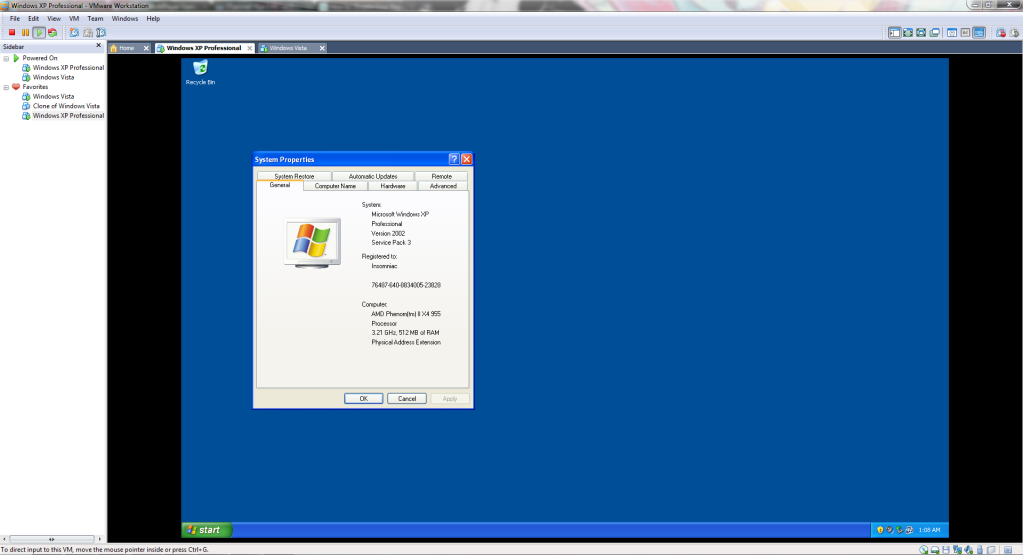
    • First you will need to right click on your desktop(On your VMWare), and click properties.


      • [IMG]http://i1006.photobucke*****m/albums/af183/MPGHTutpics/VMWare%20Tutorial/Capture22.png[/IMG]


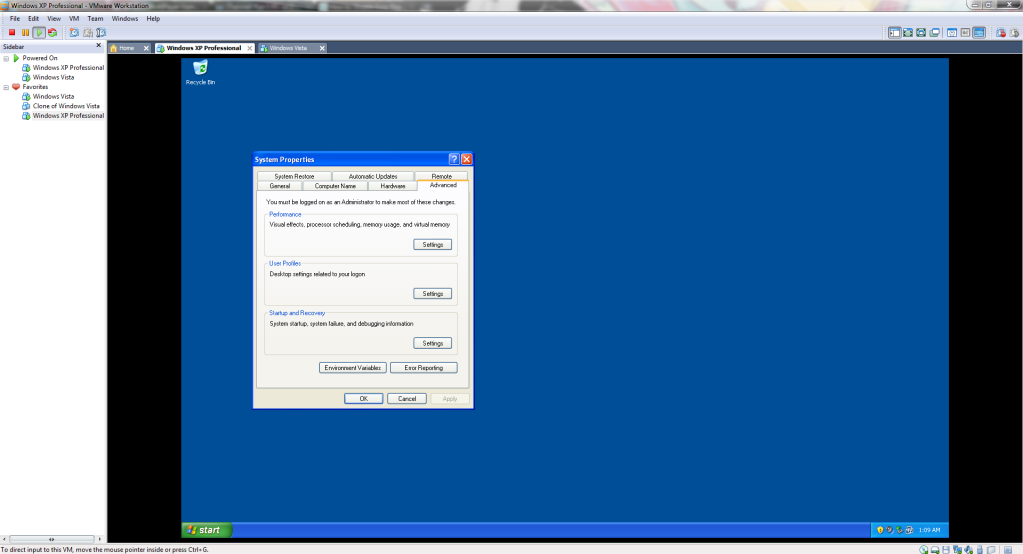
    • Next go to the advance tab.


      • [IMG]http://i1006.photobucke*****m/albums/af183/MPGHTutpics/VMWare%20Tutorial/Capture23.png[/IMG]


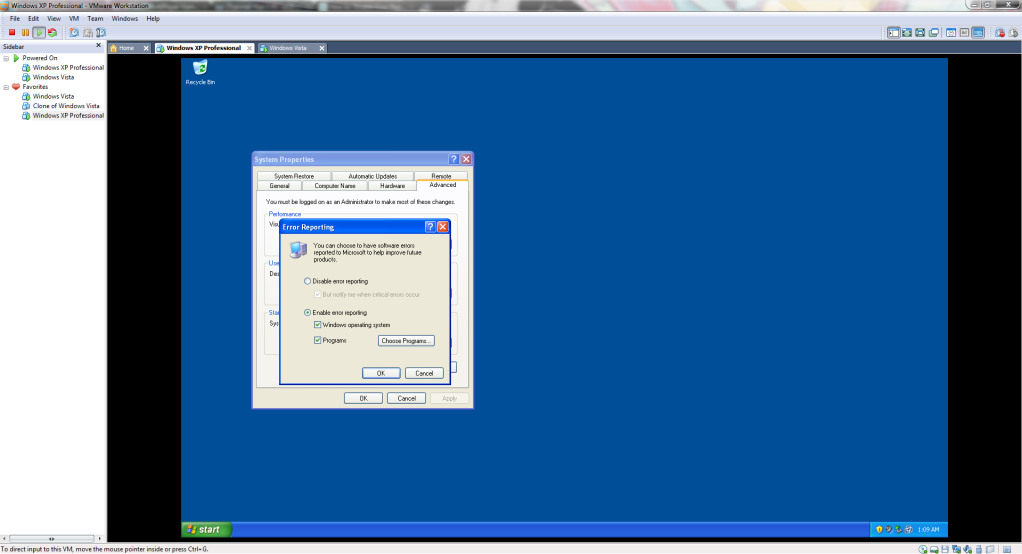
    • Now click Error Reporting.


      • [IMG]http://i1006.photobucke*****m/albums/af183/MPGHTutpics/VMWare%20Tutorial/Capture24.png[/IMG]


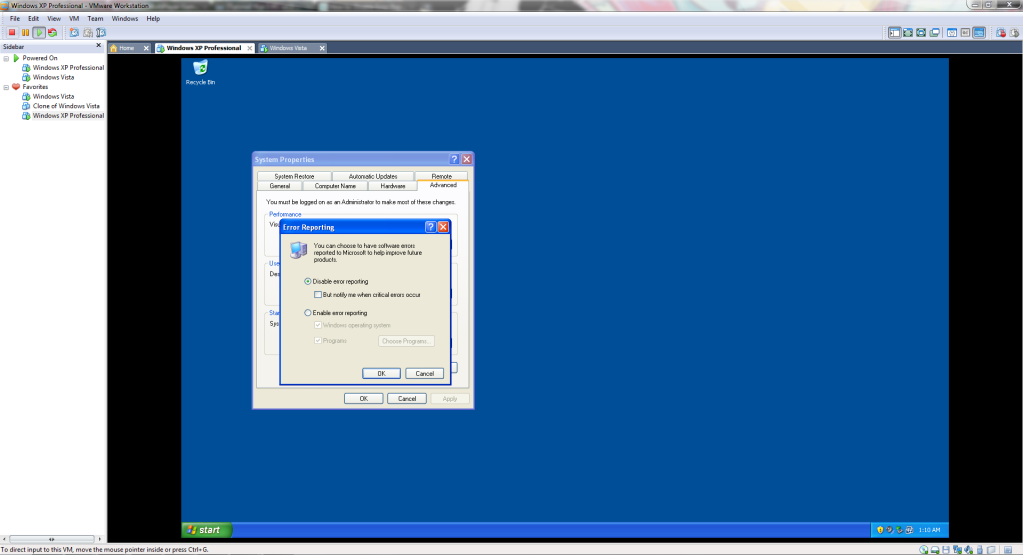
    • Now tick the "Disable Error Reporting" bubble, and untick the "But notify me when critical errors occur."


      • [IMG]http://i1006.photobucke*****m/albums/af183/MPGHTutpics/VMWare%20Tutorial/Capture24.png[/IMG]


    • Now that you have made the changes, apply them, and exit out of the windows.


      • [IMG]http://i1006.photobucke*****m/albums/af183/MPGHTutpics/VMWare%20Tutorial/Capture25.png[/IMG]


  6. Now that you have made all the neccessary changes, you will now be able to download Crossfire and open and play on your VMWare.


    Also if you need an Windows XP Product Key this one should work fine:


    • MRX3F-47B9T-2487J-KWKMF-RPWBY


    Also if you need a VMWare Workstation Serial any of these should work just fine:


    • CF54R-4EE54-H81AQ-06P59-QQ2A4
    • YY3RH-D4Y54-0890Y-X5WZT-Y6RR8
    • GZ34K-DLWE3-M81FZ-KXXQT-XC8CA
    • AV3W0-DMD57-H807Z-4FQ5V-PLAW0
    • CC7W0-AUF8M-H85PZ-3ZQNC-PL0D4


    *WARNING*
    The links provided in this tutorial are outside links, and the files were to big to run virus scans, if you do not trust, or do not wish to download from an outside links, then I advise you not to download them.

#1 · edited 16y ago · 16y ago
Swiftdude
Swiftdude
oh lawd thats why it took forever
#2 · 16y ago
Hahne
Hahne
DAUM how long did that take
#3 · 16y ago
Toxin
[MPGH]Toxin
Quote Originally Posted by Hahne View Post
DAUM how long did that take
Hmm pretty much all day, considering two files uploaded over 500MB, and all the screen shots, and I was just plain lazy and kept getting easily distracted.
#4 · 16y ago
Swiftdude
Swiftdude
Quote Originally Posted by Insomniac View Post


Hmm pretty much all day, considering two files uploaded over 500MB, and all the screen shots, and I was just plain lazy and kept getting easily distracted.
yea with ddosing that site /
#5 · 16y ago
JO
jono12333
WOW NICE WORK ILY ;D
#6 · 16y ago
Toxin
[MPGH]Toxin
Quote Originally Posted by swiftdude View Post


yea with ddosing that site /
Shush, I don't want them to know about my day job.

Quote Originally Posted by jono12333 View Post
WOW NICE WORK ILY ;D
Thank you. Love you too.

But press it don't say it.
#7 · 16y ago
Hahne
Hahne
not sticky worthy
#8 · 16y ago
InCapacitated
InCapacitated
Thanks!
Now I Will Pwn Noobs in Mutation Mode
*Evil Laugh*
*Continuous Laughter*
And Again and Again
#9 · 16y ago
Swiftdude
Swiftdude
Quote Originally Posted by Sora•Roxas View Post
Thanks!
Now I Will Pwn Noobs in Mutation Mode
*Evil Laugh*
*Continuous Laughter*
And Again and Again
huh? mm? what?

Quote Originally Posted by Insomniac View Post


Shush, I don't want them to know about my day job.

actually it was /me not
#10 · 16y ago
Toxin
[MPGH]Toxin
Quote Originally Posted by Hahne View Post
not sticky worthy
I stick what I want boi.

Quote Originally Posted by swiftdude View Post


huh? mm? what?


actually it was /me not
All you managed to do was dc yourself from the internet.
#11 · 16y ago
Swiftdude
Swiftdude
Quote Originally Posted by Insomniac View Post


I stick what I want boi.


All you managed to do was dc yourself from the internet.
when i did it i just dc'd from xfire and msn but i was still flooding it...hahne said he couldnt connect to the site
#12 · 16y ago
Bayzo
Bayzo
this is a long TUT...
#13 · 16y ago
Toxin
[MPGH]Toxin
Quote Originally Posted by bayzo View Post
this is a long TUT...
Long because it's detailed.
#14 · 16y ago
DA
Dalonzo
Wow, I'm the first and only person to give a Thanks?
#15 · edited 16y ago · 16y ago
Posts 1–15 of 233 · Page 1 of 16
…

Post a Reply

Similar Threads

  • VMware farmingBy skulhead in CrossFire Help
    1Last post 15y ago
  • BypassXtrap VMware FarmingBy sebastian150 in CrossFire Help
    8Last post 15y ago
  • Vmware Farm in Private ServerBy [G]odric in CrossFire Tutorials
    10Last post 15y ago
  • Official Mod Support TutorialBy rowan112 in Call of Duty Black Ops Server & GSC Modding
    20Last post 15y ago
  • OFFICIAL INFECTION MODE TUTORIAL THREADBy lightningss in Alliance of Valiant Arms (AVA) Discussions
    9Last post 15y ago

Tags for this Thread

None