👍 Boosters collections & Tutorials
I am releasing some programs that boost your game or your pc
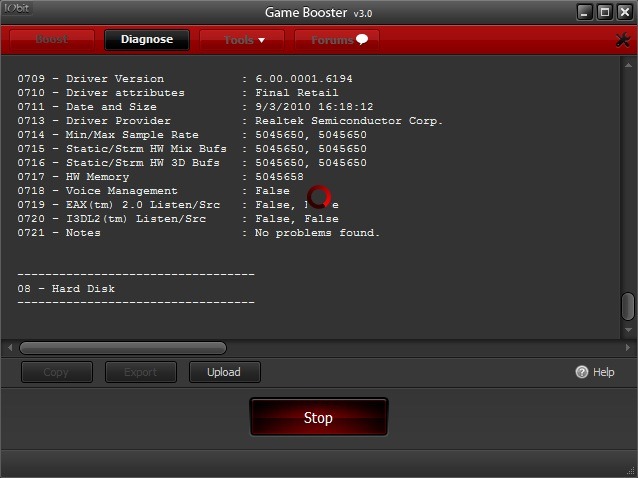
Game Booster
Most known about boosting games and PC , and easiest program to do the job
How to do it
1- Download it from the attachment (You will find it down)
Setup it
When you finish open it and press
Start Boost
And to boost it more you can select crossfire and boost it

and it will boost and lunch crossfire safely and easy and fastest
2 - Some people say it disable it's functions and screw it's pc
Well it's your fault you didn't configure it
You can control with it's functions and control what process to disable
3 - Defragment
It's easy and good way to start any process without lagging or problems
defragment is cleaning overweight files and cleaning memory's high harmful process
Advanced System Care
It's second help and good program in caring your pc , this program a compound of antivirus and game booster
it can clean your system of viruses and boost games and boost systems
1 - Setup it
Press
Next
Next
Next
Wait
Finish
1.2 - How to do it
When you finish it's setup press "Care" button and it will do your job
2- Care function
It have many functions that care the system and process , it runs the pc smoothly and without lag
It don't exhaust high memory usage and it cares the network usages and memory
Recommends
I recommend with Deep care , it clean memory deeply and harmful process and files !
2 - Configuring settings
You can configure it's functions too like game booster it can disable un-important processes
It can clean registry and temp. files like CCLEANER
Smartalec Game Accelerator
It's famous booster too aka game faster
Setup it
Setup it and remove "gamexl.exe" "gres.dat" to activate it without buy it
It's Features :-
1. HyperSpeed Gaming Mode
2. High-Performance Mode
3. Silent Gaming System Tune-up
4. Quick Speed Tune-up
5. Defragment Memory
6. Defragment Hard Disks
7. Diagnose DirectX System Configuration
8. System Monitor
9. HyperCool System Cooling
10. Intelligent Memory Defragmentation
Functions
HyperSpeed Gaming Mode
Set your machine to HyperSpeed Gaming Mode – create a system environment with the sole purpose of gaming at full system potential.
HyperCool System Cooling
Enable HyperCool System Cooling to keep your system running cool while not affecting gaming performance.
Intelligent Memory Defragmentation
Watch your computer’s memory usage and intelligently free up your memory as well as remove garbage left by other applications in memory.
Silent Gaming System Tune-up
Tune your system thoroughly in the background for long-term optimal gaming performance.
That's it for today , i will release new tutorial soon
Credits goes to me no anyone
I made it
Sticky please
I will leave you with the attachments
i worked hard on this , i will be grateful if you give me a thanks by pressing thanks button

 These are two different programs. Credits go to IObit, I believe a really well known publisher of cleaning programs.