How To Install Fonts [Windows 7]
______________________________
Here is a tutorial.
Step 1: Download your font.
Some good websites are dafont.com , 1001 Free Fonts - Download Free Fonts for Windows and Macintosh , Fonts.com ect.
Step 2: Open .zip or .rar file.

Step 3: You shall see 1 or more .ttf files and a .txt , or a .font file.
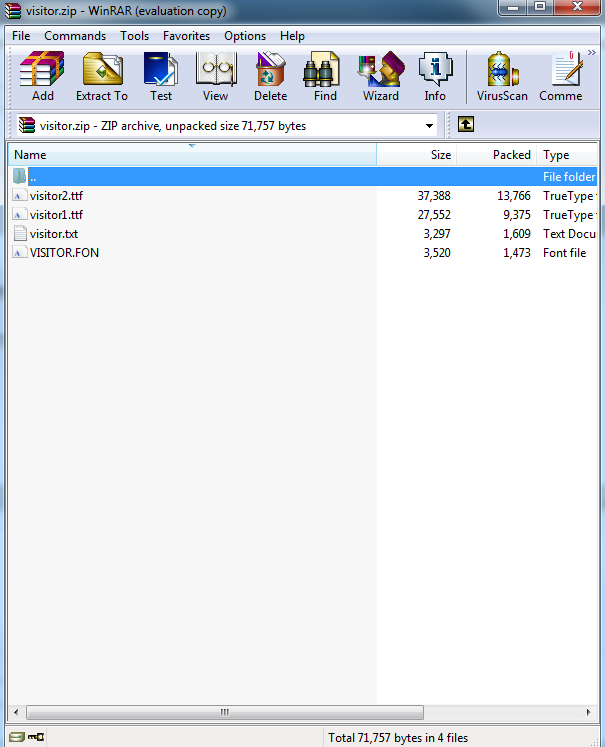
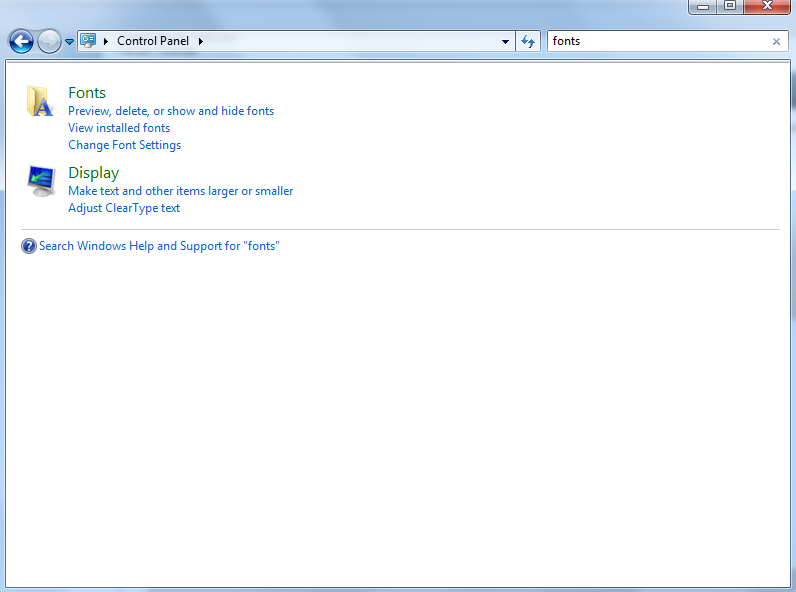
Step 4(1): Type in your search bar: Fonts
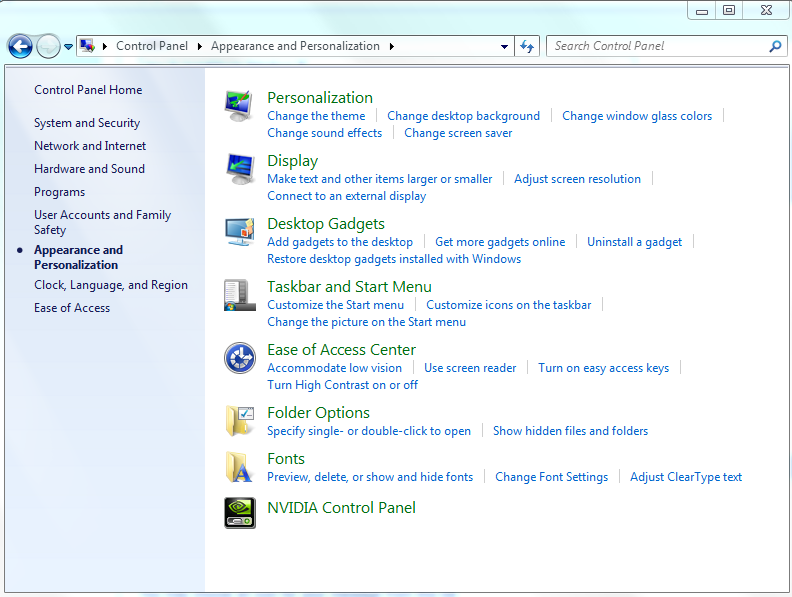
Step 4(2): Or, go into control panel and look for Fonts under Appearence and Personalization.
Step 5: Drag the text files into the open Fonts window.
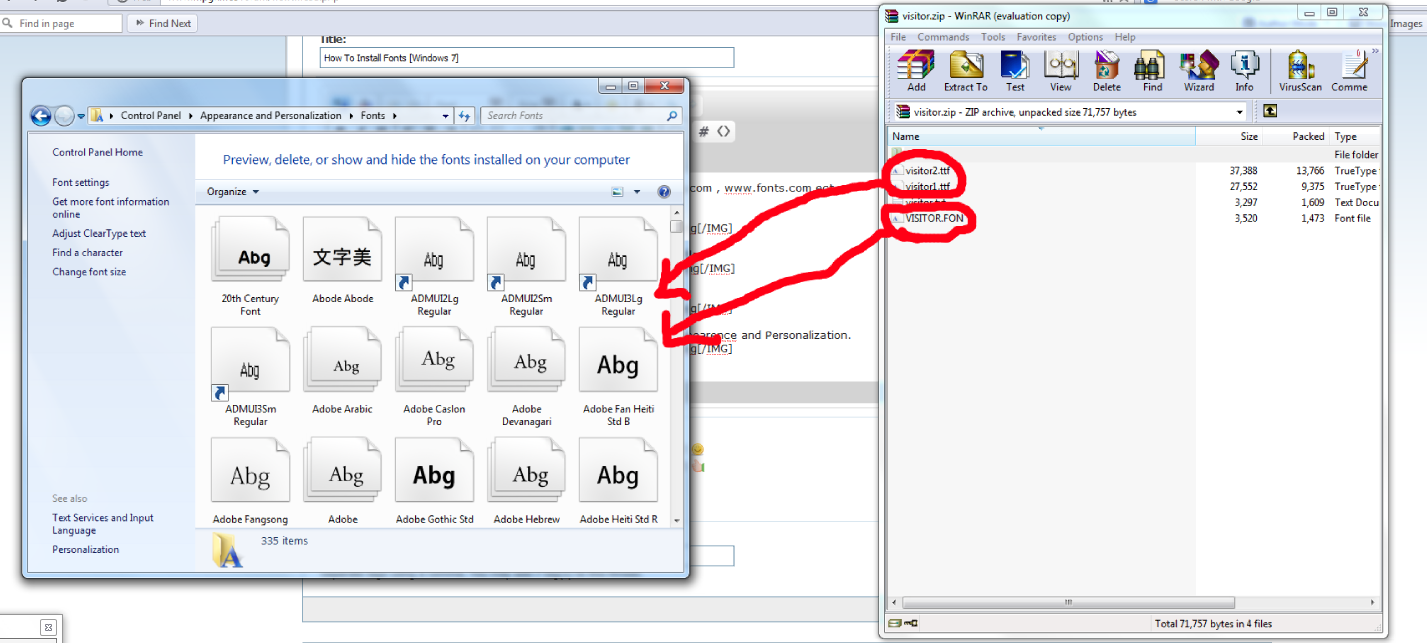
Step 6: They will auto install.

Step 7: Enjoy using your new font!
______________________________
Here is a tutorial.
Step 1: Download your font.
Some good websites are dafont.com , 1001 Free Fonts - Download Free Fonts for Windows and Macintosh , Fonts.com ect.
Step 2: Open .zip or .rar file.
Step 3: You shall see 1 or more .ttf files and a .txt , or a .font file.
Step 4(1): Type in your search bar: Fonts
Step 4(2): Or, go into control panel and look for Fonts under Appearence and Personalization.
Step 5: Drag the text files into the open Fonts window.
Step 6: They will auto install.
Step 7: Enjoy using your new font!
______________________________