How to make a modMenu (iPrintln)
If you don't have the raw files get it with my other tutorial.
[What you need]
The rawfiles from my old tutorial
The game
[Steps]
First go to the folder you put the rawfields into and go to [raw\maps\gametypes]
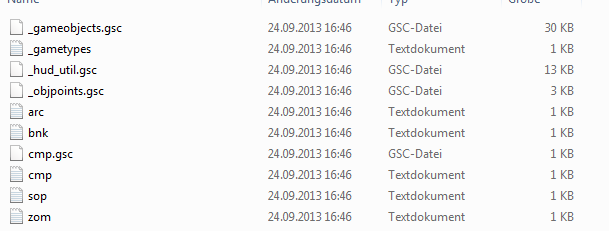
Now search for: [zom.txt] and open with any text editor
Now add at the top [variable MODS as new MENU_CAPS, "\maps\gametypes\MOD.TXT"] and make a space between "menu_zombie_mod_caps" and write ""MENU_ZOMBIE_MODS""
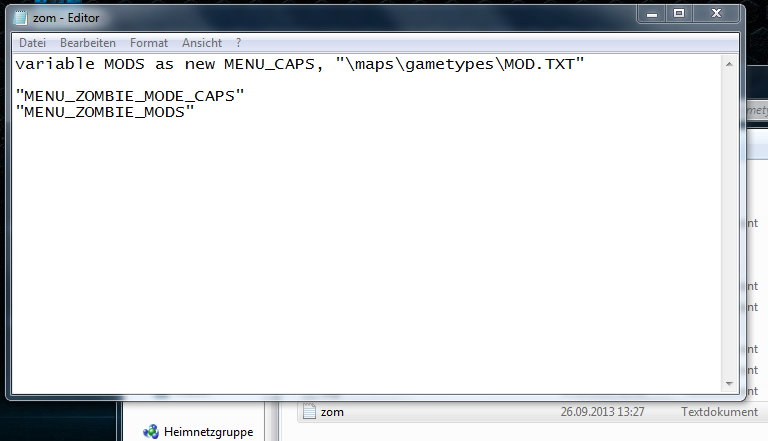
Now write at the button [1900x90]
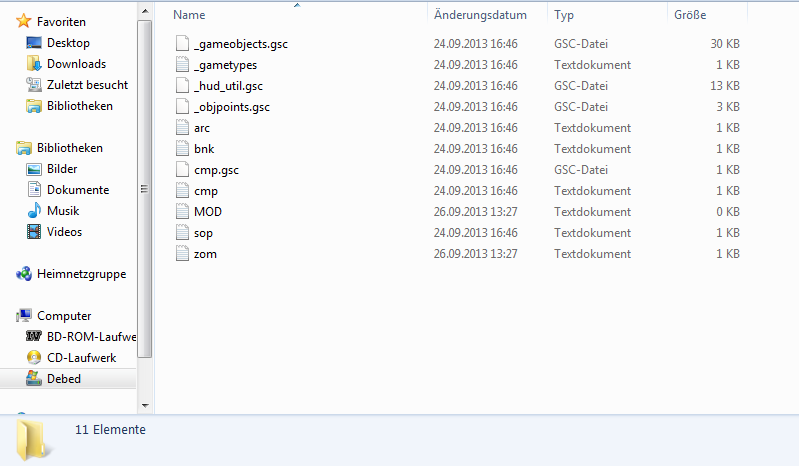
and now create a new txt file called "MOD.TXT"
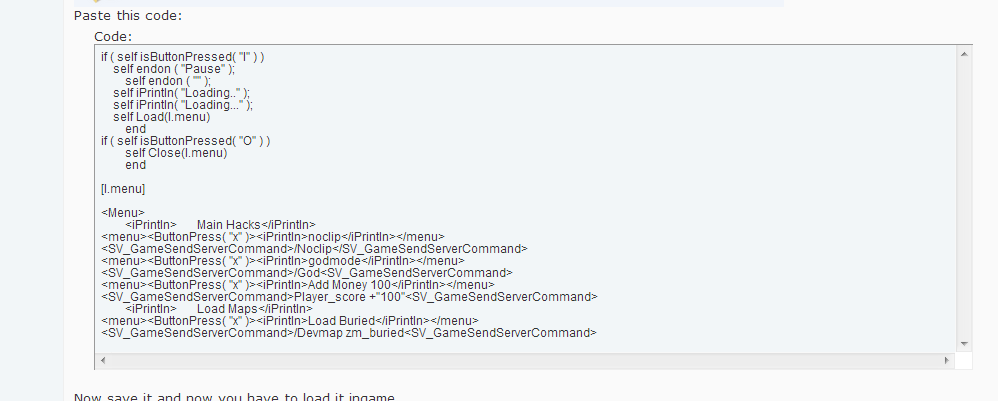
Paste this code:
Now save it and now you have to load it ingame
Go to your game shortcut and add -C:\Users\****\Desktop\t6zm.exe raw\maps\gametypes\zom.txt
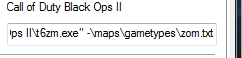
I saved it in a secret hiden place where the default activision save it so i dont have to put
C:\Users\****\Desktop\t6zm.exe raw\maps\gametypes\zom.txt
so hope you like it
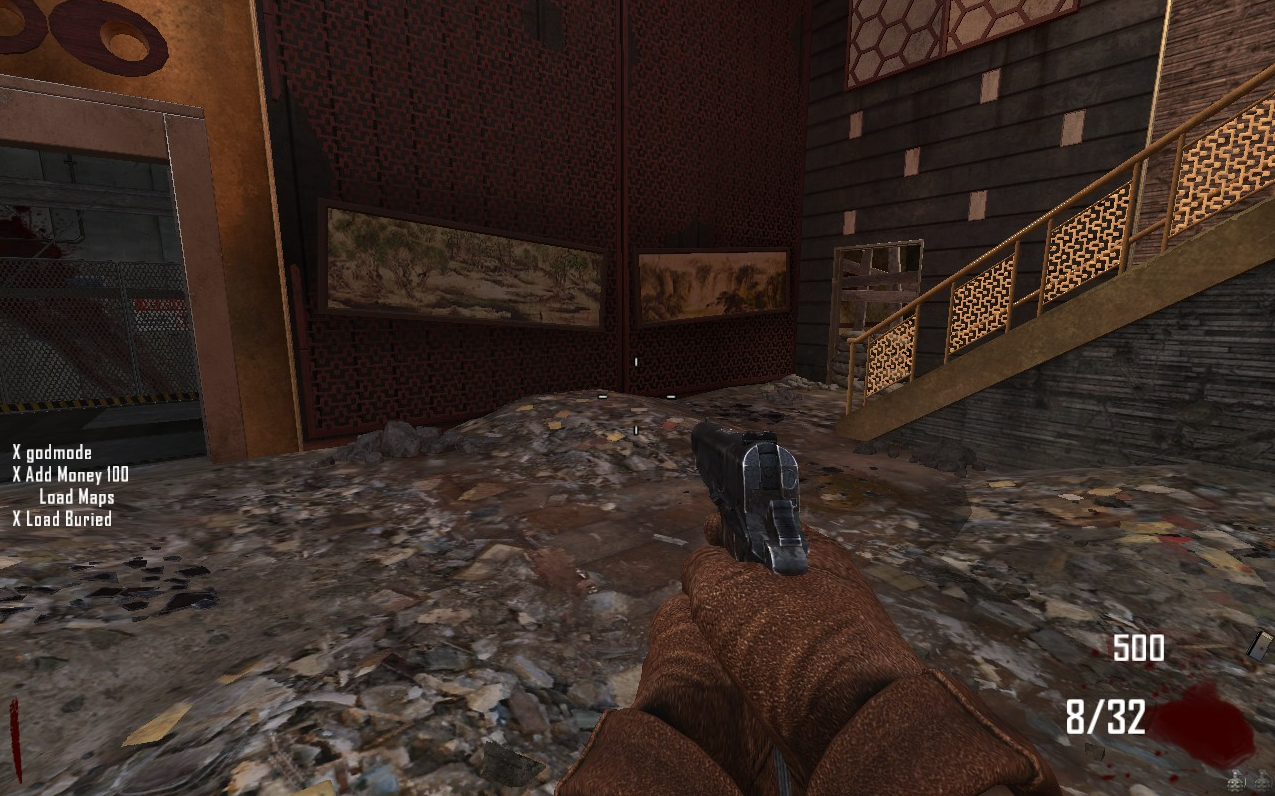
The X infront of the noclip or every other command is what to press but you have to navigate with the up down arrow
if you set any effects to the selected item you will see wut is selected but i just did a really simple menu
that works for me and I hope for you:)
[What you need]
The rawfiles from my old tutorial
The game
[Steps]
First go to the folder you put the rawfields into and go to [raw\maps\gametypes]
Now search for: [zom.txt] and open with any text editor
Now add at the top [variable MODS as new MENU_CAPS, "\maps\gametypes\MOD.TXT"] and make a space between "menu_zombie_mod_caps" and write ""MENU_ZOMBIE_MODS""
Now write at the button [1900x90]
and now create a new txt file called "MOD.TXT"
Paste this code:
Code:
if ( self isButtonPressed( "I" ) )
    self endon ( "Pause" );
	self endon ( "" );
    self iPrintln( "Loading.." );
    self iPrintln( "Loading..." );
    self Load(l.menu)
	end
if ( self isButtonPressed( "O" ) )
	self Close(l.menu)
	end

[l.menu]

<Menu>
	<iPrintln>	Main Hacks</iPrintln>
<menu><ButtonPress( "x" )><iPrintln>noclip</iPrintln></menu>
<SV_GameSendServerCommand>/Noclip</SV_GameSendServerCommand>
<menu><ButtonPress( "x" )><iPrintln>godmode</iPrintln></menu>
<SV_GameSendServerCommand>/God<SV_GameSendServerCommand>
<menu><ButtonPress( "x" )><iPrintln>Add Money 100</iPrintln></menu>
<SV_GameSendServerCommand>Player_score +"100"<SV_GameSendServerCommand>
	<iPrintln>	Load Maps</iPrintln>
<menu><ButtonPress( "x" )><iPrintln>Load Buried</iPrintln></menu>
<SV_GameSendServerCommand>/Devmap zm_buried<SV_GameSendServerCommand>
Go to your game shortcut and add -C:\Users\****\Desktop\t6zm.exe raw\maps\gametypes\zom.txt
I saved it in a secret hiden place where the default activision save it so i dont have to put
C:\Users\****\Desktop\t6zm.exe raw\maps\gametypes\zom.txt
so hope you like it
The X infront of the noclip or every other command is what to press but you have to navigate with the up down arrow
if you set any effects to the selected item you will see wut is selected but i just did a really simple menu
that works for me and I hope for you:)
 Originally Posted by vamoux