Help! USB does not recognized.
I put my pendrive then it shows like this : 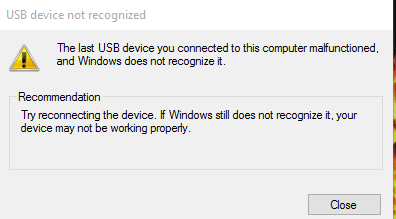
Tried most of method from the google but it kind a suck.. not working..
Tried most of method from the google but it kind a suck.. not working..
 Originally Posted by Ticherhaz
 Originally Posted by Zeint
Originally Posted by Gixxer
Originally Posted by Ticherhaz
Originally Posted by generator
Originally Posted by Zeint
Originally Posted by Gixxer
Originally Posted by Zeint
Originally Posted by Zeint
Originally Posted by Gixxer
Originally Posted by Ticherhaz
Originally Posted by generator
Originally Posted by Zeint
Originally Posted by Gixxer
Originally Posted by Zeint

 17
17