 Ultimate Guide to reducing Lag in 10 Steps.
Ultimate Guide to reducing Lag in 10 Steps.
Warning:
I'm not liable for anything, hard for you to fuck up if you pay full attention or your computer is shitty enough.
Prepatory Actions:
Most importantly, you'll need to create a system restore point.
Learn how to, by clicking the links below:
WindowsXP
WindowsVista
Windows7
Disable all programs you're not using + programs that take up quite a lot of memory + ram + etc;.
Windows Live Messenger- // iTunes- //Other Web Browser Windows- // The Downloads listed below-
If you have GameBooster, remember to put it back into normal mode.
Advance System Care Boost Mode off
Step 1) Downloads:
Download each of the following programs:
CCleaner
Game Booster
Advance System Care Pro
Your Uninstaller
Step 2) Installations+Full Versions
Advance System Care Pro
[/B]WARNING: Disconnect your internet when entering serial code or it won't work!
Your Uninstaller!
Help > Enter Code...
Step 3) Add & Remove Programs
-Open Your Uninstaller!
-Locate the program you want to delete / won't use EVER again, or won't EVER need.
-Right Click > Uninstall > Super Mode > Next, okay, okay, okay
-When you're finished, close the program

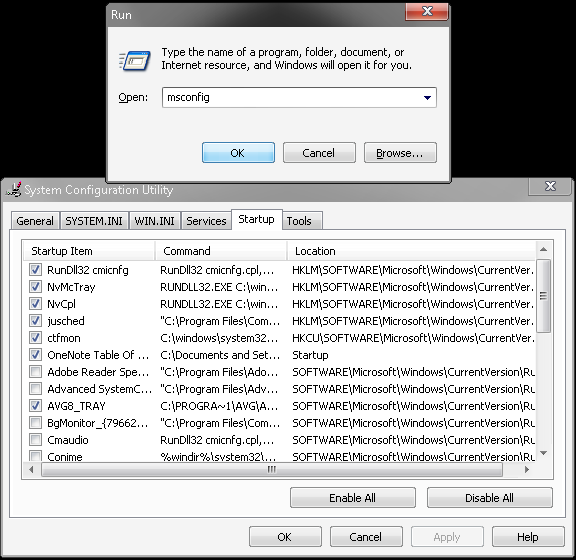
Step 4) Startup Manager
Start>Run (or Windows Key + R)
Type in:
Click on Startup, then only check the items that you need
Like AntiViruses, anything else (I'm not liable for computer problems, I'm just here to help)
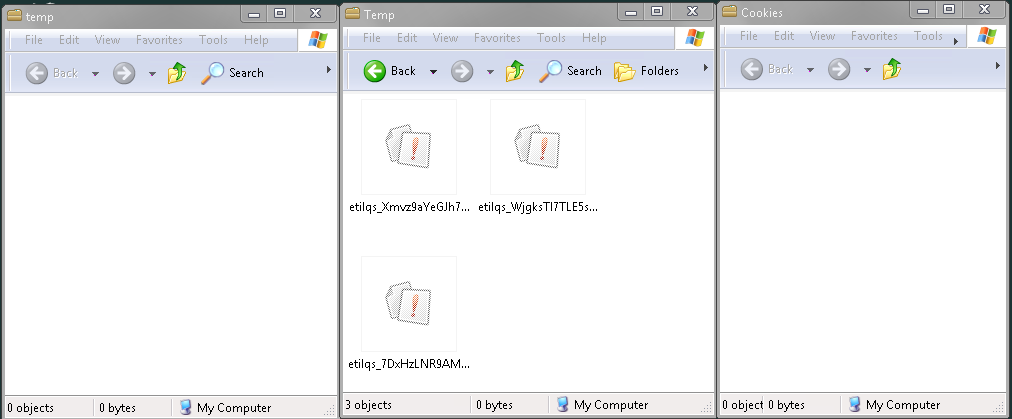
Step 5) Manual Delete
Type in:
Note: Not all of those "Run" codes work for other OS's, they're
mainly for Windows XP, so don't worry if you can't get to them in Windows Vista or Windows 7
Delete all of the items inside of these folders that you can, if any of them are undeleteable, leave them alone.
Step 6) Increasing Computer Speed
Start>Right Click "My Computer">Properties>Advance>Performance:Settings
Fill in Adjust for best performance but don't click Ok, or Apply yet.
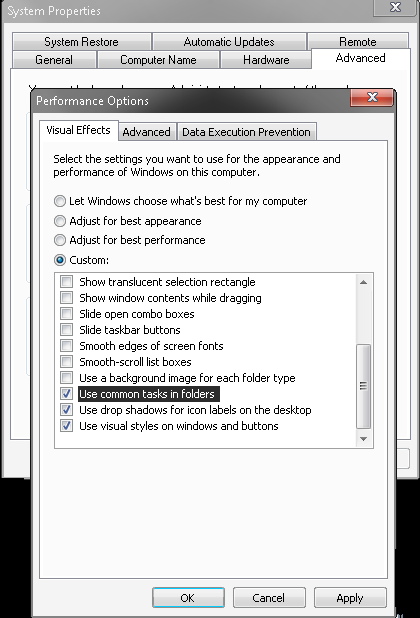
Scroll down to the last 3 boxes and check them, then hit apply and go to the Advance Tab.
Now you'll change your ram, i highly recommend you get a calculator
so go to start > Run > calc
You're going to type the number of ram you have under Maxmium size
type your maxmium size
the / sign (divide)
then 90% ( no need for pressing = or enter)
round that number down to the nearest 100
I got:
3048 / 90% = 2743.2
I rounded that to 2700

Step 7) De-fragmentation
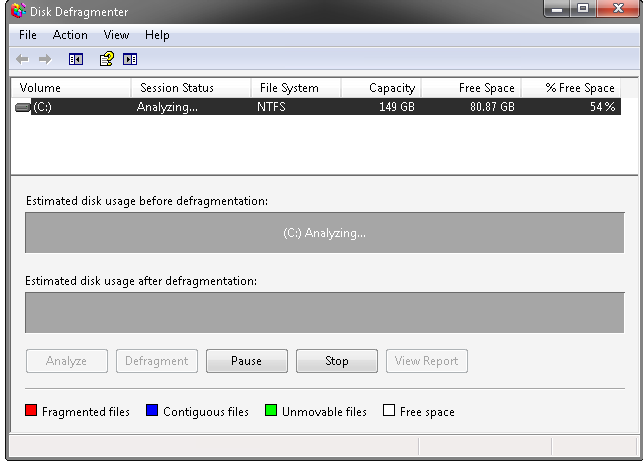
Start>My Computer>Right Click Local Disk ( C: )>Properties>Tools
Click Analyze then Defragment Now...
Wait for the Analysis to finish, once it does, and you need to Defrag your drive, do so.
Step 8a) CCleaner
Open CCleaner, and under Cleaner>Windows you'd need to check EVERY BOX besides Wipe Free Space
Click Analyze, then when you post on this thread, take a screenshot of that analysis,
(upload to PicDrop.net, and provide [IMG] code in post)
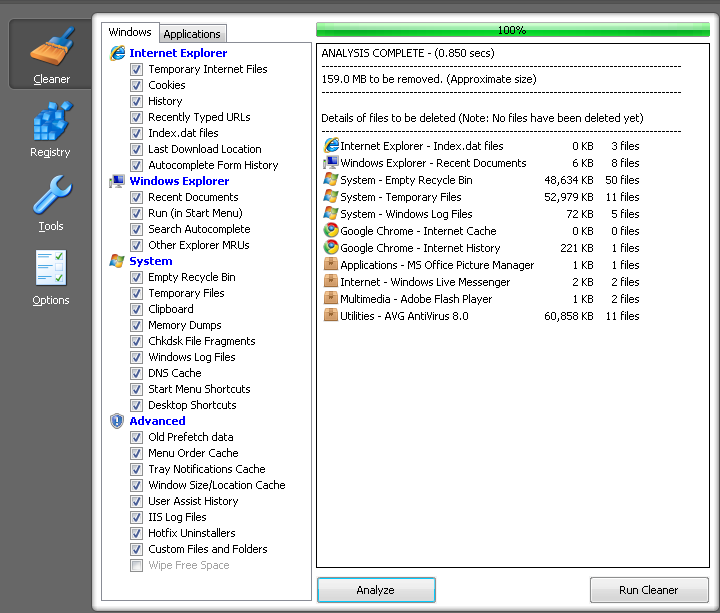
Click Run Cleaner
Click on Registry and click Scan For Issues, then Fix selected Issues...
Backup or not, I usually choose not to. then remove all of that.
Step 8b) Advance System Care Pro
Open Advance System Care Pro and hit the Care! button
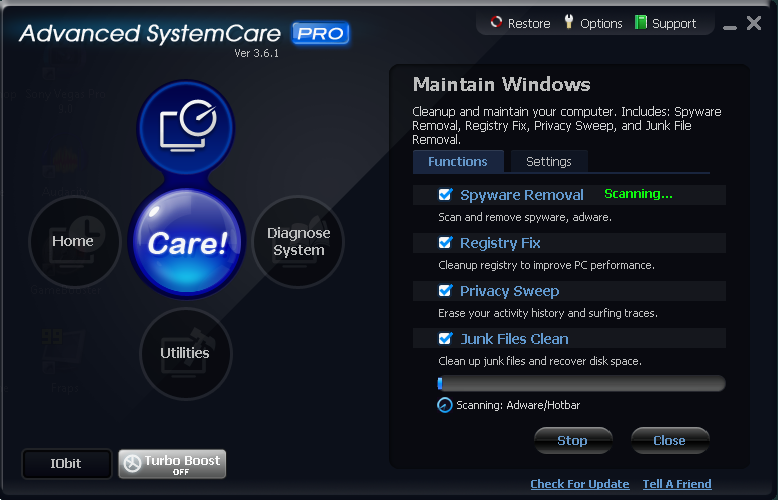
Once that's done, click on the bottom icon in Advance System Care Pro, and click on:
Disk Cleaner, then hit next, and follow the prompt
Step 8c) GameBooster
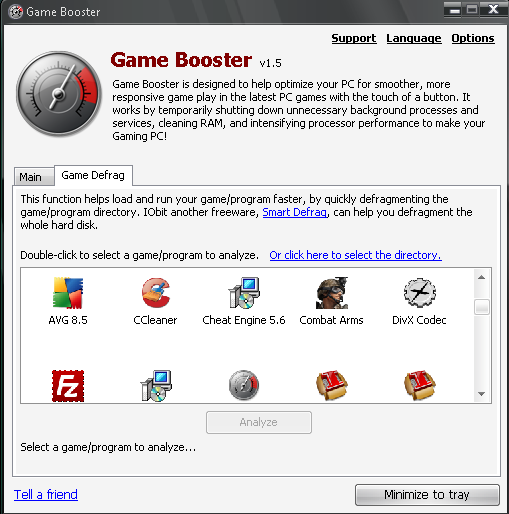
Open GameBooster, and under the Game Defrag tab, you'd want to click on EACH program and defrag them all.
Step 9a) Before Combat Arms
Step 9b)Open GameBooster, and then click Switch To Gaming Mode. Choose all you need, and then hit Close Them
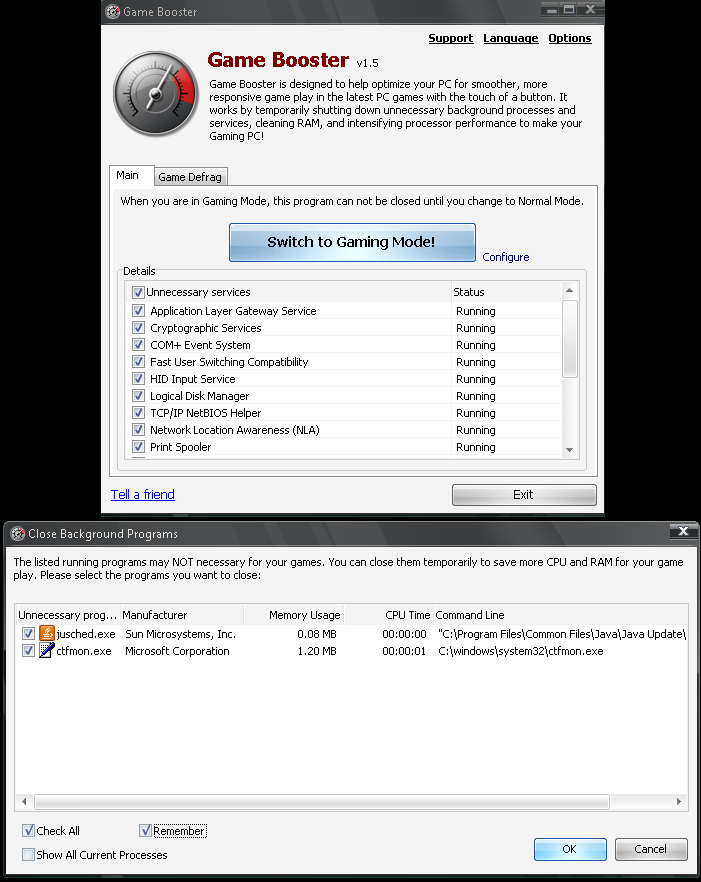
Step 9c)Open your Task Manager, and disable processes other than your AntiVirus, also be careful not to disable important Windows Processes.
Step 9d)Open Combat Arms, and your hacks if you use (I don't use hacks so whatever)
Step 10a) Combat Arms Lag decrease
Before you hit GAME START
Open the Task Manager once more, and when you find "explorer.exe" disable it and change Engine.exe to AboveNormal priority
When you want to restore explorer.exe, follow these steps:
--Hold Ctrl+Alt+Delete
--Click File:
--New Task (Run...)
--Type in: explorer.exe
--Click ok, and things'll be back to normal
Step 10b)When in game, change the Combat Arms settings to 16Bit, Low Settings, 0x Anti Aliasing
Step 10c)Finally! Delete all your friends you don't need in your Nexon messenger/ friends list in Combat Arms, not AIM/Digsby/MSN/Yahoo
Let me know if you've reduced A LARGE AMOUNT of lag in your Computer, and in Combat Arms
8/8/2012
Wow it's been a long time since I ever touched this thread, the things I mentioned could be slowing down PC's now because the software I mentioned has since then been updated and probably changed
Best thing to do is to format your PC and start fresh, uninstall everything you don't need, install the few things necessary
Change Visual effects to:

and modify the ram.
I do this every few months as my little non-gaming capable netbook gets slow.
I'm not liable for anything, hard for you to fuck up if you pay full attention or your computer is shitty enough.
Prepatory Actions:
Most importantly, you'll need to create a system restore point.
Learn how to, by clicking the links below:
WindowsXP
WindowsVista
Windows7
Disable all programs you're not using + programs that take up quite a lot of memory + ram + etc;.
Windows Live Messenger- // iTunes- //Other Web Browser Windows- // The Downloads listed below-
If you have GameBooster, remember to put it back into normal mode.
Advance System Care Boost Mode off
Step 1) Downloads:
Download each of the following programs:
CCleaner
Game Booster
Advance System Care Pro
Your Uninstaller
Step 2) Installations+Full Versions
Advance System Care Pro
[/B]WARNING: Disconnect your internet when entering serial code or it won't work!
Code:
Name: commentsthetruth
7485-7485-R987-3STE
Code:
Name: commentsthetruth
7485-7485-ZREX-UU0E
Code:
Name: commentsthetruth
7485-7485-ZQTV-5WPR
Code:
Account:Punkcracks
Serial:BC18-BC18-C76E-D2C9
Code:
Account:bob
Serial:9F9D-9F9D-ZKCZ-SRMH
Code:
Account:giveawayyzjbjw
Serial:746F-746F-F0FF-2227
Your Uninstaller!
Help > Enter Code...
Code:
Name: John Kennedy
Serial:000017-6YFWWR-1U7TDC-KQN0CN-R9FU5W-W7HR XW-ZK3HCE-YX8TWZ-EJQ9CW-8UVFWB
Step 3) Add & Remove Programs
-Open Your Uninstaller!
-Locate the program you want to delete / won't use EVER again, or won't EVER need.
-Right Click > Uninstall > Super Mode > Next, okay, okay, okay
-When you're finished, close the program
Step 4) Startup Manager
Start>Run (or Windows Key + R)
Type in:
Code:
msconfig
Like AntiViruses, anything else (I'm not liable for computer problems, I'm just here to help)
Step 5) Manual Delete
Type in:
Code:
temp
Code:
%temp%
Code:
cookies
mainly for Windows XP, so don't worry if you can't get to them in Windows Vista or Windows 7
Delete all of the items inside of these folders that you can, if any of them are undeleteable, leave them alone.
Step 6) Increasing Computer Speed
Start>Right Click "My Computer">Properties>Advance>Performance:Settings
Fill in Adjust for best performance but don't click Ok, or Apply yet.
Scroll down to the last 3 boxes and check them, then hit apply and go to the Advance Tab.
Now you'll change your ram, i highly recommend you get a calculator
so go to start > Run > calc
You're going to type the number of ram you have under Maxmium size
type your maxmium size
the / sign (divide)
then 90% ( no need for pressing = or enter)
round that number down to the nearest 100
I got:
3048 / 90% = 2743.2
I rounded that to 2700
Step 7) De-fragmentation
Start>My Computer>Right Click Local Disk ( C: )>Properties>Tools
Click Analyze then Defragment Now...
Wait for the Analysis to finish, once it does, and you need to Defrag your drive, do so.
Step 8a) CCleaner
Open CCleaner, and under Cleaner>Windows you'd need to check EVERY BOX besides Wipe Free Space
Click Analyze, then when you post on this thread, take a screenshot of that analysis,
(upload to PicDrop.net, and provide [IMG] code in post)
Click Run Cleaner
Click on Registry and click Scan For Issues, then Fix selected Issues...
Backup or not, I usually choose not to. then remove all of that.
Step 8b) Advance System Care Pro
Open Advance System Care Pro and hit the Care! button
Once that's done, click on the bottom icon in Advance System Care Pro, and click on:
Disk Cleaner, then hit next, and follow the prompt
Step 8c) GameBooster
Open GameBooster, and under the Game Defrag tab, you'd want to click on EACH program and defrag them all.
Step 9a) Before Combat Arms
Step 9b)Open GameBooster, and then click Switch To Gaming Mode. Choose all you need, and then hit Close Them
Step 9c)Open your Task Manager, and disable processes other than your AntiVirus, also be careful not to disable important Windows Processes.
Step 9d)Open Combat Arms, and your hacks if you use (I don't use hacks so whatever)
Step 10a) Combat Arms Lag decrease
Before you hit GAME START
Open the Task Manager once more, and when you find "explorer.exe" disable it and change Engine.exe to AboveNormal priority
When you want to restore explorer.exe, follow these steps:
--Hold Ctrl+Alt+Delete
--Click File:
--New Task (Run...)
--Type in: explorer.exe
--Click ok, and things'll be back to normal
Step 10b)When in game, change the Combat Arms settings to 16Bit, Low Settings, 0x Anti Aliasing
Step 10c)Finally! Delete all your friends you don't need in your Nexon messenger/ friends list in Combat Arms, not AIM/Digsby/MSN/Yahoo
Let me know if you've reduced A LARGE AMOUNT of lag in your Computer, and in Combat Arms
8/8/2012
Wow it's been a long time since I ever touched this thread, the things I mentioned could be slowing down PC's now because the software I mentioned has since then been updated and probably changed
Best thing to do is to format your PC and start fresh, uninstall everything you don't need, install the few things necessary
Change Visual effects to:
and modify the ram.
I do this every few months as my little non-gaming capable netbook gets slow.
 Originally Posted by Shocking


