 Visual Basic Coding / Not Working Multi-Pointer & Offset
Visual Basic Coding / Not Working Multi-Pointer & Offset
Edit New: I solved the problem myself. You can close the topic. <3
Hi, I'm having a little trouble.
I could share a picture and source code. Can you correct my mistake?
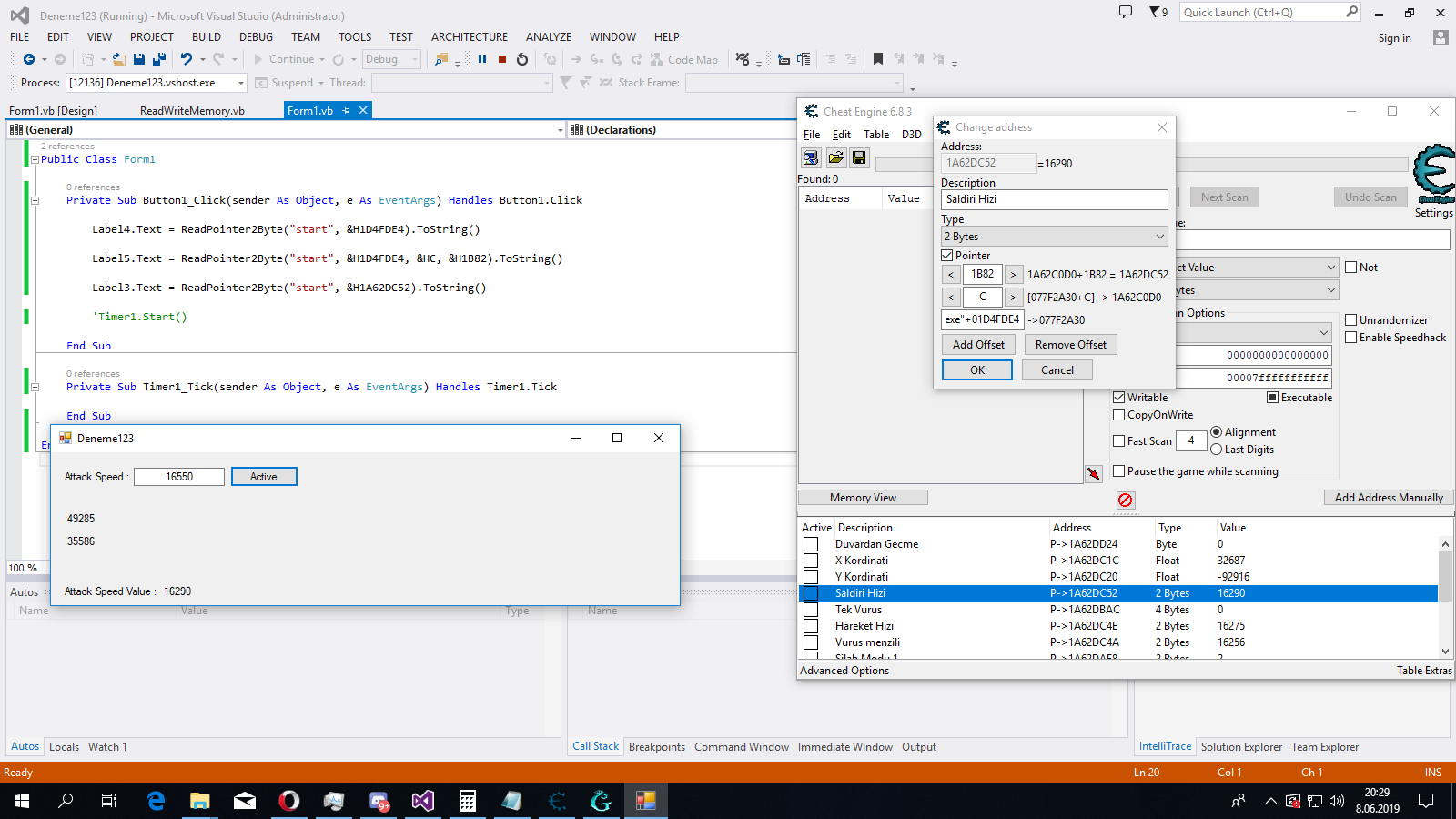
Hi, I'm having a little trouble.
I could share a picture and source code. Can you correct my mistake?
Code:
Module Module1

    Private Declare Function ReadMemory2Byte Lib "kernel32" Alias "ReadProcessMemory" (ByVal Handle As Integer, ByVal Address As Integer, ByRef Value As Integer, Optional ByVal Size As Integer = 2, Optional ByRef Bytes As Integer = 0) As Integer

    Private Declare Function WriteMemory2Byte Lib "kernel32" Alias "WriteProcessMemory" (ByVal Handle As Integer, ByVal Address As Integer, ByRef Value As Integer, Optional ByVal Size As Integer = 2, Optional ByRef Bytes As Integer = 0) As Integer

    Public Function Read2Byte(ByVal EXENAME As String, ByVal Address As Integer) As Integer
        Dim Value As Integer
        If Process.GetProcessesByName(EXENAME).Length <> 0 Then
            Dim Handle As Integer = Process.GetProcessesByName(EXENAME)(0).Handle
            If Handle <> 0 Then
                ReadMemory2Byte(Handle, Address, Value)
            End If
        End If
        Return Value
    End Function

    Public Function ReadPointer2Byte(ByVal EXENAME As String, ByVal Pointer As Integer, ByVal ParamArray Offset As Integer()) As Integer
        Dim Value As Integer
        If Process.GetProcessesByName(EXENAME).Length <> 0 Then
            Dim Handle As Integer = Process.GetProcessesByName(EXENAME)(0).Handle
            If Handle <> 0 Then
                For Each I As Integer In Offset
                    ReadMemory2Byte(Handle, Pointer, Pointer)
                    Pointer += I
                Next
                ReadMemory2Byte(Handle, Pointer, Value)
            End If
        End If
        Return Value
    End Function

    Public Sub Write2Byte(ByVal EXENAME As String, ByVal Address As Integer, ByVal Value As Integer)
        If Process.GetProcessesByName(EXENAME).Length <> 0 Then
            Dim Handle As Integer = Process.GetProcessesByName(EXENAME)(0).Handle
            If Handle <> 0 Then
                WriteMemory2Byte(Handle, Address, Value)
            End If
        End If
    End Sub

    Public Sub WritePointer2Byte(ByVal EXENAME As String, ByVal Pointer As Integer, ByVal Value As Integer, ByVal ParamArray Offset As Integer())
        If Process.GetProcessesByName(EXENAME).Length <> 0 Then
            Dim Handle As Integer = Process.GetProcessesByName(EXENAME)(0).Handle
            If Handle <> 0 Then
                For Each I As Integer In Offset
                    WriteMemory2Byte(Handle, Pointer, Pointer)
                    Pointer += I
                Next
                WriteMemory2Byte(Handle, Pointer, Value)
            End If
        End If
    End Sub

    End Module
 Originally Posted by vnexustr26


