Save Injector v2.7.2 DBD 4.0.0+
Detection
Over the course of years editing save file is significantly ahead of all other ways of modifying or hacking progress in terms of # of bans issued. Never ever edit save file on account that matters to you. For additional information regarding save editing ban-rate check this post (https://www.mpgh.net/forum/showthread.php?t=1458466) @BukkitBuilder.
Changelog
- v2.6 Updated to the game patch 3.6.0, added new killer/survivor to the complete profile
- v2.2 Added Fiddler cert. support
- Implemented FiddlerCore
- Setup heavily simplified
- Changed injection technique
- Attempt to add intuitive interface
- Minor bugs fixed
Previous version - https://www.mpgh.net/forum/showthread.php?t=1485199
Part 1: Downgrade to 3.0.0
0. Close Steam.
1. Go to Steam folder (C:\Program Files (x86)\Steam), right click Steam.exe and choose Create shortcut.
2. Right click created shortcut, go to Properties and type "-console" in the target string after "C:\Program Files (x86)\Steam\Steam.exe". Final result:
3. Start Steam with this shortcut. You will see "CONSOLE" next to your Steam profile name.
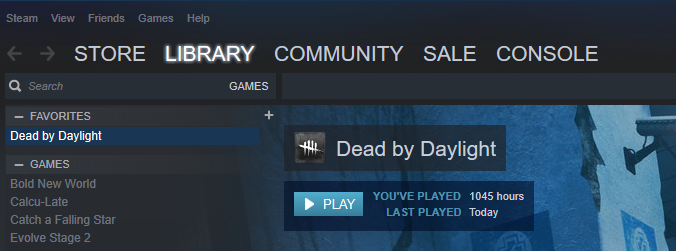
4. Follow this tutorial to bypass Steam downgrade protection. @xxironexx
https://www.mpgh.net/forum/showthread.php?t=1489364
5. Open console and type "download_depot 381210 381211 9043651681125706667".
6. "Downloading depot 381211 (12415 MB) ... " should appear. We have started downloading DBD version 3.0.0.
7. Go to "C:\Program Files (x86)\Steam\steamapps\content\app_381210\depot_381 211". In this folder DBD 3.0.0 is being downloaded. There are no ways (I might be wrong here) to check download status. During download new files and folders will appear here. Mnemonic rule is that the very last folder to be downloaded is "EasyAntiCheat". If you see this folder, wait 2-3 minutes and download is complete.
8. Go to "C:\Program Files (x86)\Steam\steamapps\common\Dead by Daylight" and make backup of DBD files. Save them somewhere else so you will be able to quickly swap in the end.
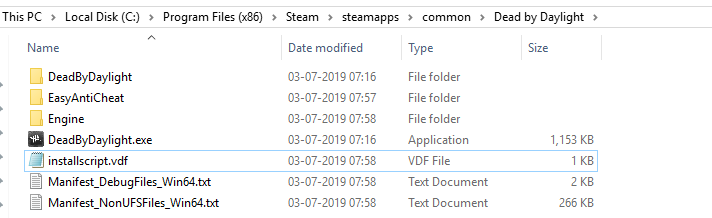
9. Go to "C:\Program Files (x86)\Steam\steamapps\content\app_381210\depot_381 211" copy this whole directory and paste to "C:\Program Files (x86)\Steam\steamapps\common\Dead by Daylight". We have swapped files of latest DBD version with files of DBD version 3.0.0. Result:
Part 2: Save file modification
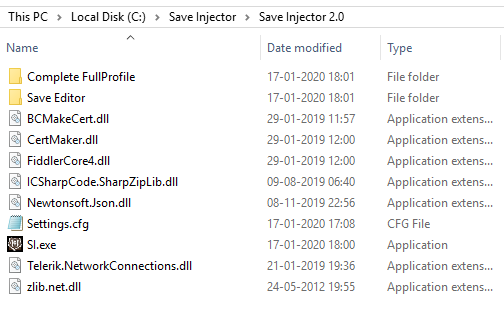
1. Download and unzip attached folder "Save Injector".
2. Install .NET Framework 4.8. This runtime is required.
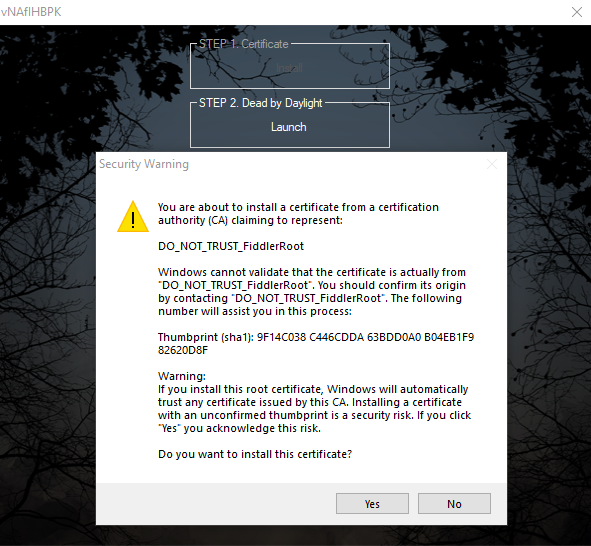
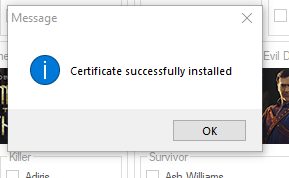
3. Launch SI.exe. Install Certificate under Step 1. Once complete, press "Launch", wait for DBD to load and proceed to main menu. Soon the game will close itself.
4. Press "Download" under Step 3 in order to download save file. Save file will be saved in FullProfile subfolder.
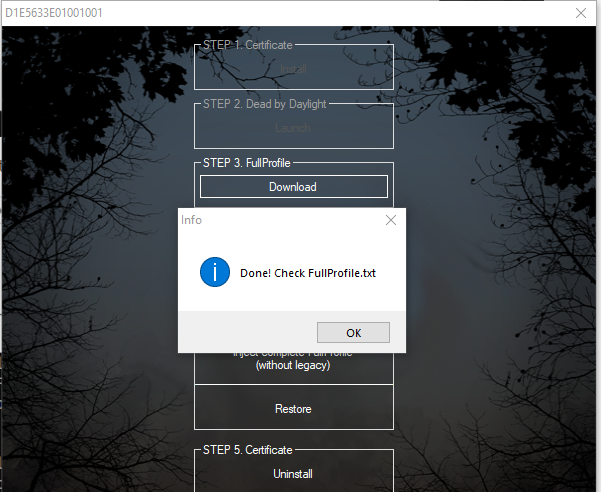
5. You can edit Save File with notepad but much more convenient way would be to use Null's SaveGameEditor @Null. You can download latest version from this thread (https://www.mpgh.net/forum/showthread.php?t=1459213), already included it in the subfolder "Save Editor".
6. Launch "DbdSavegameEditor.exe", click "Load Profile", choose FullProfile.txt. Now you can add/change anything you want.
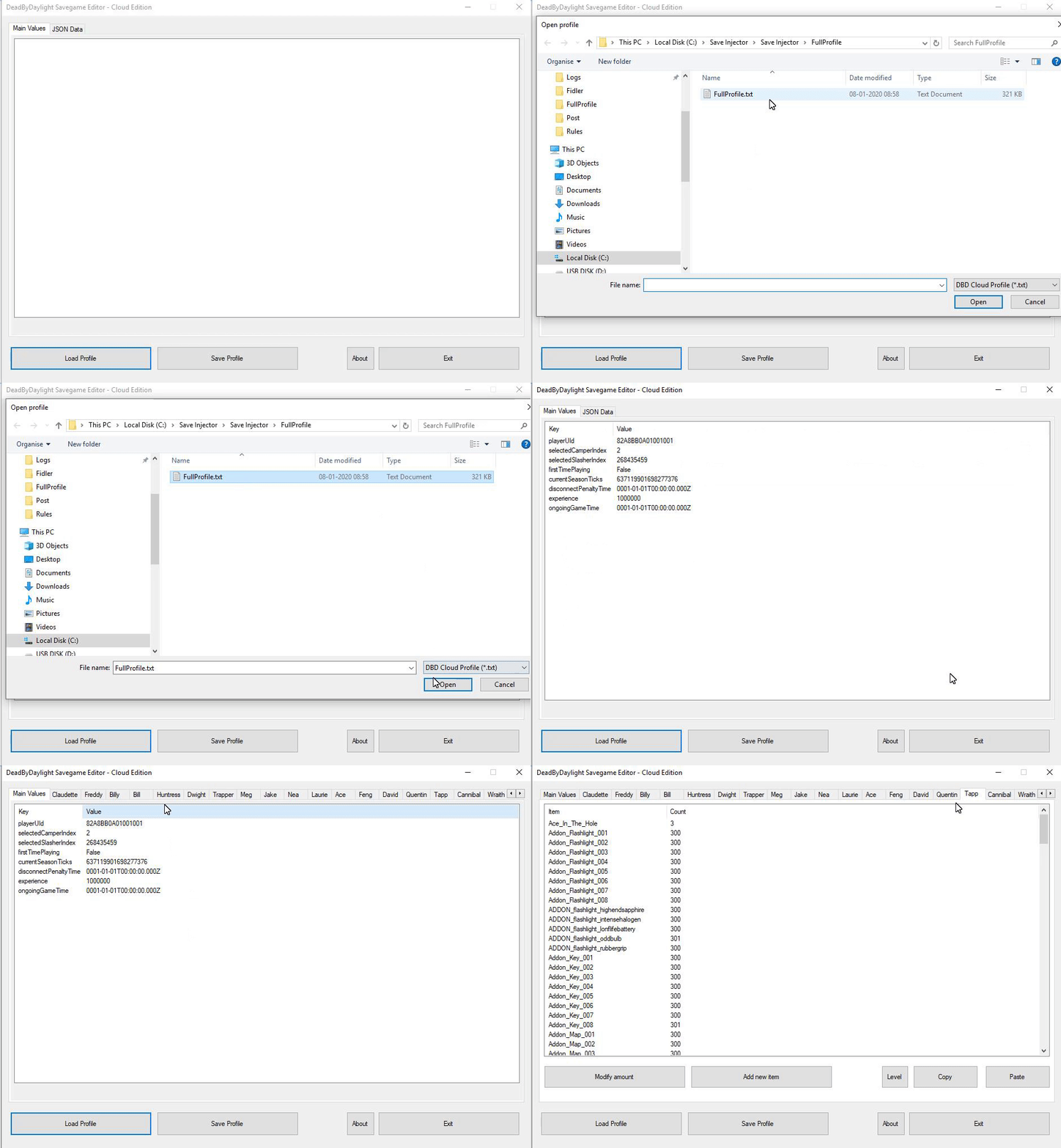
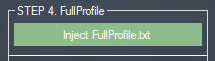
7. In order to inject save file, switch back to SI.exe and click "Inject FullProfile.txt".
8. For those of you who are lazy enough to edit save file on your own, added an option to inject complete save file. This save contains all items/addons/offerings, all perks on all characters, all characters lvl 50 p3. There are two version, with and without legacy. Choose corresponding version and click "Inject complete FullProfile"
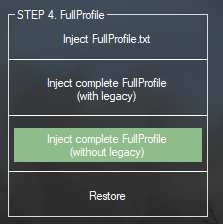
9. There is an option to restore backup in case you managed to somehow break your savefile or want to restore original version. Press "Restore" and choose backup file. Backup is created each time you download FullProfile.
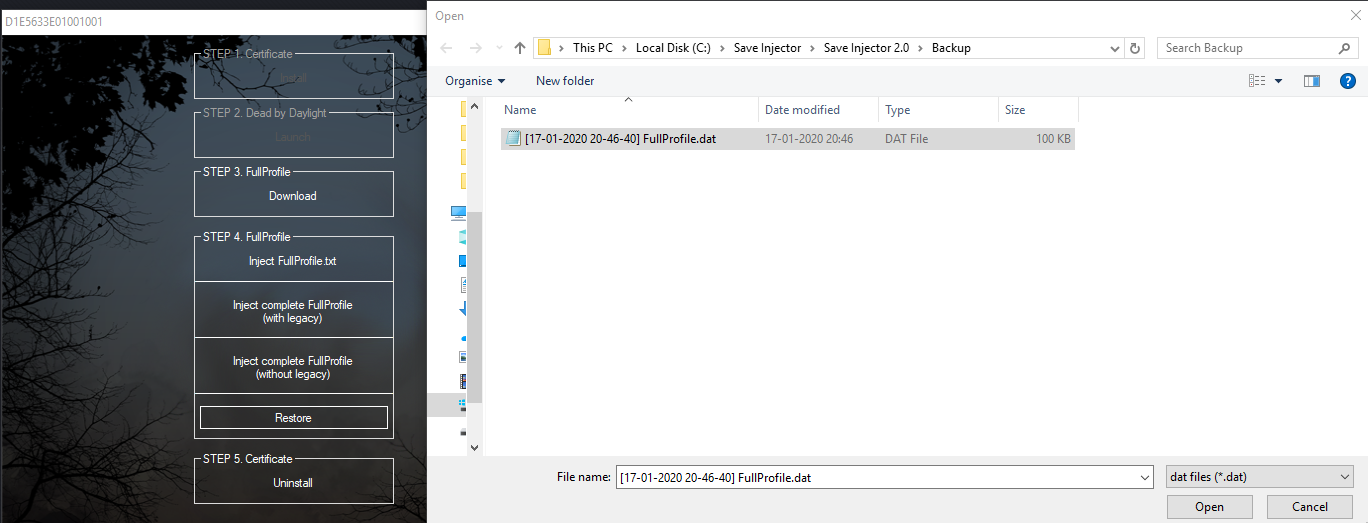
10. Once finished with save modifying, click "Uninstall" under Step 5, accept certificate removal. Restart PC, swap game files of DBD 3.0.0 (C:\Program Files (x86)\Steam\steamapps\common\Dead by Daylight) with the files of latest DBD version (i hope you saved them before downgrading to 3.0.0). Launch DBD through Steam to ensure everything is fine.
Troubleshoot and Notes
1.
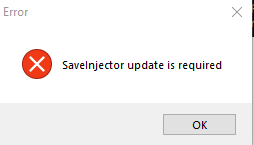
Update is required. Follow this thread for the upcoming updates.
2.
Program refuses to launch, some weird error appears, blue screen etc.
Disable Anti Virus, reinstall .NET Framework, set system language to English.
3.
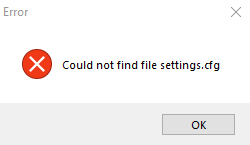
settings.cfg should be in the same folder as SI.exe.
4.
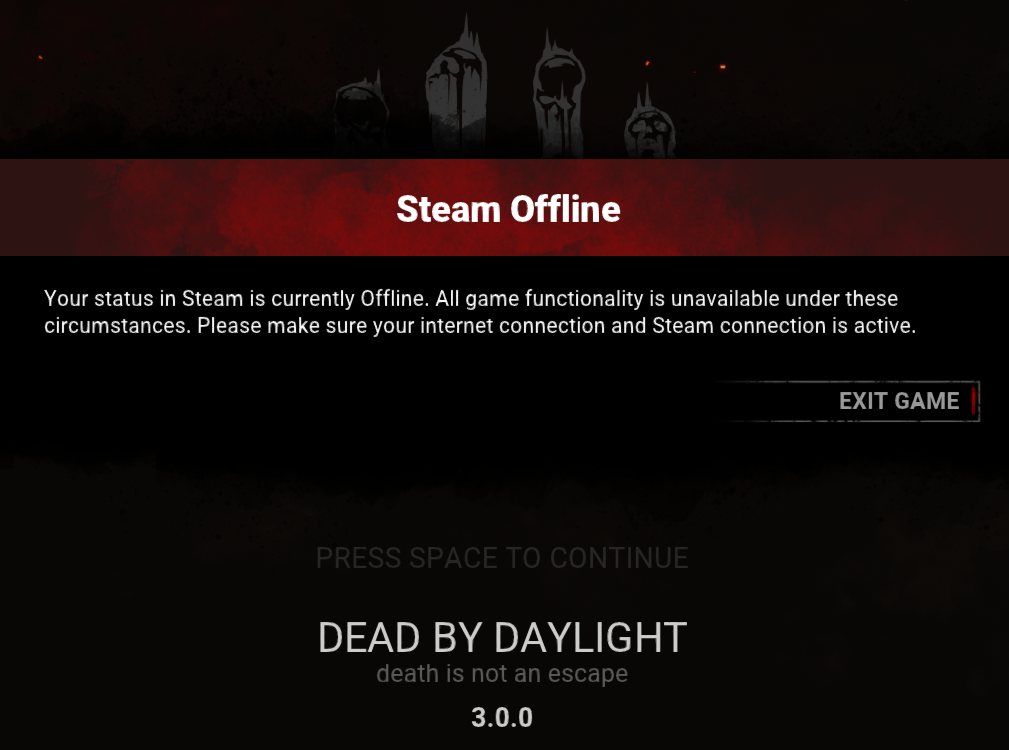
There are many possible reasons why you have this error. Few ways to fix it, try every of them.
- Close DBD, click "Uninstall" under Step 5, accept certificate removal, restart SI.exe, install certificate under step 1, restart Steam, follow rest of the tutorial.
- Install and setup Fiddler. Follow Part 2 of this thread (https://www.mpgh.net/forum/showthread.php?t=1485197) if you don't know how. It's important to install "CertMaker for iOS and Android" addon for Fiddler. Close fiddler, launch SI.exe and press Shift+F12. Instead of creating new certificate application will use existing one, created by Fiddler. Follow the rest of the tutorial.
- Make sure you don't have active AV or FaceIt installed. Delete/disable them. Step by step guide how to remove Faceit: https://www.mpgh.net/forum/showthread.php?t=1487122 (@FCSECT Richard)
- If nothing helps the only solution for you will be to reset Windows.
Virus Total
Editor
https://www.virustotal.com/gui/file/...4bf6/detection
Injector
https://www.virustotal.com/gui/file/...6efd/detection
Credits
Huge thanks to @Mars1c for the implementation of the technical component of this project, @Null for the save editor, @T-800, @xoreaxeax and @JustTheAndy for the help and useful advises, @BukkitBuilder for the design ideas we borrowed from his Injector, @PRIVIDENIE for the complete save file.
Over the course of years editing save file is significantly ahead of all other ways of modifying or hacking progress in terms of # of bans issued. Never ever edit save file on account that matters to you. For additional information regarding save editing ban-rate check this post (https://www.mpgh.net/forum/showthread.php?t=1458466) @BukkitBuilder.
Changelog
- v2.6 Updated to the game patch 3.6.0, added new killer/survivor to the complete profile
- v2.2 Added Fiddler cert. support
- Implemented FiddlerCore
- Setup heavily simplified
- Changed injection technique
- Attempt to add intuitive interface
- Minor bugs fixed
Previous version - https://www.mpgh.net/forum/showthread.php?t=1485199
Part 1: Downgrade to 3.0.0
0. Close Steam.
1. Go to Steam folder (C:\Program Files (x86)\Steam), right click Steam.exe and choose Create shortcut.
2. Right click created shortcut, go to Properties and type "-console" in the target string after "C:\Program Files (x86)\Steam\Steam.exe". Final result:
Code:
"C:\Program Files (x86)\Steam\Steam.exe" -console
4. Follow this tutorial to bypass Steam downgrade protection. @xxironexx
https://www.mpgh.net/forum/showthread.php?t=1489364
5. Open console and type "download_depot 381210 381211 9043651681125706667".
6. "Downloading depot 381211 (12415 MB) ... " should appear. We have started downloading DBD version 3.0.0.
7. Go to "C:\Program Files (x86)\Steam\steamapps\content\app_381210\depot_381 211". In this folder DBD 3.0.0 is being downloaded. There are no ways (I might be wrong here) to check download status. During download new files and folders will appear here. Mnemonic rule is that the very last folder to be downloaded is "EasyAntiCheat". If you see this folder, wait 2-3 minutes and download is complete.
8. Go to "C:\Program Files (x86)\Steam\steamapps\common\Dead by Daylight" and make backup of DBD files. Save them somewhere else so you will be able to quickly swap in the end.
9. Go to "C:\Program Files (x86)\Steam\steamapps\content\app_381210\depot_381 211" copy this whole directory and paste to "C:\Program Files (x86)\Steam\steamapps\common\Dead by Daylight". We have swapped files of latest DBD version with files of DBD version 3.0.0. Result:
Part 2: Save file modification
1. Download and unzip attached folder "Save Injector".
2. Install .NET Framework 4.8. This runtime is required.
3. Launch SI.exe. Install Certificate under Step 1. Once complete, press "Launch", wait for DBD to load and proceed to main menu. Soon the game will close itself.
4. Press "Download" under Step 3 in order to download save file. Save file will be saved in FullProfile subfolder.
5. You can edit Save File with notepad but much more convenient way would be to use Null's SaveGameEditor @Null. You can download latest version from this thread (https://www.mpgh.net/forum/showthread.php?t=1459213), already included it in the subfolder "Save Editor".
6. Launch "DbdSavegameEditor.exe", click "Load Profile", choose FullProfile.txt. Now you can add/change anything you want.
7. In order to inject save file, switch back to SI.exe and click "Inject FullProfile.txt".
8. For those of you who are lazy enough to edit save file on your own, added an option to inject complete save file. This save contains all items/addons/offerings, all perks on all characters, all characters lvl 50 p3. There are two version, with and without legacy. Choose corresponding version and click "Inject complete FullProfile"
9. There is an option to restore backup in case you managed to somehow break your savefile or want to restore original version. Press "Restore" and choose backup file. Backup is created each time you download FullProfile.
10. Once finished with save modifying, click "Uninstall" under Step 5, accept certificate removal. Restart PC, swap game files of DBD 3.0.0 (C:\Program Files (x86)\Steam\steamapps\common\Dead by Daylight) with the files of latest DBD version (i hope you saved them before downgrading to 3.0.0). Launch DBD through Steam to ensure everything is fine.
Troubleshoot and Notes
1.
Update is required. Follow this thread for the upcoming updates.
2.
Program refuses to launch, some weird error appears, blue screen etc.
Disable Anti Virus, reinstall .NET Framework, set system language to English.
3.
settings.cfg should be in the same folder as SI.exe.
4.
There are many possible reasons why you have this error. Few ways to fix it, try every of them.
- Close DBD, click "Uninstall" under Step 5, accept certificate removal, restart SI.exe, install certificate under step 1, restart Steam, follow rest of the tutorial.
- Install and setup Fiddler. Follow Part 2 of this thread (https://www.mpgh.net/forum/showthread.php?t=1485197) if you don't know how. It's important to install "CertMaker for iOS and Android" addon for Fiddler. Close fiddler, launch SI.exe and press Shift+F12. Instead of creating new certificate application will use existing one, created by Fiddler. Follow the rest of the tutorial.
- Make sure you don't have active AV or FaceIt installed. Delete/disable them. Step by step guide how to remove Faceit: https://www.mpgh.net/forum/showthread.php?t=1487122 (@FCSECT Richard)
- If nothing helps the only solution for you will be to reset Windows.
Virus Total
Editor
https://www.virustotal.com/gui/file/...4bf6/detection
Injector
https://www.virustotal.com/gui/file/...6efd/detection
Credits
Huge thanks to @Mars1c for the implementation of the technical component of this project, @Null for the save editor, @T-800, @xoreaxeax and @JustTheAndy for the help and useful advises, @BukkitBuilder for the design ideas we borrowed from his Injector, @PRIVIDENIE for the complete save file.
 Originally Posted by Mr.Christmas