CoolAQ3D Auto Capture Fish

Posts 1–14 of 14 · Page 1 of 1
AQ3D Auto Capture Fish
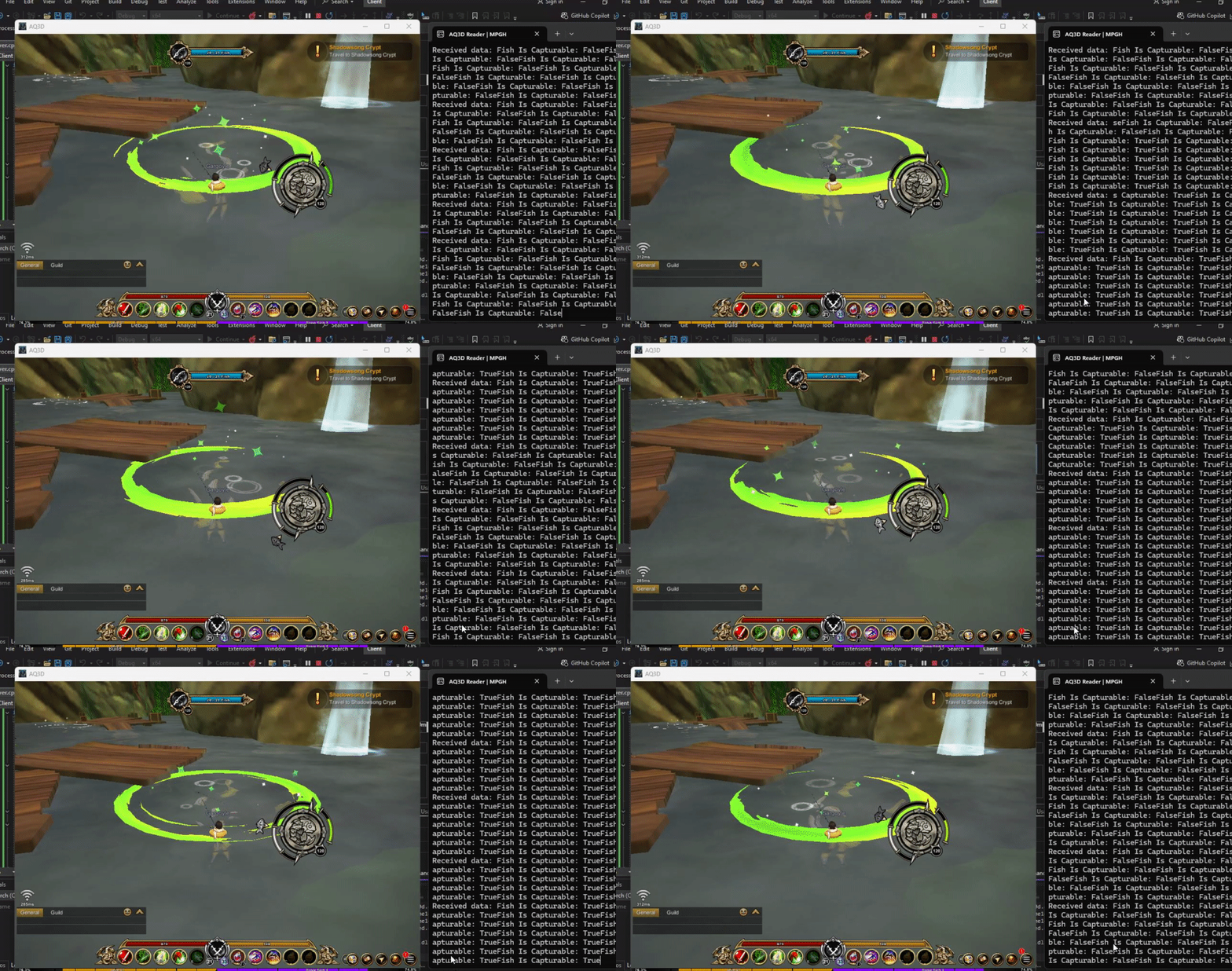
This simply auto captures the captured fish once it reaches within the bounds of the goal.

TUTORIAL
1) Drag Assembly-CSharp.dll into dnSpy
2) Go into UIFishing and look for Update()
3) Change Update() to this
Code:
	public void Update()
	{
		if (this.miniGameActive)
		{
			if (this.IsInGoal()) // The magic nest
			{
				this.machine.CollectResource(); // Captures Fish
				this.Close(); // Closes fishing node and UI
			}

			this.countdown -= Time.deltaTime;
			if (this.countdown <= 0f)
			{
				this.OnClick(null);
				return;
			}
			this.UpdateTimeFill();
			this.UpdateMarkerRotation();
			this.UpdateMarkerColor();
		}
	}
4) Save All
5) Engage Fishing
6) Enjoy

I recommend adding a randomized sleep or a boundaries checker so it's not always instant.

Enjoy
Added a GUI to toggle it on and off. Located in UIFishing still just in OnGUI()

Fishing GUI_mpgh.net.rar876 KB · 24 downloads Clean
already patch


Quote Originally Posted by bennyboo123 View Post
Added a GUI to toggle it on and off. Located in UIFishing still just in OnGUI()

Quote Originally Posted by lompoi46 View Post
already patch
Working on a private version (that I don't plan on releasing publicly). Soon to have more to fishing, an actual GUI, visuals, and if it gets that far, I'll do something combat related.
hope i can contact u


Quote Originally Posted by bennyboo123 View Post


Working on a private version (that I don't plan on releasing publicly). Soon to have more to fishing, an actual GUI, visuals, and if it gets that far, I'll do something combat related.
Quote Originally Posted by lompoi46 View Post
hope i can contact u
Sent you a message (I think) xd
Quote Originally Posted by bennyboo123 View Post


Working on a private version (that I don't plan on releasing publicly). Soon to have more to fishing, an actual GUI, visuals, and if it gets that far, I'll do something combat related.

im waiting
Quote Originally Posted by DivoRaS99 View Post
im waiting
Waiting for what? I'm not releasing what you replied to publicly. I contribute the basic forms of my projects here. I don't contribute my entire projects here.
Here's another way to capture the fish without having to CollectResource();

Code:
if (this.IsInGoal())
{
	UIEventListener button = UIEventListener.Get(this.buttonFish.gameObject);
	if (button.onClick != null) {
		button.onClick(this.buttonFish.gameObject);
	}
}
help
Quote Originally Posted by bennyboo123 View Post
Here's another way to capture the fish without having to CollectResource();

Code:
if (this.IsInGoal())
{
	UIEventListener button = UIEventListener.Get(this.buttonFish.gameObject);
	if (button.onClick != null) {
		button.onClick(this.buttonFish.gameObject);
	}
}
Guy tries it and it's fine, but wouldn't it be interesting for it to identify places to fish and go there automatically?
I want to learn
I'm analyzing and trying to improve but I don't know how to decompile and compile the dll again to apply my logic
Quote Originally Posted by Nocrew View Post
Guy tries it and it's fine, but wouldn't it be interesting for it to identify places to fish and go there automatically?
That's a lot to add, but you're not wrong. Just a lot of work I'm not willing to put in ATM.

I'd check out ResourceMachine as that's where they spawn nodes and fishes.

I assume this is the variable where they store the fish, but that's just a very quick skim through of the code. I recommend someone else go deeper as I just don't have the time to.
Code:
private Dictionary<int, GameObject> playerFish;


- - - Updated - - -

Quote Originally Posted by Nocrew View Post
I'm analyzing and trying to improve but I don't know how to decompile and compile the dll again to apply my logic
Download dnSpy, go to AQ3D folder, find the assembly-csharp.dll, drag it in, then you'll see the code. To save it all, just go to File and save all. Then it's good to go!
thanks
Quote Originally Posted by bennyboo123 View Post


That's a lot to add, but you're not wrong. Just a lot of work I'm not willing to put in ATM.

I'd check out ResourceMachine as that's where they spawn nodes and fishes.

I assume this is the variable where they store the fish, but that's just a very quick skim through of the code. I recommend someone else go deeper as I just don't have the time to.
Code:
private Dictionary<int, GameObject> playerFish;


- - - Updated - - -


Download dnSpy, go to AQ3D folder, find the assembly-csharp.dll, drag it in, then you'll see the code. To save it all, just go to File and save all. Then it's good to go!


It worked, thank you, it's not the best thing but I can now stop it and start it automatically without needing to click, and it works together with your autofish
I decided to mess around to see what I can find out and I managed to identify the fish that is currently spawned for you. So you can ideally filter the type of fish you want.


Add this into UIFishing (or anywhere you want to identify the type of fish)
Code:
public static string fish;
Add this into SpawnFish function inside ResourceMachine under the if (fish != null) nestle
Code:
UIFishing.fishh = fish.name.ToString();
Should look like this
Code:
public partial class ResourceMachine : ClickMachine
{
	// Token: 0x06000613 RID: 1555
	private IEnumerator SpawnFish(int playerID)
	{
		GameObject fish = this.playerFish[playerID];
		if (fish != null)
		{
			UIFishing.fishh = fish.name.ToString();
and now in UIFishing where the automatic code is for the minigame, you can make it so if it's the rarity you want, you can capture or move & refish.


Fish Types
Code:
CommonFish
UncommonFish
RareFish
EpicFish
LegendaryFish
Example
Code:
if (this.IsInGoal() && fishh == "CommonFish")
{
	this.machine.CollectResource();
	this.Close();
}
Posts 1–14 of 14 · Page 1 of 1

Post a Reply

Similar Threads

Tags for this Thread

None

Need help?